
Local DIY Smart Home Hub vs Cloud Ecosystems for Studio Apartments
Compare local smart home hubs with Apple Home, Google Home, Alexa, and other cloud ecosystems to choose the right setup for a small studio apartment.
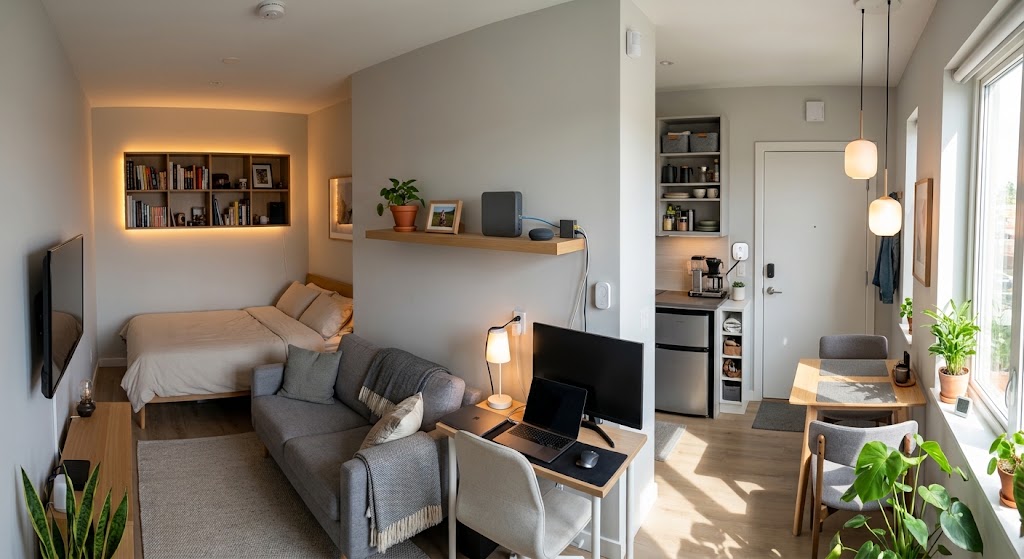
Quick answer
For most studio-apartment renters, a mainstream ecosystem with Matter-capable devices is the simplest starting point because setup, voice control, and remote access require little maintenance. A local Home Assistant hub becomes the better choice when privacy, internet-independent automation, multi-brand integration, or advanced rules matter more than simplicity. In 2026, a hybrid setup is often the strongest compromise because Matter can provide local device control while Home Assistant or a mainstream ecosystem handles the automation layer you prefer.
Table of contents
- What “local” and “cloud” actually mean in 2026
- Why studio apartments change the calculation
- Local DIY hub: where Home Assistant is strongest
- 1. Your core automations can survive an internet outage
- 2. Smart-home data can stay inside the apartment
- 3. Cross-brand automation is much more flexible
- 4. You own the automation logic
- Where a local DIY hub creates unnecessary work
- Updates become your responsibility
- Device integrations vary
- Remote access requires another decision
- Cloud ecosystems: why they still make sense for small rentals
- 1. Setup is usually faster
- 2. Voice control is already integrated
- 3. Remote access is straightforward
- 4. Matter has reduced some traditional cloud weaknesses
- But “Matter-compatible” does not mean “cloud-free”
- Home Assistant vs mainstream ecosystems for a studio apartment
- The hybrid setup is often the best 2026 answer
- A three-tier decision framework for studio renters
- Tier 1: Keep it simple
- Tier 2: Use a hybrid architecture
- Tier 3: Go local-first
- What hardware does a local setup actually need?
- Renters should prioritize portability over infrastructure
- Security matters more when you run the hub yourself
- Five mistakes to avoid in a small apartment
- 1. Buying a hub before you have a problem it solves
- 2. Buying cloud-only devices because they are cheap
- 3. Assuming Matter replaces every vendor app
- 4. Running duplicate automations in multiple ecosystems
- 5. Making simple tasks dependent on the internet
- Which setup should you choose?
- Conclusion
Key takeaways
- A studio apartment's small device count often favors a simple mainstream ecosystem unless you specifically need advanced local automation.
- Home Assistant can keep locally connected Zigbee, Z-Wave, Matter, Thread, and ESPHome devices working when the internet is unavailable.
- Matter makes the local-vs-cloud decision less binary because Apple Home, Google Home, Alexa, and Home Assistant can all use local Matter connectivity for supported functions.
- For many renters, the best 2026 architecture is hybrid: portable local-capable devices first, then add a local hub only when it solves privacy, reliability, or automation limitations.
Editorial transparency
Who worked on this article and how it was handled.
- Written by
- Maya Chen
- Creation method
- Editorial research
AI assistance: AI assisted with research organization and drafting. Sources, factual claims, and the final article should be reviewed by a human editor before publication.
A studio apartment is one of the easiest places to overbuild a smart home. Five lights, two smart plugs, a motion sensor, and a thermostat can somehow turn into three bridges, four apps, a Raspberry Pi, a voice speaker, and a weekend spent debugging automations that were supposed to save time.
The usual debate is framed as local hub versus cloud ecosystem. That distinction still matters, but it is less absolute in 2026 because Matter allows many devices to communicate locally inside Apple Home, Google Home, Alexa, Home Assistant, and other compatible platforms. The real question is not whether one side is technically superior. It is how much complexity your small apartment actually needs.
For most studio renters, the best answer comes down to four priorities: simplicity, privacy, resilience when the internet fails, and how ambitious your automations are. This guide compares a local DIY hub such as Home Assistant with mainstream ecosystems and shows when a hybrid setup makes more sense than choosing one extreme.
What “local” and “cloud” actually mean in 2026
A local smart home is one where important device commands and automations can be processed inside your home network rather than being sent to a remote vendor server first.
Home Assistant is the clearest example. It runs on hardware in your home and stores its core data locally. Home Assistant also states that devices using local protocols such as Zigbee, Z-Wave, Matter, Thread, and ESPHome can continue working without an internet connection.
A cloud-connected ecosystem traditionally sends at least part of the control path through an external service. This remains common with Wi-Fi devices that require a manufacturer account or cloud API.
But calling Apple Home, Google Home, or Alexa “cloud-only” is now inaccurate.
Matter gives compatible ecosystems a local IP-based control path. Google describes Matter as providing lower latency and higher reliability than cloud-to-cloud connections. Amazon likewise documents local Matter control between compatible Echo or eero hardware and supported devices.
So the more useful distinction is:
| Architecture | Where basic device control happens | Internet dependency |
|---|---|---|
| Local-first Home Assistant + local devices | Primarily inside your home | Low for core automations |
| Mainstream ecosystem + Matter devices | Many basic commands can be local | Medium; ecosystem services still use cloud features |
| Mainstream ecosystem + cloud-only Wi-Fi devices | Often through vendor cloud services | High |
| Hybrid Home Assistant + Matter + cloud services | Local where possible, cloud where useful | Variable and configurable |
That distinction matters more than the logo on the app.
Why studio apartments change the calculation
A local automation platform becomes more valuable as a smart home grows complicated. A studio apartment often has the opposite profile.
You may only have one main room, one bathroom, a compact kitchen, and perhaps a small entryway. That means fewer lighting zones, fewer HVAC zones, fewer occupancy edge cases, and fewer devices overall.
A simple automation such as “turn off all lights and lower the thermostat when I leave” does not require an elaborate server architecture. Apple Home, Google Home, Alexa, or another mainstream platform may already handle it adequately.
The local-hub advantage becomes clearer when your needs go beyond basic control:
- multiple brands that do not cooperate cleanly;
- detailed presence logic;
- energy dashboards;
- privacy-sensitive sensors;
- automations that must keep working without the internet;
- local-only Zigbee, Z-Wave, ESPHome, or other devices;
- complex conditions that mainstream apps cannot express easily.
For a studio, the right question is therefore not “Can Home Assistant do more?” It can. The better question is “Will I use enough of that capability to justify owning and maintaining another system?”
Local DIY hub: where Home Assistant is strongest
Home Assistant is not just another remote control app. It can act as the coordination layer for devices and services from many different ecosystems.
That makes it attractive when you want one automation engine instead of several independent vendor apps.
1. Your core automations can survive an internet outage
This is the most practical local-hub advantage.
Home Assistant says its locally connected Zigbee, Z-Wave, Matter, Thread, and ESPHome devices can continue responding when the internet is unavailable. A light triggered by a motion sensor does not need to wait for an external server if both devices are locally integrated.
That matters even in a studio because basic automations should feel like part of the apartment rather than a remote website.
If the internet goes down at midnight, your entry light, bathroom sensor, or temperature automation should ideally keep working.
2. Smart-home data can stay inside the apartment
Home Assistant stores its core data locally and does not require a Home Assistant cloud account for local operation.
For renters using presence sensors, door contacts, energy monitoring, or occupancy-based automation, this can be a meaningful privacy advantage.
The important caveat is that Home Assistant cannot make a cloud-only device local. If a smart plug or appliance only exposes a vendor cloud API, Home Assistant still needs that cloud connection to reach it.
Privacy therefore depends on both the hub and the devices you buy.
3. Cross-brand automation is much more flexible
A local automation platform is useful when one device should trigger another even though the manufacturers never designed them to work together.
For example:
- a Matter door sensor can trigger a Zigbee lamp;
- an energy-monitoring plug can turn off another device after a power threshold is reached;
- a presence sensor can influence lighting, HVAC, blinds, and notifications at the same time;
- several ecosystems can be presented through a single dashboard.
A studio can reach this level of complexity surprisingly quickly if you buy devices based on price rather than ecosystem.
4. You own the automation logic
Cloud automations can change when platforms alter APIs, retire services, or modify product support.
A local Home Assistant automation is stored in your own installation. That does not make it maintenance-free, but it gives you more control over how the system behaves and how long you keep it.
Where a local DIY hub creates unnecessary work
Local control is attractive, but it has a cost that is easy to underestimate: you become part of the infrastructure team.
Home Assistant has become much easier to use, and Home Assistant Green is specifically designed as a plug-and-play starting point. Even so, a local hub is still another always-on device that you need to understand, update, back up, and secure.
Updates become your responsibility
Home Assistant recommends keeping the system up to date, using strong account security, and backing up the installation.
That is reasonable, but it is still additional maintenance compared with buying a few Matter plugs and managing them in the ecosystem already built into your phone or smart speaker.
Device integrations vary
Some Home Assistant integrations are fully local. Others depend on vendor clouds. Some advanced integrations require more setup than mainstream platforms expose.
That means “I use Home Assistant” is not the same as “everything in my apartment is local.”
The more carefully you select devices, the more local your system can become.
Remote access requires another decision
Home Assistant is local by default. If you want simple remote access outside the apartment, you need to configure it safely or use Home Assistant Cloud.
For a mainstream cloud ecosystem, remote access is usually part of the default experience after account setup.
That difference is important for people who want convenience rather than another networking project.
Cloud ecosystems: why they still make sense for small rentals
Cloud ecosystems are often criticized from the perspective of enthusiasts. In a studio apartment, many of their weaknesses are less painful because the system is small.
If your setup is six devices from two or three compatible brands, convenience can outweigh architectural purity.
1. Setup is usually faster
The mainstream pattern is familiar:
- plug in the device;
- scan a code or add it in an app;
- assign it to a room;
- create a schedule or routine;
- use voice or phone control.
There is usually no local server to maintain and no dashboard architecture to design.
2. Voice control is already integrated
If you already own a HomePod, Google Nest device, or Echo, choosing the matching ecosystem can reduce the number of components in the apartment.
That matters in a studio where shelf space, electrical outlets, and visual clutter are limited.
3. Remote access is straightforward
Mainstream ecosystems are designed around controlling your home while you are away.
For a renter who mainly wants to confirm that a plug is off, unlock a supported lock, or adjust the thermostat before getting home, this simplicity has real value.
4. Matter has reduced some traditional cloud weaknesses
Matter-compatible devices can communicate locally for supported functions in major ecosystems.
Google explicitly describes Matter as a local connectivity path. Amazon documents local Matter connections through compatible Echo and eero hardware. Apple Home also supports Matter accessories across common smart-home categories.
This means a mainstream ecosystem can now deliver much of the low-latency local experience that previously pushed enthusiasts toward dedicated DIY hubs.
But “Matter-compatible” does not mean “cloud-free”
This is where buying decisions get confusing.
Matter standardizes a set of device capabilities and local communication, but manufacturers can still offer extra features through their own apps and cloud services.
A Matter smart plug might expose:
- on/off control locally through Matter;
- scheduling through the ecosystem;
- proprietary energy history only through the manufacturer’s app;
- firmware management through the manufacturer’s service.
A camera can be even more complicated because video storage, event detection, subscriptions, and remote streaming may involve services that Matter does not replace.
So when evaluating a device, ask two separate questions:
- Can the core function operate locally through Matter or another local protocol?
- Which advanced features still depend on the vendor account or cloud?
That is more useful than looking for a Matter logo and assuming every feature is local.
Home Assistant vs mainstream ecosystems for a studio apartment
| Decision factor | Local Home Assistant hub | Mainstream ecosystem |
|---|---|---|
| Initial setup | More involved | Usually easier |
| Ongoing maintenance | You manage updates and backups | Mostly platform-managed |
| Local automation | Excellent with local-compatible devices | Increasingly strong with Matter and supported local protocols |
| Works during internet outage | Strong when devices are local | Varies by device and function |
| Privacy control | Strongest when using local integrations | Depends more on platform and vendor services |
| Cross-brand automation | Very flexible | Good within supported integrations and Matter capabilities |
| Advanced automation logic | Excellent | Usually simpler and more constrained |
| Voice assistant convenience | Available, but may require additional integration | Usually native |
| Remote access | Optional setup or service | Usually built in |
| Best fit | Enthusiast, privacy-focused, mixed-device setup | Small, convenience-focused smart home |
For a studio, the mainstream ecosystem wins more often than it would in a large house simply because there are fewer edge cases to solve.
But that changes quickly if you enjoy automation as a hobby or deliberately choose local-first devices.
The hybrid setup is often the best 2026 answer
You do not need to pledge allegiance to one architecture.
A practical hybrid studio might look like this:
- Matter smart plugs and lights for portable, multi-platform compatibility;
- Thread or Zigbee sensors where battery life and local response matter;
- Apple Home, Google Home, or Alexa for simple voice and household control;
- Home Assistant as the deeper automation engine only if you actually need it.
This architecture preserves options.
If you later move into a larger apartment or house, Home Assistant can absorb more of the automation logic. If you decide you do not want to maintain a local server, the Matter devices can still remain useful in another compatible ecosystem.
That portability is particularly valuable for renters.
A three-tier decision framework for studio renters
Instead of starting with hardware, choose the level of automation you actually need.
Tier 1: Keep it simple
Choose a mainstream ecosystem if you have:
- fewer than roughly a dozen smart devices;
- mostly lights, plugs, thermostat controls, or a lock;
- no complex cross-brand rules;
- no strong requirement for offline automation;
- little interest in maintaining a server.
Prioritize Matter-capable devices where practical so you preserve future ecosystem flexibility.
Tier 2: Use a hybrid architecture
Add Home Assistant if:
- several brands do not cooperate well;
- you want local sensors to trigger devices across ecosystems;
- you want richer dashboards or energy monitoring;
- you want to reduce cloud dependency without losing mainstream voice assistants;
- you expect your smart home to grow after your next move.
For many technically inclined renters, this is the sweet spot.
Tier 3: Go local-first
Build around Home Assistant and local protocols if:
- internet-independent operation is a hard requirement;
- privacy is a major purchasing criterion;
- you deliberately avoid cloud-only hardware;
- you want advanced automation logic;
- you are comfortable managing updates, backups, and integrations.
At that point, the local hub is not unnecessary complexity. It is the infrastructure that makes the rest of your design possible.
What hardware does a local setup actually need?
Home Assistant can run on several types of hardware.
Home Assistant’s current guidance recommends Home Assistant Green for most people who want an easier dedicated appliance. More technical users can run Home Assistant on supported Raspberry Pi hardware, a mini PC, a virtual machine, or other supported installation methods.
For a studio apartment, avoid buying more hardware than the system requires.
A useful sequence is:
- Start with Home Assistant Green or another supported host if you want a dedicated local controller.
- Add a Zigbee or Thread radio only when you actually have devices that require one.
- Keep your existing mainstream voice speaker if you already use it.
- Avoid creating duplicate hubs for every vendor unless a device truly requires them.
The goal is consolidation, not collecting bridges.
Renters should prioritize portability over infrastructure
A homeowner can justify permanent switches, in-wall relays, wired sensors, and carefully designed networking because the equipment may stay in place for years.
A renter has a different constraint: the smart home needs to move.
That means the best devices are often:
- smart plugs;
- bulbs;
- portable lamps;
- removable sensors;
- battery-powered buttons;
- renter-friendly locks and mounts;
- freestanding hubs.
A local hub can be especially renter-friendly because the automation configuration can move with you. The physical apartment changes, but much of the logic and device organization can be reused.
The same applies to Matter devices, which are designed for interoperability across compatible ecosystems.
Security matters more when you run the hub yourself
Local does not automatically mean secure.
A local Home Assistant installation reduces dependence on external services for supported devices, but you still need good operational habits.
Home Assistant recommends:
- strong, unique passwords;
- multi-factor authentication;
- regular updates;
- backups;
- care when configuring remote access.
If you are not willing to maintain the system, a simpler mainstream ecosystem may be safer in practice than a poorly maintained DIY server.
Complexity is only beneficial when you manage it properly.
Five mistakes to avoid in a small apartment
1. Buying a hub before you have a problem it solves
A local hub is not a prerequisite for owning smart devices. Start with the behavior you want, then add infrastructure only when the current platform becomes limiting.
2. Buying cloud-only devices because they are cheap
The device may work well today but become difficult to integrate later. Prefer Matter or other documented local-control options when the price difference is reasonable.
3. Assuming Matter replaces every vendor app
Matter covers interoperable device functions. Manufacturer-specific setup, firmware, energy analytics, or advanced features may still require the original app.
4. Running duplicate automations in multiple ecosystems
If Home Assistant, Alexa, and the manufacturer’s app all contain versions of the same schedule, troubleshooting becomes unnecessarily difficult.
Choose one automation engine as the source of truth for each behavior.
5. Making simple tasks dependent on the internet
A bathroom light triggered by a local motion sensor should not need a cloud round trip if both devices can communicate locally.
Use local paths for high-frequency, low-latency automations whenever your hardware supports them.
Which setup should you choose?
Choose a mainstream ecosystem first if your priority is convenience and your studio contains a small number of compatible devices. Prefer Matter-capable hardware so basic control can remain local where supported and your devices are easier to move between ecosystems later.
Choose Home Assistant if you value privacy, offline resilience, deeper automation, mixed-brand control, or energy monitoring enough to justify maintaining a local hub.
Choose a hybrid setup if you want both. In 2026, this is often the most flexible architecture: local-capable Matter, Thread, Zigbee, or other devices underneath; Home Assistant for advanced logic; and Apple Home, Google Home, or Alexa for the interfaces you already use.
Conclusion
For a studio apartment, a local DIY smart home hub is worth adding only when it solves a problem that a mainstream ecosystem cannot solve cleanly. If you mainly want a handful of smart lights, plugs, sensors, and simple routines, a Matter-capable Apple Home, Google Home, or Alexa setup is usually easier to live with.
Home Assistant becomes compelling when you want stronger local control, privacy, offline operation, advanced automations, or one coordination layer for mixed brands. The most future-proof renter strategy is to buy portable local-capable devices first, then add a local hub when your automation needs—not enthusiast curiosity alone—justify the extra infrastructure.
Common questions
Questions this guide answers
Is a local smart home hub worth it in a studio apartment?
It can be, but mainly if you value local processing, privacy, internet-independent automations, or advanced control across multiple brands. If your studio only has a few lights, plugs, sensors, and a thermostat, a mainstream Matter-capable ecosystem may deliver most of what you need with much less setup and maintenance.
Does Home Assistant work without the internet?
Yes, Home Assistant itself runs locally and can continue controlling locally connected devices during an internet outage. Devices that depend on a vendor cloud, remote-access services, and some voice-assistant integrations can still require internet connectivity.
Are Google Home, Alexa, and Apple Home completely cloud-based?
No. Modern mainstream ecosystems can control many Matter devices locally over Wi-Fi or Thread. Cloud services are still used for features such as remote access, account services, certain vendor integrations, voice processing, and device-specific functions, so the exact dependency varies by device and ecosystem.
Is Matter enough to avoid cloud dependency?
Matter provides an IP-based local connectivity path for supported device functions, which can reduce reliance on cloud-to-cloud control. It does not guarantee that every manufacturer feature, firmware service, camera function, historical data feature, or proprietary automation works without the vendor cloud.
What is the best smart home architecture for a renter in a studio apartment?
A strong renter setup starts with portable Matter, Zigbee, Thread, or locally controllable devices that do not require permanent wiring. Use one mainstream ecosystem if simplicity is the priority, or add Home Assistant when you need deeper automations and cross-brand control. Avoid adding a separate hub unless it solves a real problem.
Evidence & further reading
Sources & references
Primary and authoritative references used to support or contextualize this article. Links open the original source.
- 1Is my smart home data private with Home Assistant?
Home Assistant · Accessed Aug 26, 2026
Supports Home Assistant's local data storage model and direct local communication with supported devices.
- 2Does Home Assistant work without an internet connection?
Home Assistant · Accessed Aug 26, 2026
Supports offline operation for Home Assistant and locally connected Zigbee, Z-Wave, Matter, Thread, and ESPHome devices, plus caveats for cloud-dependent integrations.
- 3Home Assistant Green
Home Assistant · Accessed Aug 26, 2026
Supports Home Assistant Green as an easier local hub option and documents its local-first architecture and hardware.
- 4What is Matter?
Google Home Developers · Accessed Aug 26, 2026
Supports Matter as an IP-based local connectivity protocol with lower latency and higher reliability than cloud-to-cloud control.
- 5Connect Your Device to Alexa with Matter
Amazon Alexa Developer Documentation · Accessed Aug 26, 2026
Supports local Matter control through compatible Echo and eero devices and distinguishes local Matter connectivity from cloud integrations.
- 6If you can’t add a smart home accessory to the Home app
Apple Support · Accessed Aug 26, 2026
Supports current Apple Home guidance for Matter accessories and the role of a home hub in the best overall experience.

About the author
Maya Chen
Maya covers residential energy, HVAC controls, and practical home automation, translating technical systems into useful decisions for homeowners and renters.
More from Maya →Make your home smarter without buying every gadget.
One useful idea, one product worth knowing, and one energy-saving action—delivered weekly.
No spam. Unsubscribe anytime.
Semantic recommendations
Related reading
Selected from topic cluster, entities, tags, search intent, and editorial relationships.

Smart Motion Sensor Automations for Dark Apartment Hallways
Build hallway lighting that turns on only when needed, stays dim at night, and avoids the annoying false-offs common with basic motion automations.
Home Assistant Starter Guide: How to Build a Private, Local Smart Home
Home Assistant lets you run automations, dashboards, and device control on hardware inside your home. This beginner guide shows the cleanest 2026 path to a private, local-first setup.
How to Set Up an Offline Smart Home Network That Works When Wi-Fi Drops
Build a local-first smart home that keeps critical lights, sensors, locks, and automations working during internet outages—and can keep core automations alive even when the Wi-Fi access point itself fails.
How to Create a Smart Home Setup in a Studio Apartment Without Wi-Fi Congestion
Build a responsive studio-apartment smart home without overloading Wi-Fi by using one well-placed router, Matter over Thread for low-bandwidth devices, and Wi-Fi only where it makes sense.