
How to Automate Apartment Window Blinds Without Screws or Drilling
Renters can automate existing blinds without permanent mounting by using wand-motor retrofits, adhesive chain drivers, schedules, and removable smart-home controls.
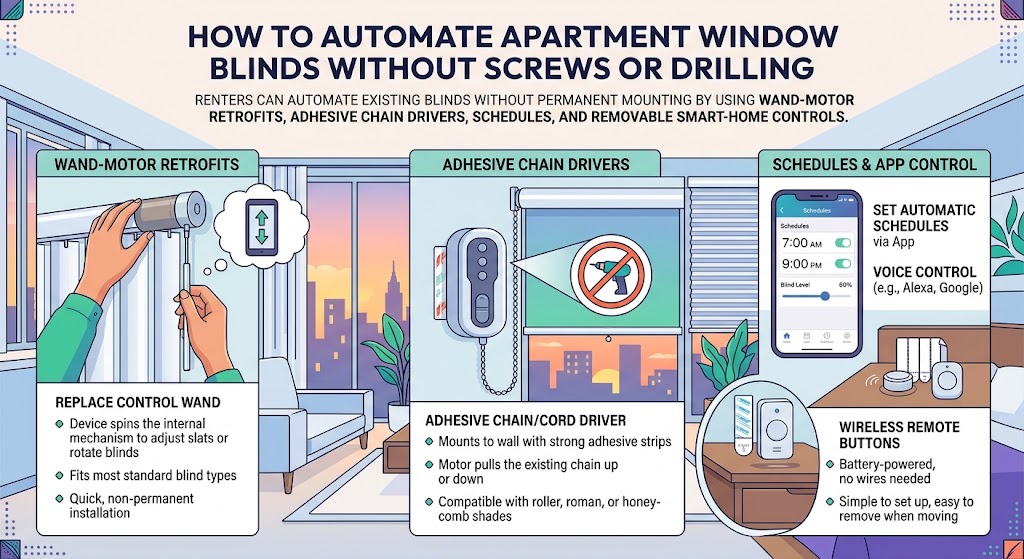
Quick answer
The easiest way to automate apartment blinds without drilling is to retrofit the control mechanism rather than replace the blind. Horizontal blinds with a tilt wand are good candidates for devices such as SwitchBot Blind Tilt, while roller shades with a continuous beaded chain or cord can use an adhesive-mounted chain driver such as SOMA Smart Shades 3. Avoid replacing the blind, drilling brackets, or changing landlord-owned hardware unless your lease allows it.
Table of contents
- Start by Identifying Your Blind Type
- Horizontal blinds with a tilt wand
- Roller shades with a continuous beaded chain
- Roller shades with a continuous plain cord
- Cordless roller shades
- The Lowest-Risk Route: Automate the Tilt Wand
- Best current pick: SwitchBot Blind Tilt
- Why it works well for renters
- Measure before buying
- Another Wand-Based Design: Sunsa Wand
- Roller Shades: Use an Adhesive Chain Driver
- Best strict no-drill pick: SOMA Smart Shades 3
- What it can automate
- Surface condition is the weak point
- Why Aqara Roller Shade Driver E1 Is Not My First Strict No-Drill Pick
- Why Eve MotionBlinds Is Better for Owners Than Strict Renters
- Decision Tree
- You have horizontal blinds with a wand
- You have roller shades with a beaded chain or continuous cord
- You have cordless roller shades
- You have vertical blinds
- Protect the Security Deposit
- Calibrate Before You Automate
- The Best Apartment Automations
- Morning privacy
- Afternoon solar control
- Away mode
- Movie mode
- Winter daylight
- Can Automated Blinds Save Energy?
- Battery, Solar, or Wall Power?
- Rechargeable battery
- Solar panel
- Wall power
- Do You Need a Hub?
- Example: A Completely No-Drill Apartment Setup
- Living room
- Bedroom
- Common Mistakes
- Buying before identifying the control mechanism
- Mounting adhesive on weak paint
- Creating too much chain tension
- Expecting a tilt motor to raise the blind
- Ignoring manual fallback
- Automating every window identically
- Move-Out Checklist
- Conclusion
Key takeaways
- Retrofit the blind mechanism instead of replacing the window covering if you want the lowest-risk renter setup.
- SwitchBot Blind Tilt is the strongest current wand-based retrofit for compatible horizontal blinds.
- SOMA Smart Shades 3 supports adhesive mounting for compatible roller shades with beaded chains or continuous cords.
- Aqara Roller Shade Driver E1 includes double-sided tape in the box, but its main official instructions emphasize screw mounting, so it is not the clearest strict no-drill recommendation.
- Automating blinds can support summer comfort by closing shades during strong solar gain, but the energy benefit depends on window orientation, climate, and schedule.
Editorial transparency
Who worked on this article and how it was handled.
- Written by
- Daniel Reed
- Creation method
- Editorial research
AI assistance: AI assisted with research organization and drafting. Sources, product compatibility, availability, and the final article should be reviewed by a human editor before publication.
Apartment blinds are one of the easiest smart-home upgrades to overcomplicate. A renter sees motorized shades online, imagines automatic privacy and sunrise routines, and then discovers that many systems require new brackets, drilling into the window frame, replacing the entire shade, or changing landlord-owned hardware.
You usually do not need any of that.
If the blinds already work manually, the most renter-friendly approach is to motorize the control mechanism you already have. For horizontal blinds, that often means automating the tilt wand. For roller shades, it means motorizing the continuous chain or cord. Both approaches can be removable when you move.
Start by Identifying Your Blind Type
Do not buy a motor before you know how the blind moves. Look at the control mechanism, not just the fabric or slats.
Horizontal blinds with a tilt wand
These are common Venetian, faux-wood, mini, and aluminum blinds. A vertical wand rotates the slats open and closed.
This is the best use case for products such as SwitchBot Blind Tilt or wand-replacement systems.
Roller shades with a continuous beaded chain
A loop of plastic or metal beads raises and lowers the shade. This is a strong use case for an external chain motor such as SOMA Smart Shades 3.
Roller shades with a continuous plain cord
Some retrofit motors also support a continuous cord loop. SOMA Smart Shades 3 explicitly supports both beaded chains and non-beaded cord loops using different gear wheels.
Cordless roller shades
These are harder. If the shade has no external chain, cord, or wand, an external motor usually cannot simply grab the control. A true retrofit may require inserting a motor into the roller tube, changing brackets, or replacing the shade. That is usually outside strict renter-friendly territory.
The Lowest-Risk Route: Automate the Tilt Wand
If your apartment has horizontal blinds with a tilt wand, you have the easiest path.
Best current pick: SwitchBot Blind Tilt
SwitchBot Blind Tilt motorizes the existing tilt mechanism rather than replacing the entire blind.
The product currently supports compatible horizontal blinds with tilt wands and includes:
- a built-in rechargeable battery;
- a solar panel;
- app control;
- timers;
- light sensing;
- manual wand rotation;
- optional hub-based voice and Matter integration.
Why it works well for renters
You are not removing the headrail, replacing brackets, changing wiring, or drilling into the frame. When it is time to move, the motor can be removed and the blind returned to manual operation.
Measure before buying
SwitchBot’s support documentation notes that decorative valances can interfere with the motor and that some installations need roughly 3 cm of clearance.
Before ordering, check:
- wand diameter;
- decorative headrail covers;
- wall clearance;
- whether the wand rotates smoothly;
- whether nearby trim will block the motor body.
Another Wand-Based Design: Sunsa Wand
Sunsa uses a different mechanical idea. Instead of driving the existing wand externally, the Sunsa Wand replaces the manual tilt wand with a motorized wand.
The manufacturer lists compatibility with horizontal, vertical, and mini blinds and describes a quick, tool-light installation.
The concept is excellent for renters because the motorized component remains attached to the blind control rather than the building.
However, the official storefront currently shows the Wi-Fi model as sold out. Treat it as a useful compatibility reference rather than the first product to build a new setup around unless stock is confirmed.
Roller Shades: Use an Adhesive Chain Driver
If your roller shade raises and lowers with a continuous loop, you need a different style of motor.
Best strict no-drill pick: SOMA Smart Shades 3
SOMA Smart Shades 3 uses a motorized gear to pull a beaded chain or continuous cord.
Its official installation guide describes an adhesive-mount workflow:
- choose the correct gear wheel;
- position the shade around the middle;
- wrap the chain or cord around the gear;
- check bracket position and chain tension;
- clean and dry the mounting surface;
- peel the adhesive backing;
- attach the motor to the surface;
- calibrate the top and bottom positions.
SOMA says screws are an optional alternative when the surface is unsuitable.
That makes it a much cleaner fit for a strict no-drill rental than products whose normal installation starts with wall anchors.
What it can automate
The system supports:
- open and closed positions;
- partial positions;
- daily and weekly schedules;
- sunrise and sunset automation;
- app control;
- optional voice and broader smart-home integrations.
Surface condition is the weak point
Adhesive mounting is only as good as the surface underneath it. Smooth, sound trim may work well. Weak paint, textured plaster, wallpaper, dust, or rough masonry may not.
If the required mounting surface is unsuitable for removable adhesive, the correct renter decision may be not to automate that blind without landlord permission.
Why Aqara Roller Shade Driver E1 Is Not My First Strict No-Drill Pick
Aqara Roller Shade Driver E1 is a capable chain-driven retrofit for many beaded-chain roller shades.
It offers:
- Zigbee 3.0;
- rechargeable USB-C battery;
- preset positions;
- schedules;
- app and smart-home integration through an Aqara hub.
Its specification page also lists double-faced adhesive tape in the box.
However, Aqara’s main official installation instructions repeatedly describe fixing the device to the wall with screws.
For a homeowner, that may be fine. For an article specifically about avoiding screws and drilling, it makes the installation path less clear than SOMA’s documented adhesive-first workflow.
Use it only if the manufacturer confirms an adhesive-only setup for your exact surface and configuration.
Why Eve MotionBlinds Is Better for Owners Than Strict Renters
Eve MotionBlinds Upgrade Kit is technically sophisticated. It replaces the roller mechanism inside a compatible blind tube and supports Matter over Thread.
But its support documentation still lists wall or ceiling mounting with brackets. The motor is retrofit-friendly, yet the complete installation is not automatically drill-free.
If your existing roller blind can reuse compatible brackets, it may work. If new mounting is required, ask the landlord first.
Decision Tree
You have horizontal blinds with a wand
Start with SwitchBot Blind Tilt.
You have roller shades with a beaded chain or continuous cord
Start with SOMA Smart Shades 3.
You have cordless roller shades
Be cautious. A no-drill external retrofit may not exist for your mechanism.
You have vertical blinds
A wand-replacement motor can be promising, but current availability and exact control geometry must be checked before buying.
Protect the Security Deposit
The device is usually not the deposit risk. The mounting surface is.
Before applying adhesive:
- photograph the original surface;
- confirm the lease does not prohibit attachments;
- clean only using the manufacturer’s approved method;
- do not mount over loose or chalky paint;
- avoid wallpaper unless explicitly supported;
- keep replacement adhesive tabs;
- remove the mount using the official release method.
“No drilling” means lower risk, not zero risk.
Calibrate Before You Automate
Motorized blinds need to understand their motion range.
For horizontal blinds, calibration usually teaches the maximum tilt directions.
For roller shades, calibration establishes the upper and lower travel limits.
Do this before creating schedules. A motor that strains against the mechanical endpoint every day is not correctly configured.
The Best Apartment Automations
Morning privacy
Open or tilt bedroom blinds gradually after sunrise rather than opening them fully at once.
Afternoon solar control
DOE recommends using blinds and curtains on strongly sun-exposed windows to block unwanted summer solar heat gain.
For a west-facing apartment, a practical schedule can partially close blinds before the strongest afternoon sun and reopen them later.
Away mode
Close selected street-facing blinds when the apartment is empty while leaving plant windows at a useful daylight position.
Movie mode
Close living-room blinds and combine the action with dimmed smart lighting.
Winter daylight
During heating season, opening sun-facing blinds during useful daylight can provide passive solar warmth, while closing them later restores privacy.
Can Automated Blinds Save Energy?
They can help, but do not assign one universal savings percentage.
The U.S. Department of Energy supports using blinds and shades to manage solar gain. Automated scheduling can improve consistency because the blinds move even when nobody is home to remember.
Actual savings depend on:
- window direction;
- glass performance;
- shade material;
- climate;
- apartment floor;
- AC or heating use;
- the automation schedule.
The strongest benefit is often repeatable behavior, not a guaranteed bill reduction.
Battery, Solar, or Wall Power?
For renters, battery and solar are usually the cleanest choices.
Rechargeable battery
Pros:
- no visible wiring;
- portable;
- easy move-out.
Cons:
- requires charging.
Solar panel
Pros:
- can extend charging intervals dramatically in a suitable window;
- no hardwired electrical work.
Cons:
- needs useful daylight;
- may add another adhesive-mounted component.
SwitchBot includes a solar panel with Blind Tilt. SOMA offers solar charging as an add-on.
Wall power
Pros:
- no charging cycle.
Cons:
- visible cable;
- outlet dependency;
- more cable-management work around the window.
Do You Need a Hub?
Not always.
Bluetooth or local schedules can be enough if you only want automatic opening and closing inside the apartment.
A hub becomes useful when you want:
- remote access;
- voice control;
- scenes with lights and HVAC;
- Matter integration;
- Home Assistant or other advanced automations.
Buy the hub because you need a workflow, not because the product page lists one.
Example: A Completely No-Drill Apartment Setup
Imagine a one-bedroom rental with three horizontal living-room blinds and one roller shade in the bedroom.
Living room
Three SwitchBot Blind Tilt motors.
Automation:
- tilt open at 8:00 a.m.;
- reduce west-facing solar gain at 3:00 p.m.;
- close at sunset.
Bedroom
One SOMA Smart Shades 3 motor.
Automation:
- close at bedtime;
- open partly after sunrise;
- close automatically during strong daytime heat when useful.
No blind replacement. No wiring. No holes.
At move-out, remove the motors and restore manual controls.
Common Mistakes
Buying before identifying the control mechanism
“Roller shade” is not enough. Check whether it uses beads, cord, an internal spring, or a motor-ready tube.
Mounting adhesive on weak paint
The motor may be removable while the paint is not.
Creating too much chain tension
The motor needs grip, but the shade must still move freely.
Expecting a tilt motor to raise the blind
SwitchBot Blind Tilt automates slat tilt. It does not automatically lift a standard horizontal blind up and down.
Ignoring manual fallback
Know how to operate the blind if the battery dies or a hub goes offline.
Automating every window identically
East-, west-, north-, and south-facing windows receive different sun loads. The best schedule follows the apartment, not just the clock.
Move-Out Checklist
- Disable all blind automations.
- Remove devices from smart-home accounts as needed.
- Detach motors according to the manufacturer’s instructions.
- Remove adhesive using the approved release method.
- Reinstall original wands or control pieces.
- Confirm every blind still works manually.
- Compare the window area with move-in photos.
- Factory-reset devices you plan to sell or give away.
Keep original control pieces, adapters, unused screws, spare adhesive, and instruction sheets in one labeled box from day one.
Conclusion
You can automate apartment blinds without turning the window into a construction project.
For horizontal blinds with a tilt wand, SwitchBot Blind Tilt is the strongest current renter-friendly starting point. It retrofits the existing control, supports schedules, includes solar charging, and can be removed later.
For roller shades with a beaded chain or continuous cord, SOMA Smart Shades 3 is the clearest strict no-drill choice because its official installation guide supports adhesive mounting on suitable smooth surfaces.
Other systems can be excellent technically, but if their normal installation requires screws, new brackets, or major blind disassembly, they belong in a different risk category.
The renter strategy is simple: automate the mechanism, preserve the blind, document the original condition, and make sure everything can return to manual operation when you move.
Common questions
Questions this guide answers
Can I make existing blinds smart without replacing them?
Yes. Horizontal blinds that tilt with a wand can use a retrofit wand motor, while many roller shades with continuous chains or cords can use an external chain driver. These devices automate the existing mechanism rather than replacing the full blind.
What is the best no-drill option for horizontal blinds?
SwitchBot Blind Tilt is one of the strongest current options because it retrofits compatible horizontal blinds with tilt wands, includes a rechargeable battery and solar panel, supports schedules, and can work with Matter through a compatible SwitchBot hub.
What is the best no-drill option for roller shades?
SOMA Smart Shades 3 is a strong option for roller shades with beaded chains or continuous cords because its official installation guide supports adhesive mounting on a clean, dry, smooth surface.
Will removable adhesive damage rental walls?
It can if the paint, plaster, wallpaper, or surface is weak or incompatible. Treat adhesive mounting as lower-risk rather than risk-free: follow the device maker's surface and removal instructions and test an inconspicuous area when possible.
Evidence & further reading
Sources & references
Primary and authoritative references used to support or contextualize this article. Links open the original source.
- 1SwitchBot Blind Tilt
SwitchBot · Accessed Aug 10, 2026
Supports compatibility with horizontal blinds using a tilt wand, battery and solar charging, schedules, light sensing, manual override, and smart-home integrations.
- 2SOMA Smart Shades 3
SOMA Smart Home · Accessed Aug 10, 2026
Supports compatibility with roller shades using beaded chains or continuous cords, scheduling, battery operation, app control, and product availability.
- 3SOMA Smart Shades 3 Installation Guide
SOMA Smart Home · Accessed Aug 10, 2026
Supports adhesive mounting to a clean, dry surface and notes screws as an optional alternative for unsuitable surfaces.
- 4Sunsa Wand
Sunsa · Accessed Aug 10, 2026
Supports the wand-replacement retrofit concept; current official storefront availability should be checked because the Wi-Fi model is shown as sold out.
- 5Roller Shade Driver E1
Aqara · Accessed Aug 10, 2026
Supports compatibility with beaded-chain roller shades, Zigbee control, battery operation, schedules, and the manufacturer's primary screw-mount installation method.
- 6Roller Shade Driver E1 Specifications
Aqara · Accessed Aug 10, 2026
Supports inclusion of double-faced adhesive tape in the box.
- 7Eve MotionBlinds Upgrade Kit for Roller Blinds
Eve · Accessed Aug 10, 2026
Supports retrofit motorization of compatible roller-blind tubes, Matter/Thread support, and bracket-based installation requirements.
- 8Energy-Saving Hacks To Beat the Summer Heat
U.S. Department of Energy · Accessed Aug 10, 2026
Supports using blinds and curtains on sun-exposed windows to reduce unwanted summer solar heat gain.

About the author
Daniel Reed
Daniel writes about connected-home standards, small-space technology, device interoperability, and privacy-conscious urban living.
More from Daniel →Make your home smarter without buying every gadget.
One useful idea, one product worth knowing, and one energy-saving action—delivered weekly.
No spam. Unsubscribe anytime.
Semantic recommendations
Related reading
Selected from topic cluster, entities, tags, search intent, and editorial relationships.
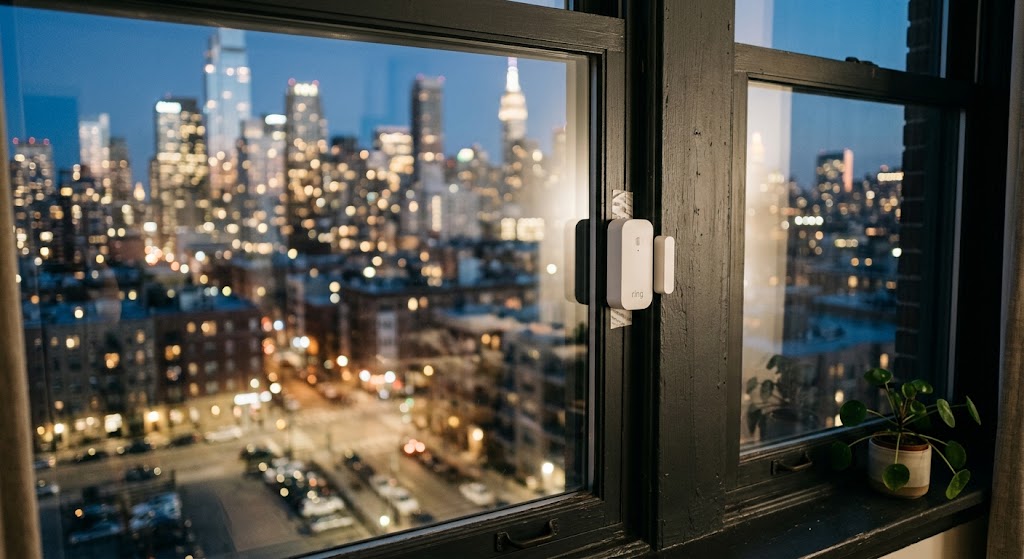
Smart Contact Sensors for Apartment Windows: Easy No-Drill Security
Smart contact sensors can add renter-friendly window alerts and automations without drilling, but placement, adhesive choice, hub requirements, and account security all matter.
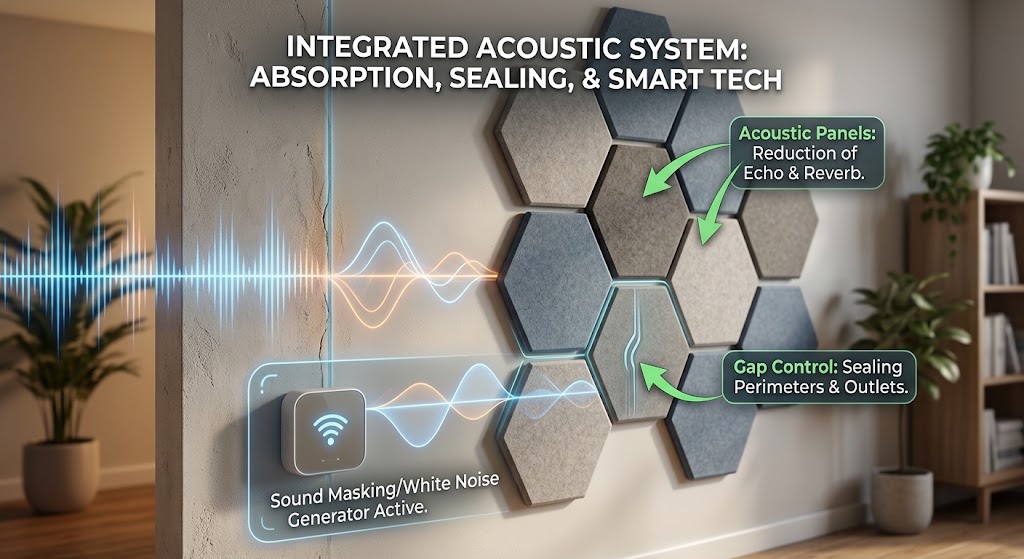
Soundproofing Apartment Walls: Smart Acoustic Panels & Tech Hacks
Acoustic panels can reduce echo, but they do not truly soundproof a shared apartment wall. Here is how renters can combine absorption, gap control, sound masking, and smart tech for a noticeably quieter space.

10 Drill-Free Smart Home Upgrades That Won't Risk Your Security Deposit
These renter-friendly smart home upgrades add automation, energy savings, safety, and comfort without drilling holes or changing permanent wiring.
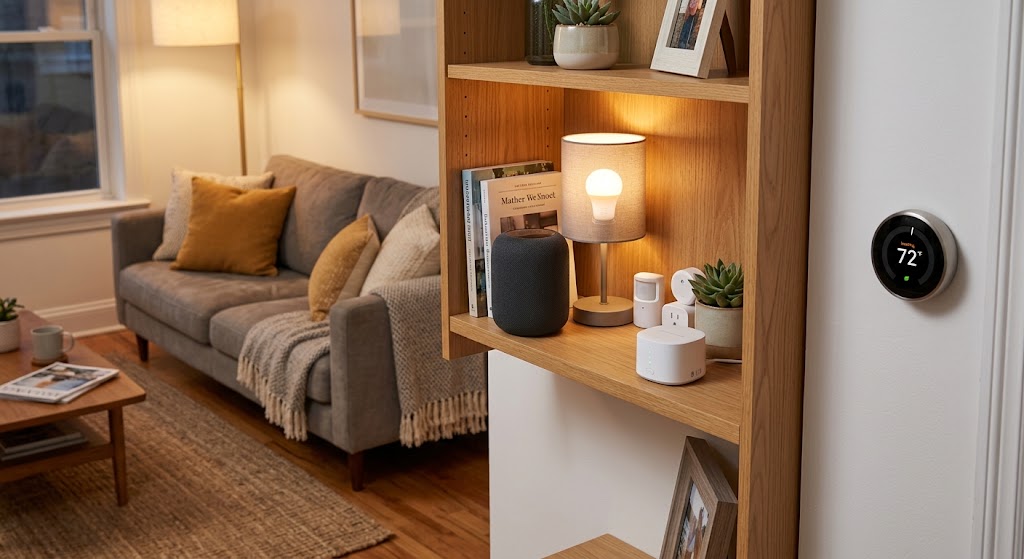
Renter Move-In Guide: Setting Up Smart Home Tech Without Drilling
A renter-friendly move-in plan for building a useful smart home with portable devices, removable mounts, safer privacy settings, and no permanent wall changes.