
Smart Lock Setup for College Apartment Roommates
Set up a smart lock for college roommates with separate access, safer admin permissions, guest codes, move-out rules, and reliable backup entry.
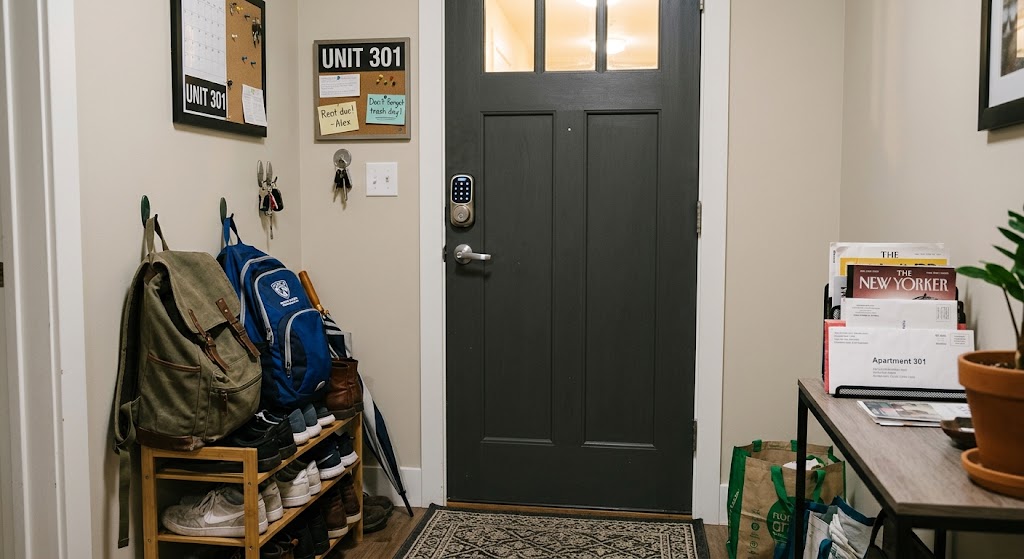
Quick answer
The safest smart lock setup for college roommates gives each resident a separate credential, limits Owner or admin privileges to the people who actually need them, and uses temporary guest access instead of sharing one household PIN. Before changing exterior door hardware, renters should also confirm the lease or property rules and keep a reliable backup entry method.
Table of contents
- Check the lease before changing the lock
- The golden rule: one roommate, one credential
- Avoid obvious personal PINs
- Decide who should be the smart lock Owner
- Why not make everyone an Owner?
- Configure permanent roommate access
- App access or keypad code?
- Use temporary access for friends instead of roommate codes
- Avoid “just leave it active” guest codes
- Set auto-lock conservatively
- Treat activity history as security data, not roommate surveillance
- Build a fallback plan before anyone gets locked out
- Decide where the backup key lives
- Create a roommate move-out procedure
- Do not factory-reset casually
- What to agree on as roommates before installation
- A recommended roommate configuration
- Conclusion
Key takeaways
- Give every roommate a unique code or app credential instead of sharing one household PIN.
- Reserve Owner or admin permissions for the people who need to manage settings and users.
- Use scheduled or temporary guest access for friends, cleaners, pet sitters, or visitors rather than handing out a roommate credential.
- Create a written move-out process for revoking app access, deleting codes, checking users, and returning physical keys.
Editorial transparency
Who worked on this article and how it was handled.
- Written by
- Daniel Reed
- Creation method
- Editorial research
AI assistance: AI assisted with research organization and drafting. Sources, factual claims, and the final article should be reviewed by a human editor before publication.
A smart lock can solve one of the most annoying parts of college apartment life: coordinating keys among several people whose class, work, gym, and social schedules rarely line up. It can also create a new security problem if every roommate shares the same PIN or everyone gets full administrator control.
The useful part of a smart lock is not simply unlocking the door with a phone. It is access management: each roommate can have an individual credential, guests can receive limited access, and a former roommate can be removed without changing how everyone else enters the apartment.
The best roommate setup therefore looks more like a small access-control system than a shared gadget. This guide explains how to configure permissions, codes, guest access, auto-lock behavior, fallback entry, and move-out procedures without turning the front door into a source of roommate conflict.
Check the lease before changing the lock
Before buying or installing anything, confirm that you are allowed to change the exterior door hardware.
Apartment rules vary. A private off-campus rental may allow a retrofit smart lock, while a university-managed apartment, large multifamily building, or property with master-key access may prohibit replacing the existing deadbolt. Some landlords also require access for maintenance or emergencies.
For renters, the safest order is:
- Read the lease and building rules.
- Ask the landlord or property manager if the language is unclear.
- Get written approval if you are replacing exterior hardware.
- Keep the original lock and hardware if removal is permitted and reversible.
- Do not disable required building access, fire-safety hardware, or landlord-approved key systems.
If the property will not allow a full replacement, a retrofit lock that operates the existing interior thumbturn may be easier to approve, but compatibility and lease rules still matter.
The golden rule: one roommate, one credential
The simplest security rule is also the most important:
Never make one permanent door code the shared identity of the apartment.
Give each roommate a unique keypad code, app invitation, digital key, or other supported credential. Schlage explicitly supports unique access codes, and Yale/August allow Owners to assign individual users their own app access or entry code.
Why separate credentials matter:
- A roommate can move out without forcing everyone else to change codes.
- A lost or exposed code can be disabled without affecting the whole household.
- Temporary visitors do not need to learn a permanent roommate PIN.
- Some systems can associate events with individual users instead of showing one anonymous shared code.
This also removes a common college-apartment problem: nobody remembers how many friends, former partners, delivery helpers, or visiting relatives have learned the shared code over the semester.
Avoid obvious personal PINs
Roommates should not use easy-to-guess codes such as birthdays, apartment numbers, graduation years, or repeated digits. A keypad is only convenient if the credential itself is treated like a key.
Do not post the permanent code in a group chat that includes temporary guests. If a code must be shared for short-term access, create a separate guest credential instead.
Decide who should be the smart lock Owner
Many smart lock platforms distinguish between a high-privilege Owner or administrator and a lower-privilege Guest or invited user.
That distinction matters in a roommate household.
Yale says Owners can manage settings, invite and remove other users, view the activity feed, and see the guest list, while Guests have more limited lock-and-unlock permissions. August uses a similar Owner-versus-Guest model. Apple Home separates Residents, who can have broad Home access, from Guests who can be restricted to specific security accessories and schedules.
A practical roommate setup usually uses one of these models:
| Household model | Recommended admin structure |
|---|---|
| One roommate owns the smart lock | Owner remains admin; other roommates receive persistent user access |
| Lock was purchased jointly | Choose one or two agreed admins instead of automatically making everyone an Owner |
| Landlord supplied the lock | Use only the permission level the property gives you |
| Apple Home is shared for the entire apartment | Be careful before making someone a Resident because that role can involve more than front-door access |
Why not make everyone an Owner?
Full administration may allow a roommate to:
- add new users;
- remove existing users;
- change lock settings;
- modify auto-lock behavior;
- view access history;
- change access credentials.
That may be fine in a household with strong trust and clear agreement. It should not be the automatic default just because four people pay rent.
Configure permanent roommate access
Permanent roommates should receive Always or equivalent full-time entry access without necessarily receiving administrative control.
Yale, for example, supports Always, Recurring, and Temporary guest schedules. Its entry-code system can provide either app access, entry-code-only access, or both, depending on the lock and configuration.
For a college apartment, a clean setup could look like this:
| Person | Access type | Schedule | Admin rights |
|---|---|---|---|
| Roommate A | App + unique code | Always | Owner |
| Roommate B | App + unique code | Always | Guest/user |
| Roommate C | Unique code | Always | Guest/user |
| Roommate D | App access | Always | Guest/user |
| Cleaner or dog walker | Unique code | Recurring | None |
| Weekend guest | Temporary code | Specific dates | None |
This structure keeps daily access convenient without turning every person into a lock administrator.
App access or keypad code?
There is no single correct answer.
App access is useful when the lock supports remote management, device-based credentials, or home-key features. It can also make revocation easier because the access is tied to a specific user account.
Keypad access is useful when someone does not want another smart-home app, their phone battery is dead, or a guest needs straightforward entry. Yale supports code-only access, and Schlage allows unique access codes through its app.
For roommates, offering both can provide better resilience—as long as each person still receives individual credentials.
Use temporary access for friends instead of roommate codes
College apartments naturally have visitors. The mistake is turning a roommate’s permanent PIN into the unofficial guest code for everyone.
Use temporary or scheduled guest access whenever the lock supports it.
Yale and August support Temporary and Recurring guest schedules. Apple Home can also give supported Guests access to selected doors or locks on specified dates or days and times.
Useful examples include:
- a friend staying Friday through Sunday;
- a cleaner who comes every Tuesday afternoon;
- a pet sitter during break;
- a family member visiting for graduation weekend;
- someone collecting a forgotten laptop while the roommates are in class.
Once that purpose ends, the guest credential should expire or be deleted.
Avoid “just leave it active” guest codes
Temporary access loses its security value when nobody removes it. At the end of each month or semester, review the guest list and delete anything that no longer has a clear purpose.
Set auto-lock conservatively
Auto-lock can prevent the classic roommate problem where the last person home assumes someone else locked the door.
But aggressive auto-lock can also become annoying when roommates are carrying groceries, moving boxes, or repeatedly entering and leaving during a party or move-in day.
Yale supports Auto-Lock and a Passage Mode on some models that temporarily suspends the timer. Apple Home also supports lock automations on compatible setups, including locking after the door closes or when leaving.
A sensible roommate configuration is:
- enable auto-lock after a short but practical delay;
- use door-state detection if the lock supports it so the system knows whether the door is actually closed;
- avoid automations that could surprise roommates during normal entry and exit;
- make sure everyone knows how to disable a temporary passage mode afterward.
The goal is reducing forgotten unlocked doors, not creating lockouts.
Treat activity history as security data, not roommate surveillance
Some smart lock platforms provide an activity feed or event history. That can be useful for troubleshooting, confirming that a guest entered successfully, or determining whether the door locked after everyone left.
It can also become socially invasive if roommates use it to monitor one another’s movements.
A good household rule is to define why activity history may be checked. Reasonable uses might include:
- investigating an unexpected access event;
- confirming that a temporary guest code was used;
- troubleshooting a lock or failed automation;
- checking whether the door was locked after a security concern.
Using the log to track when roommates come home from dates, parties, or class is a different matter entirely.
This is another reason to limit Owner privileges: on Yale, Owners can view the activity feed, while Guests cannot.
Build a fallback plan before anyone gets locked out
Smart locks depend on batteries, electronics, and sometimes network connectivity. Your roommate agreement should include a backup method that works when the smart layer fails.
Depending on the model, that could be:
- a physical key;
- a local keypad credential;
- NFC or wallet-based access;
- a manufacturer-supported emergency power option;
- landlord or property-management emergency access.
Do not assume remote app control will always work. If Wi-Fi, a hub, internet service, or a cloud connection fails, remote functions may disappear even while local unlocking still works.
Decide where the backup key lives
A physical backup key is only useful if someone can actually reach it. Do not hide it in an obvious outdoor location. Instead, decide which roommate holds a backup, whether the landlord retains an authorized key, and what to do if everyone is locked out at once.
Also watch battery warnings. Replacing batteries when the lock first starts reporting low power is easier than discovering the problem at 1 a.m.
Create a roommate move-out procedure
The most important smart-lock moment may be the day a roommate leaves.
Do not rely on memory. Put a small access-removal checklist in the apartment’s move-out routine.
- Remove the former roommate’s app access.
- Delete their personal keypad code.
- Review the Owner/admin list.
- Remove old temporary guests associated with that roommate.
- Change any shared backup PIN they knew.
- Confirm physical keys have been returned as required by the lease.
- Check whether the departing roommate still has access through Apple Home, Alexa, Google Home, or another connected platform.
- Verify the lock still works for every remaining resident.
Yale specifically notes that a Guest can remove themselves from a lock, while an Owner can manage users. Apple Home also allows the home owner to withdraw shared access.
Do not factory-reset casually
A factory reset can remove configuration for the entire household. Use normal user-removal tools first unless the lock documentation specifically requires a reset—for example, when transferring ownership of a lock that is staying at a former residence.
What to agree on as roommates before installation
A five-minute conversation can prevent months of arguments.
Agree on these rules before the lock goes live:
- Who owns the hardware? Decide who keeps it at move-out if the lock was purchased jointly.
- Who has Owner privileges? Keep the admin list explicit.
- Are guests allowed permanent codes? Usually the answer should be no.
- Who can create temporary access? Decide whether only admins can do it.
- Can activity logs be reviewed? Define acceptable security uses.
- What is the fallback entry plan? Include batteries and physical keys.
- What happens when someone moves out? Set the revocation timing in advance.
This is not about turning a college apartment into enterprise IT. It is about preventing simple access mistakes that are predictable when several independent adults share one front door.
A recommended roommate configuration
For most college apartments where the lease allows a smart lock, this is a strong default:
| Setting | Recommended default |
|---|---|
| Roommate credentials | One unique code or digital credential per person |
| Owner/admin accounts | One or two trusted admins |
| Normal roommates | Persistent Guest/user access |
| Visitors | Temporary or recurring guest access only |
| Shared permanent PIN | Avoid |
| Auto-lock | Enabled with a practical delay |
| Activity history | Used for security and troubleshooting, not personal monitoring |
| Backup access | Physical/local fallback defined in advance |
| Move-out | Revoke app, code, platform, and physical access immediately |
That setup balances convenience, security, and roommate privacy without making the lock unnecessarily complicated.
Conclusion
A smart lock works well for college roommates when it replaces shared keys with managed identities, not when it simply replaces one physical key with one shared PIN. Give every resident an individual credential, keep admin permissions limited, and use temporary access for visitors.
Before installation, confirm the lease allows the hardware change and establish a backup entry method. Then write down one move-out rule: when a roommate leaves, their digital and physical access leaves with them. That simple structure gives the household the convenience of a smart lock without turning the front door into another roommate-management problem.
Common questions
Questions this guide answers
Should roommates share one smart lock code?
No. Separate codes or app credentials are safer because they can be revoked individually, make access easier to manage when someone moves out, and avoid forcing the whole apartment to change one shared code after a guest or former roommate learns it.
Should every roommate be an Owner or admin on the smart lock?
Usually not. Owner-level access can include the ability to change settings, invite or remove users, and view activity history. Give roommates only the permission level they need unless everyone has explicitly agreed to share full administration.
Can a roommate get permanent access without becoming an admin?
Yes on many platforms. Yale and August support Guest access with Always, Recurring, or Temporary schedules, while Apple Home distinguishes Residents from scheduled Guests for supported security accessories.
What should happen when a roommate moves out?
Remove that person's app access and entry code immediately after the agreed move-out time, review the remaining user list, change any shared backup codes they knew, and confirm that keys or other physical credentials have been returned according to the lease.
What if the smart lock battery or internet connection fails?
Choose a setup with a dependable fallback such as a physical key, local keypad code, or manufacturer-supported emergency power method. Internet-dependent remote features may fail during an outage even when local unlocking still works.
Evidence & further reading
Sources & references
Primary and authoritative references used to support or contextualize this article. Links open the original source.
- 1Share control of your home
Apple Support · Accessed Aug 24, 2026
Supports Apple Home Resident and Guest roles, permission management, and scheduled access to security accessories.
- 2Unlock your door with a home key on iPhone or Apple Watch
Apple Support · Accessed Aug 24, 2026
Supports Home Key behavior, supported lock access codes, and removing or changing guest access.
- 3What are the Different Types of Guest Access?
Yale Home Support · Accessed Aug 24, 2026
Supports Yale Owner versus Guest permissions and Always, Recurring, and Temporary access schedules.
- 4How to Create Entry Codes In-App
Yale Home Support · Accessed Aug 24, 2026
Supports individual entry codes, app access versus code-only access, and access schedule options.
- 5How to Invite Guests to Your Smart Lock
Yale Home Support · Accessed Aug 24, 2026
Supports unique guest invitations and explains that Owners have broader management permissions than Guests.
- 6Apple Home Key Compatible WiFi Smart Lock | Schlage Encode Plus
Schlage · Accessed Aug 24, 2026
Supports assigning unique access codes and controlling who has access and when through the Schlage Home app.
- 7What are the Different Types of Guest Access?
August Support · Accessed Aug 24, 2026
Supports Owner and Guest permission separation, guest schedules, and activity-management differences.

About the author
Daniel Reed
Daniel writes about connected-home standards, small-space technology, device interoperability, and privacy-conscious urban living.
More from Daniel →Make your home smarter without buying every gadget.
One useful idea, one product worth knowing, and one energy-saving action—delivered weekly.
No spam. Unsubscribe anytime.
Semantic recommendations
Related reading
Selected from topic cluster, entities, tags, search intent, and editorial relationships.
Smart Water Timer Setup for Balcony Container Vegetable Gardens
Set up a smart hose timer and drip irrigation for balcony vegetables without overwatering pots, wasting water, or creating runoff problems for neighbors below.
Renter Move-In Guide: Setting Up Smart Home Tech Without Drilling
A renter-friendly move-in plan for building a useful smart home with portable devices, removable mounts, safer privacy settings, and no permanent wall changes.
Smart Contact Sensors for Apartment Windows: Easy No-Drill Security
Smart contact sensors can add renter-friendly window alerts and automations without drilling, but placement, adhesive choice, hub requirements, and account security all matter.
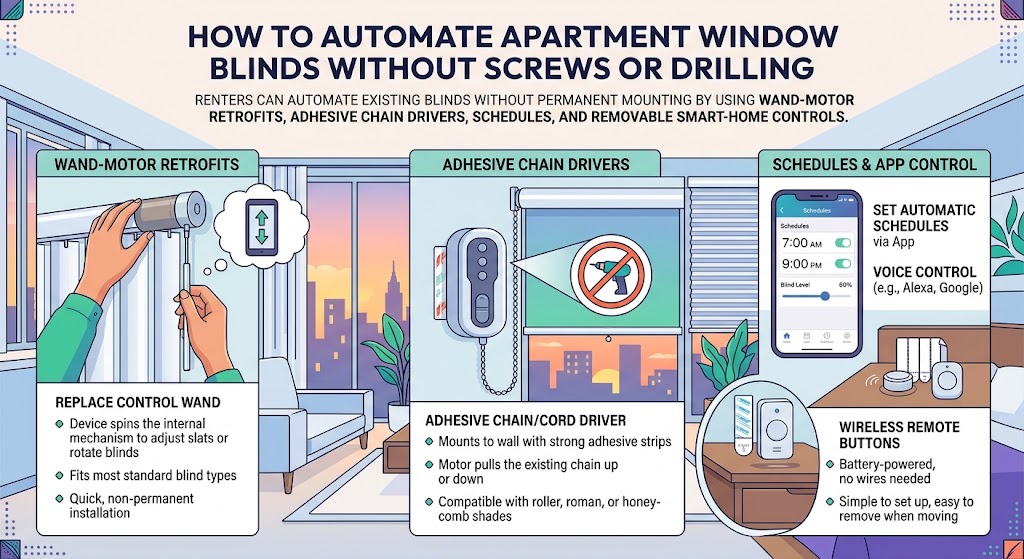
How to Automate Apartment Window Blinds Without Screws or Drilling
Renters can automate existing blinds without permanent mounting by using wand-motor retrofits, adhesive chain drivers, schedules, and removable smart-home controls.