
Fingerprint Smart Locks vs. Keypad Locks: Which Is More Reliable in Cold Weather?
Fingerprint smart locks are fast and convenient, but keypad locks are usually the more dependable cold-weather choice because they do not rely on biometric image quality.
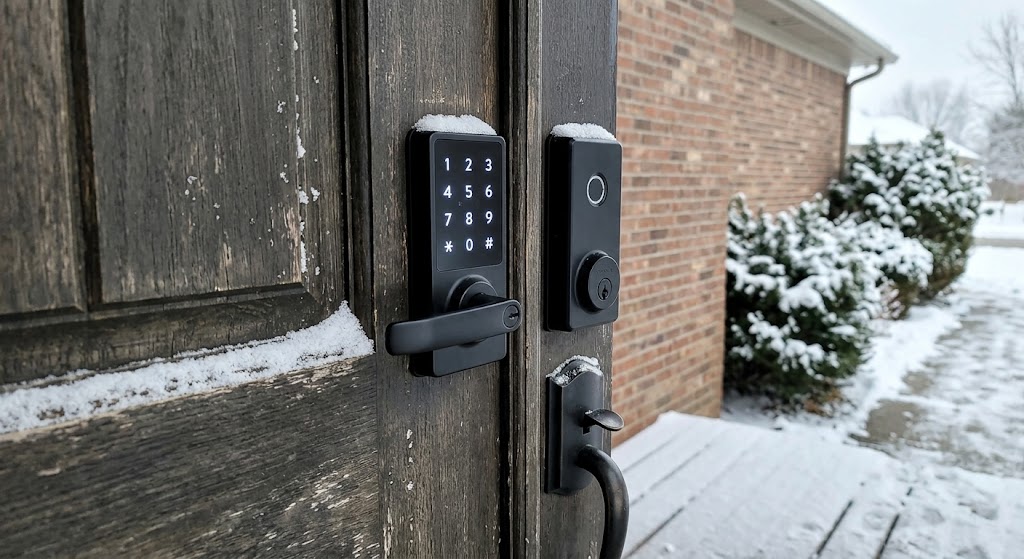
Quick answer
A keypad smart lock is usually the more reliable choice in cold weather because entering a PIN does not depend on the quality of a fingerprint scan. Fingerprint locks can still work across very low outdoor temperatures when the hardware is rated for them, but cold, dry, wet, dirty, or gloved fingers can make biometric recognition less consistent; whichever access method you choose, battery condition, door alignment, and the lock's rated temperature range remain critical.
Table of contents
- The Short Answer: Keypad Wins for Pure Winter Reliability
- This does not mean fingerprint locks are bad in winter
- Why Fingerprint Readers Become Less Predictable
- Cold, dry hands
- Wet fingers
- Gloves
- Small cuts and damaged skin
- Why Keypads Are More Predictable
- Fingerprint vs. Keypad in Winter
- The Bigger Winter Problem May Be the Battery
- Why the interior battery location helps
- Door Alignment Can Make Either Lock Look Unreliable
- A five-second diagnostic
- What Published Temperature Ratings Actually Mean
- Aqara U100
- Schlage Encode Plus
- A Hybrid Lock Is Often the Best Answer
- Redundancy is more useful than one “perfect” sensor
- Fingerprint Locks Still Have a Convenience Advantage
- The best use case
- Keypad Weaknesses You Should Not Ignore
- Touchscreen vs. physical buttons
- Visible code entry
- Surface contamination
- What About Fingerprint Security?
- Cold-Weather Buying Checklist
- 1. Exterior operating temperature
- 2. Interior operating temperature
- 3. Weather rating
- 4. Backup access
- 5. Battery type
- 6. Low-battery warning
- 7. Door alignment
- 8. Guest access
- Best Choice by Scenario
- Very cold climate: keypad-first hybrid lock
- Mild winter climate: fingerprint-first hybrid is reasonable
- Rental or apartment: prioritize mechanical fallback and landlord rules
- Children or frequent guests: keypad has an operational advantage
- How to Improve Fingerprint Reliability in Winter
- Enroll more than one finger
- Register carefully
- Keep the reader clean
- Use a dry bare finger
- Keep the keypad or key available
- Winter Maintenance Matters More Than the Interface
- The Reliability Decision
- Authentication reliability
- Hardware environmental reliability
- Overall entry reliability
- Conclusion
Key takeaways
- Keypads are generally the more dependable cold-weather access method because PIN entry does not rely on fingerprint image quality.
- A fingerprint lock can be rated for subzero temperatures and still reject a scan because the finger is wet, dirty, very dry, injured, or making poor sensor contact.
- Cold weather affects more than the reader: batteries, motor torque, door alignment, ice, and a binding deadbolt can determine whether either lock type works.
- The best winter smart lock has at least two independent entry methods plus a mechanical or documented emergency fallback.
- Published operating-temperature ranges describe the hardware, not a guarantee that every fingerprint attempt will succeed at the minimum temperature.
Editorial transparency
Who worked on this article and how it was handled.
- Written by
- Maya Chen
- Creation method
- Editorial research
AI assistance: AI assisted with research organization and drafting. Sources, factual claims, and the final article should be reviewed by a human editor before publication.
Winter exposes weaknesses in a smart lock that can go unnoticed for the rest of the year. A reader that feels instant in September may suddenly need repeated attempts after you come home with cold hands, while a lock motor that normally throws the deadbolt easily can struggle if the door shifts or the bolt starts binding in freezing weather.
The most important distinction is that cold-weather reliability is not the same thing as the lock’s published minimum temperature. A fingerprint lock may have exterior electronics rated well below 0°F and still reject a scan because the biometric sample is poor. A keypad can avoid that biometric problem, but it still depends on the same batteries, electronics, motor, weather sealing, and mechanical alignment.
So if your priority is getting through the door consistently during a real winter—not simply choosing the fastest-looking unlock method—the comparison should focus on the entire access chain. This guide explains where fingerprint readers are vulnerable, why keypad entry is usually more predictable, and what features matter more than either interface when temperatures drop.
The Short Answer: Keypad Wins for Pure Winter Reliability
For a primary outdoor entry in a cold climate, keypad entry is usually the safer reliability bet.
The reason is simple: a PIN is knowledge-based input. The lock only needs to register the correct keys or touchscreen presses.
A fingerprint reader has an additional job. It must:
- capture a usable biometric image;
- extract enough fingerprint detail;
- compare that sample with the enrolled template;
- decide whether the match is good enough to unlock.
NIST’s fingerprint-quality work shows that fingerprint image quality is directly related to recognition performance. Its current digital-identity guidance also lists dirty, dry, wet, injured, and gloved fingers among conditions that can interfere with biometric recognition.
That extra dependency is why a fingerprint reader can be more temperamental even when the lock hardware itself is fully within its outdoor temperature rating.
This does not mean fingerprint locks are bad in winter
Modern fingerprint smart locks can be very capable in cold climates.
Aqara, for example, rates the exterior panel of its U100 fingerprint-and-keypad smart lock from -31°F to 150°F (-35°C to 66°C) and gives the outer panel an IP65 rating.
Yale rates the exterior hardware in the Assure Lock 2 family from -22°F to 140°F (-30°C to 60°C).
Those specifications show that well-designed electronic locks can be built for severe outdoor conditions.
But temperature rating and fingerprint recognition are two different layers of the system.
Why Fingerprint Readers Become Less Predictable
A fingerprint reader needs a sufficiently clear representation of the ridges and valleys on your finger.
NIST describes fingerprint image quality as a predictor of matching performance: good-quality images produce stronger operational recognition results, while poor-quality images reduce matcher performance.
In a smart-lock context, image quality can be affected by the condition of both surfaces:
- your finger;
- the reader.
Yale’s own troubleshooting guidance for its Assure Lock 2 Touch tells users to check whether the finger is free of:
- dirt;
- residue;
- wetness;
and whether the finger makes consistent contact with the sensor. Yale also tells users to keep the fingerprint scanner clean.
Those are ordinary conditions during summer. Winter adds several more reasons those conditions can occur.
Cold, dry hands
Cold weather often coincides with lower humidity and dry skin.
The important point is not that “cold erases fingerprints.” It does not.
The problem is that the surface condition presented to the reader can become less favorable for a clean scan. NIST’s broader biometric guidance explicitly identifies dry hands as an intermittent condition that may affect recognition accuracy.
Wet fingers
Snow, freezing rain, condensation, or wet gloves can leave moisture on the finger or reader.
Yale specifically tells users to remove wetness from the finger when troubleshooting fingerprint recognition.
Gloves
A glove prevents the lock from seeing your fingerprint at all.
That sounds obvious, but it is a real usability difference in winter. Biometric access requires skin contact, so the user has to remove a glove or use another credential.
NIST lists gloves among conditions that can prevent normal biometric use and recommends keeping an alternative authentication method available.
Small cuts and damaged skin
Winter dryness can coincide with cracked skin, and work or outdoor activity can produce cuts and abrasions.
NIST also identifies degraded fingerprints and finger injuries as intermittent biometric-recognition problems.
For most users, another enrolled finger solves this. But again, it is an extra variable that a PIN does not have.
Why Keypads Are More Predictable
A keypad does not care what your fingerprint looks like.
If:
- the keypad has power;
- the electronics are functioning;
- the entered code is valid;
- and the lock can physically move the bolt;
the system can unlock without biometric matching.
That makes the access path simpler.
A useful real-world comparison is Schlage’s Encode Plus keypad deadbolt. Schlage publishes an exterior operating range from -31°F to 150.8°F (-35°C to 66°C). It supports PIN codes, Apple Home Key, app control, and a physical backup key.
The exterior temperature rating is comparable to the Aqara fingerprint-capable U100.
So the important difference is not necessarily that one piece of electronics “likes cold” more than another. It is that the Schlage keypad does not need a high-quality fingerprint sample to perform its primary PIN unlock method.
Fingerprint vs. Keypad in Winter
| Reliability factor | Fingerprint lock | Keypad lock |
|---|---|---|
| Requires bare skin | Yes | No biometric dependency |
| Sensitive to finger wetness/dirt | Yes | No biometric dependency |
| Sensitive to dry/damaged fingerprint surface | Can be | No biometric dependency |
| Works within published lock temperature range | Model dependent | Model dependent |
| Battery affected by extreme temperature | Yes | Yes |
| Motor/deadbolt alignment matters | Yes | Yes |
| Can support physical key backup | Model dependent | Model dependent |
| Convenience with clean bare hands | Excellent | Good |
| Predictability in winter | Good with backups | Generally better |
The table points to the most important conclusion: the lock mechanism is shared risk. The fingerprint reader adds one more failure mode.
The Bigger Winter Problem May Be the Battery
The front-panel interface gets most of the attention, but cold-weather lock reliability can fail somewhere else first: the battery.
Yale’s keypad-lock guidance explicitly states that extreme high and low temperatures may affect battery performance.
That is not unique to Yale.
Battery-powered electronics generally have to be designed around temperature effects, and a smart lock asks its batteries to do more than power a tiny screen. The batteries may also drive a motor that physically moves a deadbolt.
Why the interior battery location helps
On many residential smart locks, the battery pack and much of the electronics sit on the interior side of the door.
That interior assembly is often given a different temperature rating from the exterior keypad or fingerprint panel.
For example, Schlage publishes:
- exterior: -31°F to 150.8°F;
- interior: 14°F to about 120°F.
Yale similarly publishes separate exterior and interior ranges for its Assure Lock 2 family.
That is why a residential lock designed for a house door is not automatically appropriate for:
- an exposed outdoor gate;
- an unheated shed;
- a detached exterior enclosure;
where both sides may experience the full outdoor temperature.
Door Alignment Can Make Either Lock Look Unreliable
A keypad can accept the correct code perfectly and the door can still remain locked.
The same can happen after a flawless fingerprint scan.
Why?
Because authentication only tells the lock motor to move.
The bolt still has to slide into or out of the strike opening.
Winter can reveal marginal door alignment because:
- weatherstripping stiffens;
- the door or frame moves slightly;
- ice or debris enters the strike area;
- users pull or push the door differently in heavy weather.
Yale’s current support documentation repeatedly identifies door alignment and deadbolt binding as causes of smart-lock problems and unnecessary battery drain.
A five-second diagnostic
Before blaming the fingerprint reader or keypad:
- Open the door.
- Operate the smart lock several times with the door open.
- If it operates correctly while open but struggles when closed, inspect alignment and bolt friction.
The motor should not have to force a badly aligned door into position.
What Published Temperature Ratings Actually Mean
A smart lock’s environmental specification tells you the range in which the manufacturer designed or tested the hardware to operate.
It should not be interpreted as:
“Every unlock method will perform identically at the lowest listed temperature.”
Consider two official examples.
Aqara U100
Aqara publishes:
- fingerprint reader;
- keypad;
- Apple Home Key support;
- mechanical key backup;
- USB-C emergency power;
- IP65 exterior rating;
- exterior operating range of -31°F to 150°F.
That is a strong cold-weather specification.
But Aqara’s published temperature range is a hardware/environmental specification. It does not eliminate the general biometric reality that poor finger condition can affect fingerprint image quality.
Schlage Encode Plus
Schlage publishes:
- touchscreen PIN entry;
- Apple Home Key;
- physical backup key;
- four AA batteries;
- exterior operating range of -31°F to 150.8°F.
The nearly identical minimum temperature shows why “fingerprint vs. keypad” is not primarily a contest between cold-rated electronics.
The keypad wins the reliability comparison because it removes biometric sample quality from the unlock equation.
A Hybrid Lock Is Often the Best Answer
If you like fingerprint entry, you do not necessarily have to choose between convenience and reliability.
The better approach is often a lock with multiple entry methods.
Aqara U100, for example, combines:
- fingerprint;
- keypad PIN;
- Apple Home Key;
- mechanical key;
- USB-C emergency power.
That is more robust than buying a fingerprint-only lock.
If a wet finger fails:
- enter a code.
If you are wearing gloves:
- use a code, phone credential, NFC method, or key depending on the lock.
If the battery is depleted:
- use the documented emergency method.
Redundancy is more useful than one “perfect” sensor
NIST’s digital-identity guidance recommends having alternative authentication methods available when biometric conditions interfere with recognition.
A front door benefits from the same design principle.
The practical goal should not be:
Which single method never fails?
It should be:
If the preferred method fails, can I still get inside immediately?
Fingerprint Locks Still Have a Convenience Advantage
The winter reliability result should not hide why fingerprint locks are attractive.
When your hands are clean, dry, and uncovered, a fingerprint reader can be exceptionally convenient:
- no code to remember;
- no phone to remove from a pocket;
- no key to locate;
- individualized access;
- fast entry.
For households with children or people who regularly forget PINs, biometric access can reduce friction.
Fingerprint templates can also be managed per user on many smart locks.
Yale’s Assure Lock 2 Touch supports enrolled fingerprints, while Aqara U100 stores multiple fingerprints for household users.
The best use case
Treat fingerprint as the fast lane, not the only lane.
That mindset solves most of the winter concern.
Keypad Weaknesses You Should Not Ignore
Keypads are not immune to winter problems.
Touchscreen vs. physical buttons
“Keypad” can mean:
- physical mechanical/electronic buttons;
- capacitive touchscreen;
- touch-sensitive glass panel.
Those interfaces can feel very different when:
- you are wearing gloves;
- the panel is wet;
- frost is present;
- your fingers are numb.
If winter usability is your highest priority, consider how you will actually interact with the specific keypad rather than assuming every numeric interface behaves the same.
Visible code entry
PINs can be observed.
Use:
- longer codes where supported;
- unique household codes;
- temporary guest codes;
- access logs when useful.
Do not share one permanent code with every contractor, cleaner, relative, and guest.
Surface contamination
Even though a keypad does not need a fingerprint image, snow, ice, salt residue, or grime can still make an exterior interface harder to operate.
Weather resistance is still a product requirement.
What About Fingerprint Security?
Reliability and security are separate questions.
A fingerprint is convenient because it is tied to the user, but it is not a secret in the same sense as a PIN. You leave fingerprints on objects throughout the day.
Modern consumer biometric systems do not usually store a photographic fingerprint that an app simply uploads every time. Manufacturers use different on-device storage and template approaches.
For example, Yale states that Assure Lock 2 Touch fingerprint data is stored locally at the lock using AES encryption.
Still, buyers should evaluate:
- where templates are stored;
- whether biometric data leaves the lock;
- whether it is cloud-synced;
- how fingerprints are deleted;
- whether a factory reset clears access data.
A winter reliability article should not assume fingerprint automatically means either “more secure” or “less secure.” Those are product-design questions.
Cold-Weather Buying Checklist
Before buying either type of lock, check these specifications.
1. Exterior operating temperature
Compare the manufacturer’s published minimum against realistic temperatures at your door.
Do not buy from a retailer listing that omits the distinction between:
- exterior operating temperature;
- interior operating temperature;
- storage temperature.
2. Interior operating temperature
Important for:
- unheated vestibules;
- garages;
- gates;
- cabins;
- doors where the interior assembly is not actually in conditioned space.
3. Weather rating
Look for the manufacturer’s explicit exterior-use guidance and relevant IP/weather information where provided.
4. Backup access
Prefer at least two of:
- mechanical key;
- PIN;
- fingerprint;
- NFC/Home Key;
- phone credential;
- emergency power.
5. Battery type
Use the battery chemistry recommended by the manufacturer.
Do not assume rechargeable replacements are appropriate simply because they fit physically.
6. Low-battery warning
Confirm the lock gives enough warning before it stops driving the motor.
7. Door alignment
The existing deadbolt should extend and retract smoothly before installation.
8. Guest access
A lock should not force every visitor to enroll a fingerprint.
PIN codes remain exceptionally useful for:
- cleaners;
- relatives;
- contractors;
- short-term guests.
Best Choice by Scenario
Very cold climate: keypad-first hybrid lock
Choose a lock where PIN is always available and fingerprint is optional.
This gives you:
- predictable code entry;
- biometric convenience on good days;
- backup when fingers are wet or gloved.
Mild winter climate: fingerprint-first hybrid is reasonable
If temperatures rarely approach the lock’s limits and you do not commonly wear gloves at the door, fingerprint access can be the default.
Still keep a code or key available.
Rental or apartment: prioritize mechanical fallback and landlord rules
Many renters cannot freely replace the entire deadbolt.
A retrofit lock plus exterior keypad can be more lease-friendly, but permission and existing-key access matter more than whether the credential is biometric.
Children or frequent guests: keypad has an operational advantage
A PIN is easier to provision remotely than a fingerprint because the user does not need to be physically present at the reader for enrollment.
Fingerprint entry is better suited to regular household members.
How to Improve Fingerprint Reliability in Winter
If you already own a fingerprint smart lock, you may not need to replace it.
Try these steps.
Enroll more than one finger
If the lock permits it, register:
- both index fingers;
- another reliable finger.
That gives you an immediate alternative if one fingertip is cut or unusually dry.
Register carefully
Yale’s fingerprint-registration guidance emphasizes consistent contact and orientation during enrollment.
Do not rush the setup.
Keep the reader clean
Wipe the reader using the manufacturer’s approved cleaning method.
Avoid products that can damage the sensor coating.
Use a dry bare finger
Remove snow, moisture, or residue before scanning.
Keep the keypad or key available
The backup should be something you can use immediately, not a credential you have forgotten or a physical key stored inside the locked house.
Winter Maintenance Matters More Than the Interface
Once temperatures start dropping:
- replace weak batteries before a long cold spell;
- confirm low-battery alerts are working;
- test the physical key;
- confirm backup PINs;
- clean the exterior reader or keypad;
- inspect the deadbolt for binding;
- check that the strike opening is clear;
- make sure weatherstripping is not forcing the door out of alignment.
A well-maintained keypad lock is more reliable than a neglected fingerprint lock.
But a well-maintained fingerprint-plus-keypad lock with multiple fallbacks can be more resilient than either single-method design.
The Reliability Decision
There are really three levels of reliability to judge.
Authentication reliability
Winner: keypad
PIN entry avoids biometric image-quality problems.
Hardware environmental reliability
Tie, model dependent
Both fingerprint and keypad locks are available with outdoor ratings below 0°F. Compare the exact model, not the access category.
Overall entry reliability
Winner: hybrid lock with backup
A fingerprint reader plus keypad plus mechanical or emergency fallback gives you more independent ways to enter when weather, battery, network, or user conditions change.
That is the strongest winter design.
Conclusion
If your only question is which unlock method is more reliable in cold weather, fingerprint or keypad, choose the keypad.
The lock electronics may be equally cold-rated, but a fingerprint reader depends on a good biometric sample. Wetness, dirt, dry skin, injuries, gloves, and poor sensor contact create extra opportunities for rejection that a PIN does not have.
That does not make fingerprint locks a poor winter choice. The better product is often a hybrid smart lock: use fingerprint recognition when conditions are good, keep a PIN keypad as the dependable fallback, and retain a mechanical key or documented emergency-access method for battery or electronics failures.
Before buying, compare the actual exterior and interior temperature ratings, battery guidance, weather protection, and backup methods. Then make sure the existing deadbolt moves freely. In a real winter, those details matter more than whether the front panel looks biometric or numeric.
Common questions
Questions this guide answers
Do fingerprint smart locks work in freezing weather?
Many do, provided the lock is rated for the temperature. For example, Aqara rates the exterior panel of its U100 from -31°F to 150°F, while Yale rates Assure Lock 2 exterior hardware from -22°F to 140°F. The biometric reader can still fail to recognize a finger if the finger or sensor is wet, dirty, dry, or making poor contact.
Are keypad locks more reliable than fingerprint locks in winter?
Usually, yes. A keypad does not need to capture and match a biometric sample, so it avoids fingerprint-quality problems caused by finger condition. However, the keypad electronics, batteries, motor, deadbolt alignment, and environmental rating still determine whether the overall lock operates reliably.
Does cold weather drain smart lock batteries faster?
It can. Yale explicitly notes that extreme high and low temperatures can affect battery performance. A cold-weather smart-lock setup should have fresh manufacturer-recommended batteries, low-battery alerts enabled, and a mechanical key or other documented emergency access method.
What is the best backup for a fingerprint smart lock in winter?
Choose a lock that also provides a PIN keypad, physical key, NFC or phone credential, or an emergency power option. Multiple independent access methods are more useful than relying on one biometric reader when fingers are wet, dirty, injured, gloved, or very dry.
Evidence & further reading
Sources & references
Primary and authoritative references used to support or contextualize this article. Links open the original source.
- 1NIST Special Publication 800-63B
National Institute of Standards and Technology · Accessed Aug 10, 2026
Supports the general biometric usability limitation that dirty, dry, wet, injured, or gloved fingers can affect fingerprint recognition and that an alternative authentication method should be available.
- 2NIST Fingerprint Image Quality 2
National Institute of Standards and Technology · Accessed Aug 10, 2026
Supports the relationship between fingerprint image quality and operational recognition performance.
- 3Troubleshooting: Assure Lock 2 Touch Fingerprint Fails to Unlock Door
Yale Home · Accessed Aug 10, 2026
Supports Yale guidance that wetness, dirt, poor finger contact, or a dirty scanner can cause fingerprint unlock failures.
- 4Pre-Installation FAQ for Yale Assure Lock 2
Yale Home · Accessed Aug 10, 2026
Supports Yale Assure Lock 2 temperature ratings and the distinction between protected interior and weather-exposed exterior hardware.
- 5Schlage Encode Plus Smart WiFi Deadbolt with Century Trim
Schlage · Accessed Aug 10, 2026
Supports the keypad lock's published exterior operating range of -31°F to 150.8°F, physical backup key, battery type, and security certification.
- 6Smart Lock U100
Aqara · Accessed Aug 10, 2026
Supports U100 fingerprint-plus-keypad design, IP65 exterior rating, mechanical and USB-C emergency access, and -31°F to 150°F exterior temperature range.
- 7Yale Keypad Locks FAQs
Yale Home · Accessed Aug 10, 2026
Supports Yale guidance that extreme temperatures may affect smart-lock battery performance and that mechanical key access remains important when batteries are depleted.

About the author
Maya Chen
Maya covers residential energy, HVAC controls, and practical home automation, translating technical systems into useful decisions for homeowners and renters.
More from Maya →Make your home smarter without buying every gadget.
One useful idea, one product worth knowing, and one energy-saving action—delivered weekly.
No spam. Unsubscribe anytime.
Semantic recommendations
Related reading
Selected from topic cluster, entities, tags, search intent, and editorial relationships.
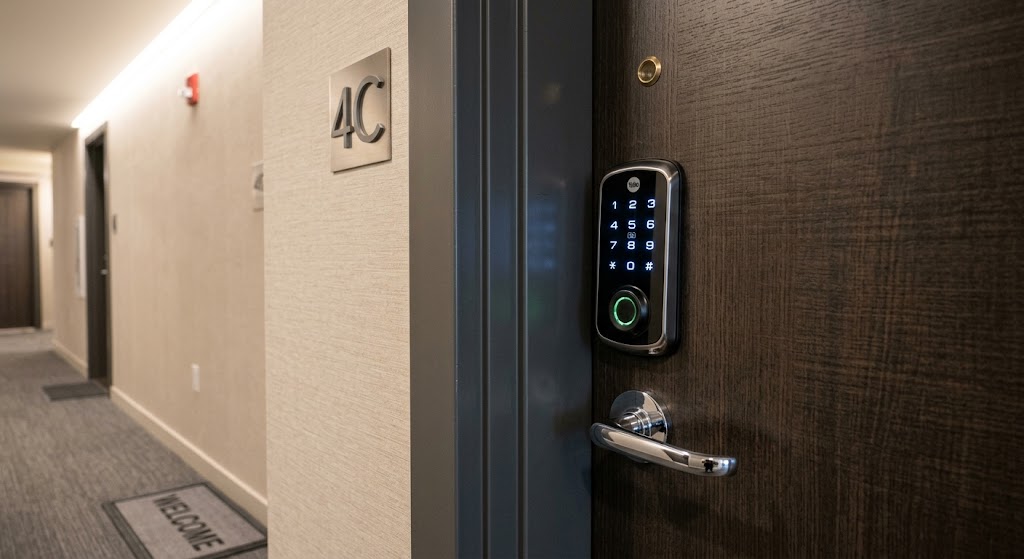
Fingerprint vs Keypad Smart Locks for Apartment Front Doors
Fingerprint locks are faster for regular residents, while keypad locks are easier to share; apartment buyers should prioritize fallback access, lease rules, and lock quality.
Smart Garage Door Opener Security Settings for Labor Day Trips
Before a holiday trip, tighten smart garage security with instant alerts, scheduled closing, temporary access, account protection, and a simple pre-departure test.
Outdoor Motion Sensor Lighting: How to Prevent False Alarms from Animals
Outdoor motion lights that trigger for cats, raccoons, birds, or swaying branches usually need better sensor placement, sensitivity, and detection-zone control rather than a brighter fixture.

How to Set Up Perimeter Lighting That Triggers During Security Alerts
Turn outdoor lights into a coordinated security response. This guide shows how to connect alarm states, door sensors, motion events, cameras, and Home Assistant so perimeter lighting activates only when it should.