
Fingerprint vs Keypad Smart Locks for Apartment Front Doors
Fingerprint locks are faster for regular residents, while keypad locks are easier to share; apartment buyers should prioritize fallback access, lease rules, and lock quality.
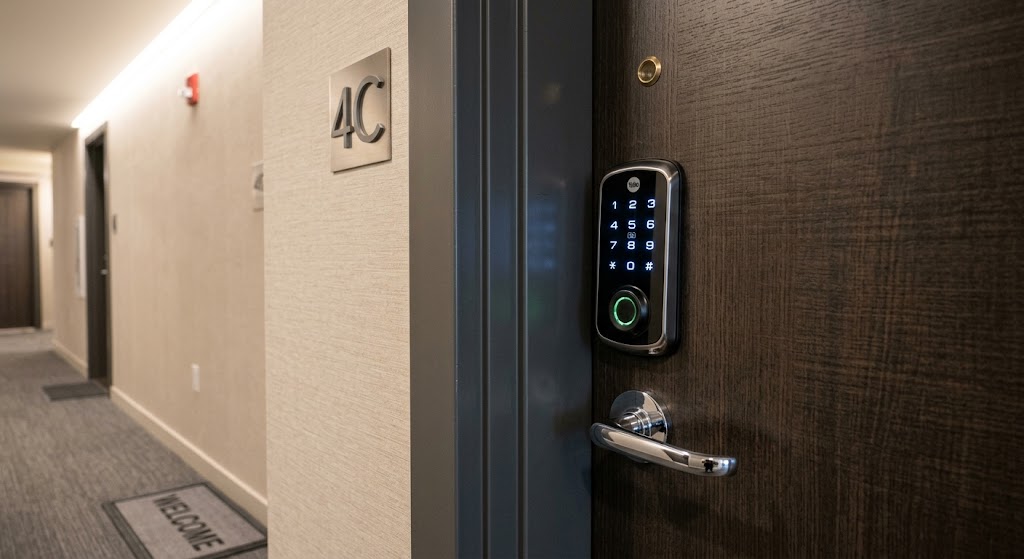
Quick answer
Fingerprint smart locks are usually the fastest option for people who live in the apartment every day, while keypad locks are easier for roommates, guests, cleaners, and temporary access. For most shared apartments, a hybrid lock that supports both fingerprint and unique keypad codes is the most flexible choice, provided the lock fits the door, has reliable backup access, and is permitted by the lease or building rules.
Table of contents
- Fingerprint vs keypad smart locks at a glance
- Why fingerprint locks feel better for everyday residents
- Fingerprint credentials are naturally individual
- But fingerprint readers add a biometric-data decision
- Where fingerprint access can become inconvenient
- Why keypad locks are usually easier for shared apartments
- One person should get one code
- Temporary codes are a major keypad advantage
- The security question is more complicated than fingerprint vs PIN
- A strong biometric reader cannot fix a weak door
- Keypad risks are mostly credential-management risks
- Fingerprint risks are different
- You cannot change your finger like a password
- Enrollment quality matters
- Access still needs revocation
- The best apartment answer is often a hybrid lock
- Fingerprint for residents
- Codes for everyone else
- Phone or wallet credential as another fallback
- Physical or emergency-power fallback
- When a keypad-only lock is the better buy
- When fingerprint access is worth prioritizing
- Apartment renters should consider retrofit smart locks
- Check the lease before you buy the lock
- Door compatibility matters more than the app
- Door thickness
- Backset and bore dimensions
- Deadbolt friction
- Existing building hardware
- Battery failure should be part of the buying decision
- What about Apple Home Key and phone-based unlocking?
- A roommate access policy that actually works
- One or two administrators
- One credential per resident
- Temporary access stays temporary
- Remove credentials immediately at move-out
- Keep the landlord’s required access intact
- Fingerprint vs keypad: which should you choose?
- Choose fingerprint if:
- Choose keypad if:
- Choose a hybrid fingerprint + keypad lock if:
- What to verify before buying
- Common mistakes to avoid
- Buying biometrics and forgetting guest access
- Sharing one universal keypad PIN
- Assuming “smart” means physically stronger
- Installing on a binding deadbolt
- Ignoring move-out procedures
- Removing building-required hardware
- Treating auto-lock as a substitute for checking the door
- Conclusion
Key takeaways
- Fingerprint access is usually fastest for permanent residents, while keypad codes are easier to issue to roommates and temporary visitors.
- A hybrid lock with fingerprint plus keypad access gives shared apartments the best balance of daily convenience and credential management.
- The unlock method does not determine physical security by itself; door construction, deadbolt quality, installation, and recognized lock ratings matter.
- Renters should verify lease and building rules before replacing front-door hardware, especially on fire-rated or centrally managed apartment doors.
Editorial transparency
Who worked on this article and how it was handled.
- Written by
- Daniel Reed
- Creation method
- Editorial research
AI assistance: AI assisted with research organization and drafting. Sources, factual claims, and the final article should be reviewed by a human editor before publication.
Apartment smart locks solve a different problem from smart locks on a detached house. The front door may be shared by roommates, subject to landlord rules, exposed to a common hallway, or part of a building fire-door assembly. The best unlock method therefore has to work for more than one person’s morning routine.
Fingerprint readers promise the fastest experience: touch the lock and enter. Keypads trade that speed for something apartments often need more—easy credential sharing. A roommate, dog walker, cleaner, or visiting family member can receive a separate code without enrolling a biometric credential or carrying a physical key.
The practical answer is not that fingerprint is universally better than keypad, or vice versa. It depends on who uses the door, how often access changes, what happens when the battery dies, and whether you are allowed to replace the hardware at all. This comparison explains where each method wins and why a hybrid fingerprint-plus-keypad lock is often the strongest apartment setup.
Fingerprint vs keypad smart locks at a glance
| Factor | Fingerprint lock | Keypad lock |
|---|---|---|
| Daily entry speed | Excellent | Good |
| Remembering credentials | Nothing to remember | User must remember a code |
| Roommate sharing | Good if multiple fingerprints are supported | Excellent |
| Temporary guest access | Less convenient | Excellent |
| Revoking access | Remove fingerprint profile | Delete or expire code |
| Wet, dirty, or injured fingers | Can reduce convenience | Usually unaffected |
| Gloves | Usually require removing glove | Usually works if keypad can be operated with glove |
| Privacy concern | Stores biometric template/data according to manufacturer design | Stores or processes access codes |
| Remote guest management | Depends on lock/app | Common on connected keypad locks |
| Emergency fallback | Must verify before buying | Must verify before buying |
| Best fit | Long-term residents | Shared and frequently changing access |
The key difference is simple:
Fingerprints optimize entry for known people. Keypads optimize credential distribution.
That distinction matters more in apartments than it does in many owner-occupied single-family homes.
Why fingerprint locks feel better for everyday residents
For a resident who opens the same door several times a day, fingerprint access has a major usability advantage: there is no interaction sequence to remember.
Yale’s Assure Lock 2 Touch, for example, lets an enrolled user touch the fingerprint reader to unlock the door. Aqara’s U100 also combines an integrated fingerprint reader with other unlock methods.
The experience can be especially useful when:
- carrying groceries;
- holding a laptop bag;
- returning from a run;
- entering at night;
- avoiding repeated PIN entry in a shared hallway.
There is also no household code to accidentally say aloud or type while another person is standing nearby.
Fingerprint credentials are naturally individual
A fingerprint profile belongs to one person.
That makes access attribution conceptually clean: one roommate has one enrolled credential, another roommate has another. Yale says fingerprints can be added and removed through its app, while Aqara supports multiple stored fingerprints on the lock.
When a roommate leaves, you remove that person’s fingerprint rather than changing the way everyone else enters.
That is good access-control hygiene.
But fingerprint readers add a biometric-data decision
A fingerprint lock is not just a faster keypad. It introduces biometric enrollment.
Before buying, check:
- where biometric templates are stored;
- whether they remain local to the lock;
- whether cloud backup is involved;
- how users are deleted;
- whether the manufacturer documents encryption or privacy controls.
Yale states that fingerprints on the Assure Lock 2 Touch are stored locally at the lock using AES encryption. That is a useful example of the kind of implementation detail buyers should look for rather than relying on a generic “secure biometric” marketing label.
Do not assume every fingerprint lock uses the same architecture.
Where fingerprint access can become inconvenient
Biometric entry is convenient when recognition works immediately. The weakness is that your finger is also a physical sensor input.
Recognition can be less convenient when the enrolled finger is:
- wet;
- dirty;
- covered;
- cut;
- unusually dry;
- positioned differently from the enrollment scan.
That does not mean fingerprint locks are unreliable as a category. It means the lock should never depend on fingerprint recognition as the only practical way inside.
A good apartment smart lock needs a fallback plan.
Possible fallbacks include:
- keypad PIN;
- physical key;
- phone app;
- NFC credential;
- Apple home key or another wallet credential;
- emergency battery contacts or charging port.
Aqara’s U100, for example, combines fingerprint and keypad access with a mechanical key and an emergency USB-C power option. Yale key-free Assure Lock models document emergency external battery terminals when the internal batteries are depleted.
The broader buying principle is more important than the implementation:
Never buy a biometric lock without understanding how you enter when biometrics or power fail.
Why keypad locks are usually easier for shared apartments
A keypad does something fingerprint readers are less naturally suited for: it creates credentials remotely and cheaply.
That matters if your apartment has:
- two or more roommates;
- a cleaner;
- pet care;
- maintenance visits;
- visiting family;
- short-term house guests.
Connected keypad locks commonly allow multiple unique codes.
Schlage says the Encode Plus supports unique access codes and lists capacity for up to 100 codes. Yale’s Assure platform also supports entry-code sharing and guest access through its app.
The number itself is not the important part for a normal apartment. The useful feature is separation.
One person should get one code
A shared apartment should avoid the classic setup:
Everyone knows 2468.
Instead:
- Resident A gets one credential.
- Resident B gets another.
- Cleaner gets a separate credential.
- Parent visiting for a weekend gets a temporary credential.
- Former roommate’s credential is deleted.
This makes access management much cleaner.
If the lock provides history or notifications tied to credentials, separate codes can also make activity easier to understand. Capabilities differ by manufacturer, so verify exactly what the app logs before buying.
Temporary codes are a major keypad advantage
Temporary access is where keypads usually outperform fingerprint-only entry.
Suppose a friend is feeding your cat for three days.
With a keypad-capable smart lock, a compatible platform may let you issue:
- a one-time code;
- a code that works during a date range;
- a recurring code for specific service visits;
- a normal code that you manually revoke later.
Aqara documents permanent, periodic, and one-time password options on the U100. Other connected locks implement guest code management differently.
Fingerprint enrollment is technically possible for a frequent visitor, but it is awkward for someone who needs access once.
For apartments with changing access, keypad credential management is usually the stronger tool.
The security question is more complicated than fingerprint vs PIN
It is tempting to say:
- fingerprint = more secure;
- PIN = less secure.
That is too simplistic.
The credential reader is only one component of the entrance.
Physical security also depends on:
- deadbolt construction;
- strike and frame;
- door condition;
- correct installation;
- cylinder or backup-key design;
- firmware and connectivity;
- access-management practices;
- how quickly stale users are removed.
ANSI/BHMA A156.40 covers performance requirements for residential deadbolts, including durability, security, and finish testing, and specifically applies to hardware used in single-family and multifamily dwellings.
That makes recognized hardware testing a more meaningful buying signal than assuming a fingerprint icon means the lock is physically stronger.
A strong biometric reader cannot fix a weak door
If the door frame, strike, or installation is poor, an advanced unlock method does not solve the physical weakness.
Likewise, a premium deadbolt becomes less useful if:
- every roommate shares the same PIN;
- former residents still have active app access;
- batteries are ignored until failure;
- the physical backup key is left somewhere obvious.
Smart-lock security is a system, not an authentication method.
Keypad risks are mostly credential-management risks
A PIN can be:
- shared intentionally;
- overheard;
- observed during entry;
- reused too long;
- forgotten;
- left active after a roommate moves.
The solution is not necessarily to avoid keypads. It is to manage them correctly.
For apartment use:
- Give every long-term resident a unique code.
- Do not reuse your phone unlock PIN, banking PIN, or other important credential.
- Use temporary credentials for visitors where supported.
- Delete access when someone moves out.
- Review active users periodically.
- Keep a separate fallback entry method.
Some keypad locks include fingerprint-resistant touch surfaces or other design measures, but user-management discipline is still more important.
Fingerprint risks are different
Fingerprint systems remove the problem of remembering a PIN, but they introduce different questions.
You cannot change your finger like a password
A lock does not normally store a photograph of your fingerprint; implementations generally use a processed template. Even so, biometric information is inherently different from a PIN because your physical biometric trait is not something you can simply replace.
That makes manufacturer privacy architecture worth checking.
Enrollment quality matters
A rushed or inconsistent enrollment can make daily recognition worse.
Follow the manufacturer’s enrollment process carefully and, when the product supports it, register a practical finger you naturally use at the door.
Access still needs revocation
If a roommate moves out, remove their stored fingerprint profile just as you would remove their keypad code and app account.
Biometric access is not “set it once forever.”
The best apartment answer is often a hybrid lock
The most useful trend in smart locks is that buyers increasingly do not have to choose.
Some locks support both:
- fingerprint;
- keypad code.
Aqara’s U100 combines both in the exterior lock. Yale’s Assure Lock 2 Touch adds fingerprint access while retaining keypad and guest-code functionality. SwitchBot’s compatible keypad options can combine fingerprint and passcode access with a retrofit-style lock architecture.
That creates a better division of labor.
Fingerprint for residents
Permanent residents use the fastest credential.
Codes for everyone else
Guests and service providers receive codes.
Phone or wallet credential as another fallback
Compatible ecosystems can add app, NFC, or wallet-based access. Apple supports home key on selected compatible locks, allowing residents to unlock using an iPhone or Apple Watch.
Physical or emergency-power fallback
A resilient lock still needs a plan for depleted batteries and connectivity problems.
This is why a hybrid lock is usually the most flexible answer for a shared apartment.
When a keypad-only lock is the better buy
You may not need biometrics at all.
Choose keypad-first if:
- several roommates use the door;
- guest access changes frequently;
- you want the simplest credential system;
- you do not want biometric data involved;
- the lock already provides fast and reliable PIN entry;
- budget is better spent on stronger hardware or better ecosystem compatibility.
Schlage’s Encode Plus is an example of how a keypad-oriented lock can still offer multiple modern access methods, including unique codes, app control, a physical key, and Apple home key support.
Fingerprint is a convenience feature, not a requirement for a modern smart-lock experience.
When fingerprint access is worth prioritizing
Choose fingerprint-first if:
- one or two permanent residents use the door most of the time;
- rapid entry matters;
- you dislike typing codes in a common hallway;
- the lock also includes a good fallback method;
- the manufacturer’s biometric-storage policy is acceptable to you.
For a single renter or couple, the fingerprint experience can be meaningfully more convenient than entering a PIN every day.
But if the lock has fingerprint only with poor guest management, that convenience can become a limitation the first time someone else needs access.
Apartment renters should consider retrofit smart locks
Replacing the entire exterior deadbolt is not always the best apartment strategy.
Retrofit locks can preserve more of the existing exterior hardware while adding smart control from the inside. Some ecosystems then pair the interior smart lock with an external keypad.
This can be attractive when:
- the landlord wants the original key cylinder retained;
- exterior appearance must remain unchanged;
- you expect to restore the original setup when moving out.
SwitchBot’s Lock Ultra ecosystem is one current example of this general architecture: the smart lock operates with existing lock hardware while optional exterior keypads add fingerprint or passcode access.
Compatibility varies significantly by door and country. European cylinders, US deadbolts, night latches, multipoint systems, and apartment building hardware are not interchangeable categories.
Never assume a retrofit product fits just because the product page says “no drilling.”
Check the lease before you buy the lock
The smart-home part is easy. The apartment part is where complications begin.
Before changing front-door hardware, check:
- your lease;
- landlord or property-management policy;
- whether management requires a working master or emergency key;
- whether the exterior appearance can be changed;
- whether the door is fire-rated;
- whether the existing lock is part of a building-managed access system.
ANSI’s current residential deadbolt standard notes that hardware used in fire door assemblies must be tested and listed appropriately for that use.
That does not mean you should try to interpret or modify a fire-door assembly yourself.
If the apartment front door has fire-rating labels, closers, interconnected hardware, electronic building access, or unusual multipoint locking, ask the property manager before changing anything.
Do not drill, enlarge bores, modify the frame, or defeat required hardware simply to install a consumer smart lock.
Door compatibility matters more than the app
Before buying, inspect the actual door.
Check:
Door thickness
Smart locks publish supported door-thickness ranges. Schlage, for example, publishes dimensional compatibility for its Encode Plus.
Backset and bore dimensions
A replacement deadbolt needs to align with the existing preparation.
Deadbolt friction
The bolt should move freely before adding a motorized lock.
A smart lock that must fight a misaligned door can:
- consume batteries faster;
- fail to lock completely;
- report errors;
- become unreliable during weather-related door movement.
Existing building hardware
Some apartment doors use hardware that is not a standard consumer deadbolt.
Photograph the interior, exterior, door edge, latch, and any labels before shopping.
Battery failure should be part of the buying decision
Every battery-powered smart lock eventually has a low-battery day.
Compare four things:
- How the lock warns you.
- How the battery is replaced.
- Whether it supports emergency external power.
- Whether a mechanical key or another independent credential remains available.
Yale’s Assure Lock 2 Touch uses four AA batteries, while its key-free configurations document emergency power contacts. Schlage’s Encode Plus uses four AA batteries and retains a physical key cylinder. Aqara combines internal battery power with mechanical-key and emergency USB-C options.
No single fallback design is universally best.
The goal is to avoid a single point of failure.
What about Apple Home Key and phone-based unlocking?
Fingerprint vs keypad is no longer the entire decision.
Some smart locks add wallet-style credentials.
Apple Home Key lets supported locks unlock from an iPhone or Apple Watch, and compatible homes can distribute home keys to household residents.
For Apple households, this can reduce how often either the keypad or fingerprint reader is used.
But it should still be viewed as another credential layer rather than a reason to ignore:
- guest access;
- battery fallback;
- lock hardware quality;
- roommate offboarding.
Not all Apple Home-compatible locks support Home Key, and not all apartment residents use the same phone ecosystem.
A keypad remains unusually universal because it does not require the visitor to own or configure a specific device.
A roommate access policy that actually works
The best lock can still become messy if nobody decides who manages it.
For shared apartments, use a simple policy:
One or two administrators
Not every roommate needs permission to add arbitrary users.
One credential per resident
Use a separate fingerprint, code, app account, or wallet credential.
Temporary access stays temporary
Do not turn a one-week visitor into a permanent access record.
Remove credentials immediately at move-out
Delete:
- fingerprint;
- keypad code;
- app access;
- Home membership;
- NFC or wallet credential where applicable.
Keep the landlord’s required access intact
Do not remove or obstruct access the lease or building legitimately requires.
Fingerprint vs keypad: which should you choose?
Use this decision framework.
Choose fingerprint if:
- the apartment has one or two stable residents;
- fastest daily entry is your priority;
- you are comfortable with the manufacturer’s biometric implementation;
- the lock provides keypad, key, phone, or emergency fallback.
Choose keypad if:
- multiple roommates share the apartment;
- guests or service providers visit often;
- you want easy temporary access;
- you prefer not to use biometrics;
- broad accessibility without a smartphone matters.
Choose a hybrid fingerprint + keypad lock if:
- you want fingerprint convenience for residents;
- you also need temporary guest codes;
- roommate turnover is possible;
- you want several independent fallback methods.
For most shared apartments, hybrid is the strongest overall configuration.
Not because fingerprint plus keypad is inherently more secure, but because it lets each credential type do the job it handles best.
What to verify before buying
A smart-lock product page can be overwhelming. For apartment use, prioritize these questions:
| Buying question | Why it matters |
|---|---|
| Is the landlord/building okay with it? | Determines whether installation is permissible |
| Does it fit the existing door without modification? | Prevents destructive or unsafe installation |
| Is the deadbolt performance independently rated? | Authentication features do not replace physical security |
| Does every roommate get an individual credential? | Makes access easier to revoke |
| Can I issue temporary guest codes? | Important for visitors and service access |
| Where are fingerprints stored? | Core privacy question for biometric locks |
| What happens if the battery dies? | Prevents lockout |
| Is there a physical key or emergency power method? | Adds resilience |
| Can access be managed without internet? | Useful during outages |
| Can I restore the original lock when moving out? | Important for renters |
Common mistakes to avoid
Buying biometrics and forgetting guest access
A fingerprint-only mindset works until someone who is not enrolled needs the door.
Sharing one universal keypad PIN
It defeats the benefit of individual credential management.
Assuming “smart” means physically stronger
Check the actual deadbolt and relevant hardware ratings.
Installing on a binding deadbolt
Fix alignment before making the bolt motorized.
Ignoring move-out procedures
Credentials are digital keys. Remove them.
Removing building-required hardware
Do not modify fire-rated, managed, or landlord-controlled door hardware without approval.
Treating auto-lock as a substitute for checking the door
Auto-lock can turn the deadbolt, but a lock cannot make a poorly closed door physically latch correctly in every situation. Door-position sensing can help on supported systems, but correct alignment still matters.
Conclusion
Fingerprint smart locks win on daily convenience. Keypad locks win on flexible access management.
For a single renter or couple, fingerprint entry can remove friction every time the door opens. For roommates, guests, cleaners, and changing household access, individual keypad codes are easier to issue and revoke. That is why a hybrid fingerprint-plus-keypad smart lock is usually the best overall format for a shared apartment front door.
Do not choose the lock by authentication method alone. Verify the physical deadbolt rating, door compatibility, battery fallback, privacy model, and access-management features first. Most importantly, confirm that your lease and building rules allow the hardware change before touching an apartment front door.
Common questions
Questions this guide answers
Are fingerprint smart locks better than keypad locks for apartments?
Fingerprint locks are better for fast personal entry because residents do not need to remember or type a code. Keypads are better for shared apartments because each roommate or guest can be given a separate code that can later be changed or revoked. A hybrid model can provide both.
Are fingerprint smart locks more secure than keypad smart locks?
Not automatically. The biometric or keypad credential is only one part of the lock. Physical deadbolt quality, installation, door and frame strength, software security, access management, and fallback methods all matter. Buyers should verify recognized lock performance ratings instead of assuming biometrics alone make a lock stronger.
What happens if a fingerprint reader stops recognizing my finger?
A well-designed fingerprint smart lock should provide another entry method such as a keypad code, phone credential, NFC or home key, mechanical key, or emergency power. Fingerprint recognition can be less convenient when a finger is wet, dirty, injured, or poorly enrolled.
Which smart lock is better for roommates?
A keypad or hybrid fingerprint-plus-keypad lock is usually better for roommates because each resident can have an individual credential. Avoid sharing one household PIN when the lock supports separate codes, because individual credentials are easier to revoke when someone moves out.
Can renters replace an apartment front-door lock with a smart lock?
It depends on the lease, building policy, door hardware, and local requirements. Apartment front doors may also be part of a fire-rated or managed access system. Renters should obtain approval before replacing exterior hardware and should not modify a fire-rated or building-managed door without authorization.
Evidence & further reading
Sources & references
Primary and authoritative references used to support or contextualize this article. Links open the original source.
- 1FAQ: Assure Lock 2 Touch
Yale Home · Accessed Aug 28, 2026
Supports fingerprint enrollment and removal, fingerprint capacity, and Yale's local encrypted storage description.
- 2Yale Assure Lock 2 Touch
Yale Home · Accessed Aug 28, 2026
Supports biometric access, entry-code sharing, keypad options, four-AA battery power, and remote-access requirements.
- 3Schlage Encode Plus
Schlage · Accessed Aug 28, 2026
Supports unique access codes, remote management, Apple home key support, and BHMA-rated physical lock performance.
- 4Schlage Encode Plus Smart WiFi Deadbolt with Camelot Trim
Schlage · Accessed Aug 28, 2026
Supports 100-code capacity, physical backup key, four-AA batteries, door dimensions, and ANSI/BHMA certification details.
- 5Smart Lock U100
Aqara · Accessed Aug 28, 2026
Supports combined fingerprint and keypad access, fingerprint capacity, one-time and periodic passwords, Home Key, mechanical key, and emergency USB-C power.
- 6Unlock your door with a home key on iPhone or Apple Watch
Apple Support · Accessed Aug 28, 2026
Supports Apple home key, access-code availability on compatible locks, household sharing, and lock automations.
- 7SwitchBot Lock Ultra Vision Combo
SwitchBot · Accessed Aug 28, 2026
Supports a retrofit-style smart lock architecture and a companion keypad supporting fingerprint, passcode, and NFC access.
- 8ANSI/BHMA A156.40-2025 - Standard for Residential Deadbolts
ANSI · Accessed Aug 28, 2026
Supports the importance of durability, security, and finish testing for residential deadbolts used in single-family and multifamily dwellings.

About the author
Daniel Reed
Daniel writes about connected-home standards, small-space technology, device interoperability, and privacy-conscious urban living.
More from Daniel →Make your home smarter without buying every gadget.
One useful idea, one product worth knowing, and one energy-saving action—delivered weekly.
No spam. Unsubscribe anytime.
Semantic recommendations
Related reading
Selected from topic cluster, entities, tags, search intent, and editorial relationships.
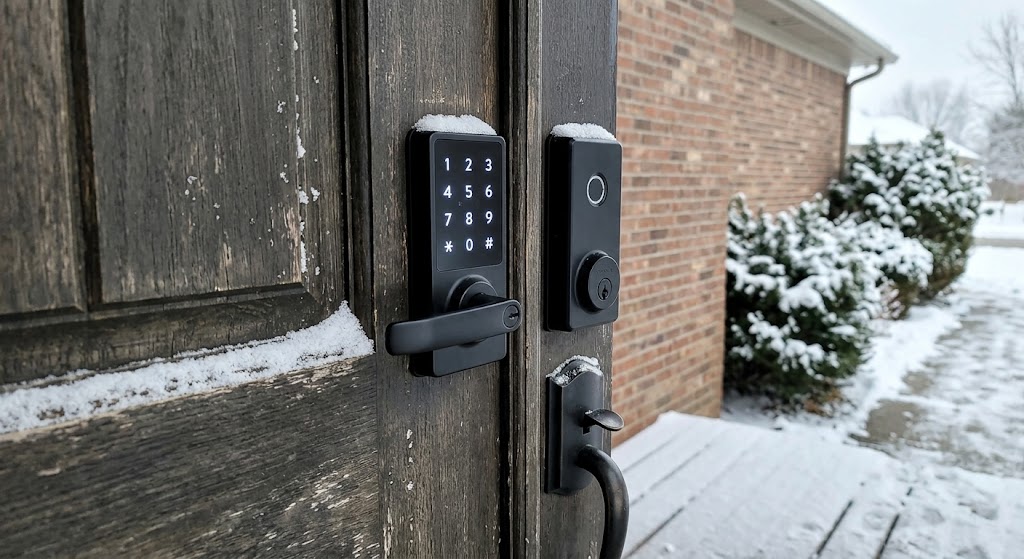
Fingerprint Smart Locks vs. Keypad Locks: Which Is More Reliable in Cold Weather?
Fingerprint smart locks are fast and convenient, but keypad locks are usually the more dependable cold-weather choice because they do not rely on biometric image quality.
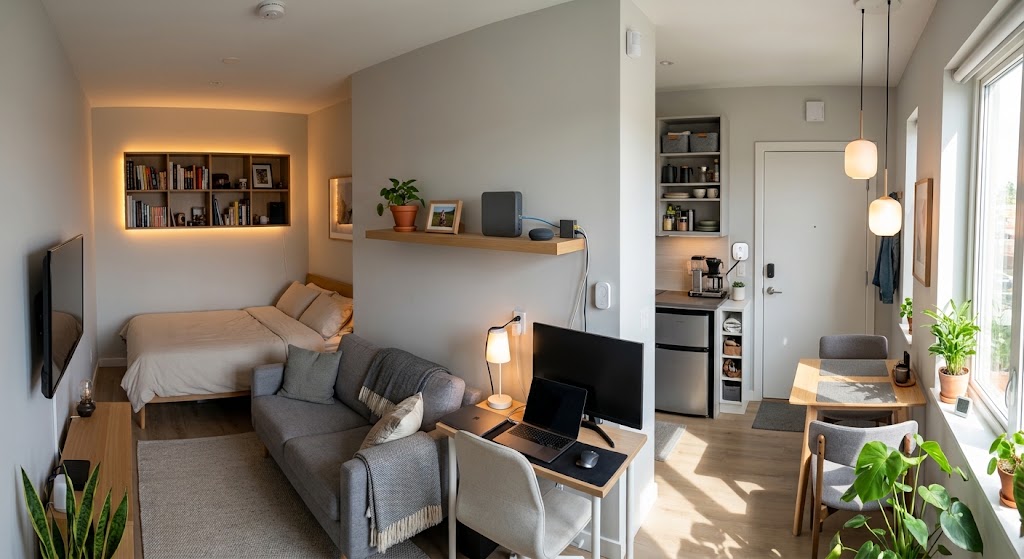
Local DIY Smart Home Hub vs Cloud Ecosystems for Studio Apartments
Compare local smart home hubs with Apple Home, Google Home, Alexa, and other cloud ecosystems to choose the right setup for a small studio apartment.
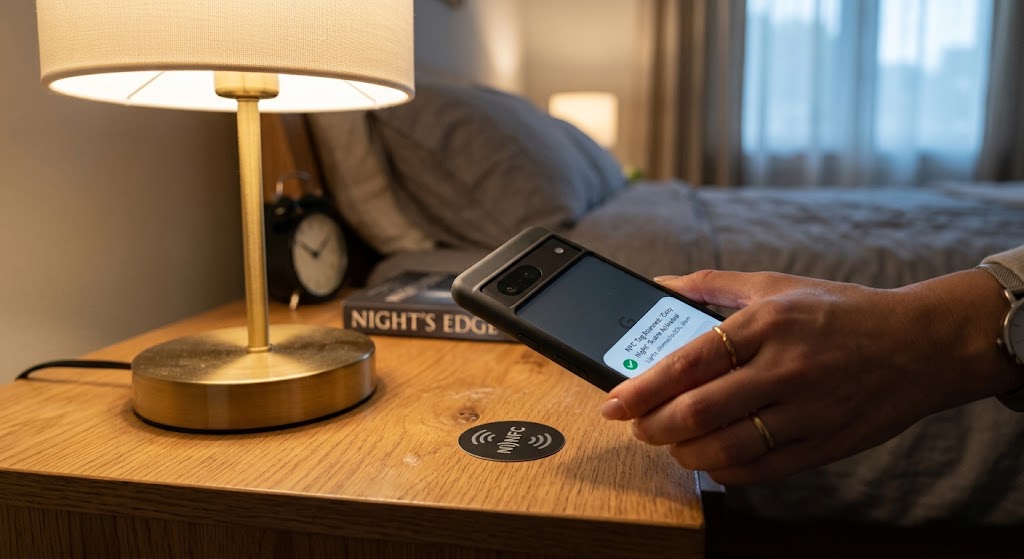
How to Set Up NFC Tags Around the House for One-Touch Lighting
Use inexpensive NFC tags as intentional one-touch lighting controls for bedside scenes, entryways, desks, and whole-home off routines without adding wall switches.
Smart Motion Sensor Automations for Dark Apartment Hallways
Build hallway lighting that turns on only when needed, stays dim at night, and avoids the annoying false-offs common with basic motion automations.