
How to Automate Ceiling Fans for Reverse Rotation in Upcoming Fall
Set ceiling fans for fall without climbing a ladder: learn which smart fans can reverse from an app, what can be automated, and the safest seasonal setup.
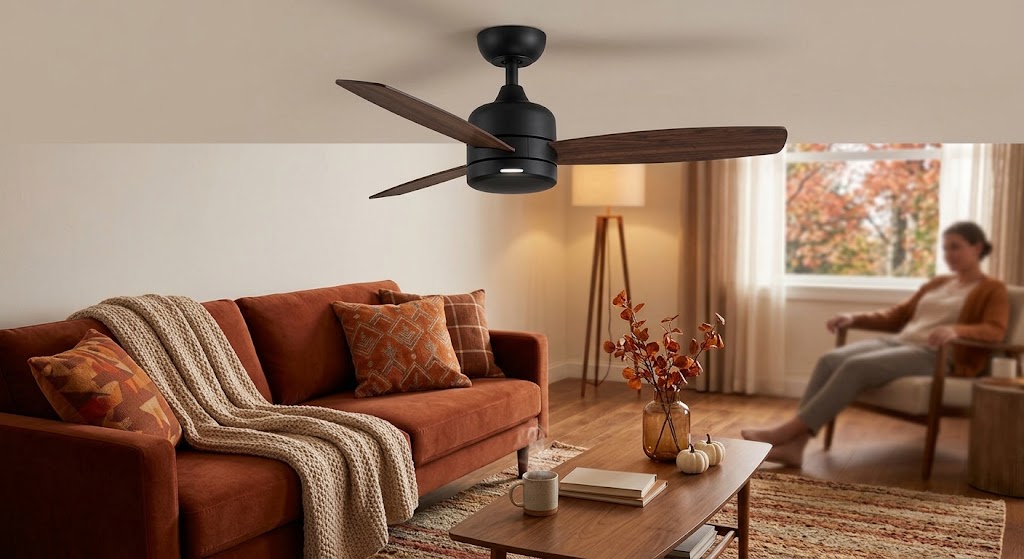
Quick answer
For most reversible ceiling fans in the Northern Hemisphere, fall is the time to switch from summer's counterclockwise downdraft to a low-speed clockwise updraft once heating season begins. If your smart fan exposes direction control in its own app, you can make that seasonal change from your phone and then automate low-speed operation by schedule, occupancy, or heating status; if direction is not exposed, reverse it manually once and automate only fan power and speed.
Table of contents
- First: understand what reverse rotation is doing
- The normal seasonal direction for most reversible fans
- Do not automate the calendar before you automate the logic
- A practical fall scene
- Option 1: use a smart fan with native app reverse control
- HunterSMART: direction can be changed in the app
- Modern Forms: Summer/Winter Mode plus scheduling
- Haiku: reverse is available, but the manufacturer may prefer another strategy
- Option 2: automate an existing non-smart fan without automating direction
- Why a typical smart switch cannot reverse the motor
- The automation that matters more than automatic reverse
- Automation 1: occupancy + heating mode
- Automation 2: temperature stratification
- Automation 3: scheduled evening mixing
- Build a “Fall Heating Mode” instead of one giant automation
- The safest way to reverse a smart ceiling fan
- Safe reverse sequence
- If your platform cannot verify fan stop state
- What about Alexa, Apple Home, and Google Home?
- Should you reverse every fan in the house?
- Prioritize these rooms first
- Common fall automation mistakes
- Mistake 1: reversing by date instead of heating season
- Mistake 2: running the fan too fast
- Mistake 3: leaving the fan on in empty rooms
- Mistake 4: assuming all brands use the same winter strategy
- Mistake 5: trying to reverse through unsupported electrical controls
- A five-minute fall setup checklist
- What to automate if your fan has no smart features
- Conclusion
Key takeaways
- For most conventional reversible fans, fall heating season calls for clockwise rotation at low speed, while summer cooling normally uses counterclockwise rotation.
- Full automation of direction is model-dependent; many households are better served by one seasonal reverse action plus automated speed, occupancy, and schedules.
- Always stop the fan completely before reversing direction and follow the manufacturer's instructions rather than trying to automate motor direction through improvised wiring.
Editorial transparency
Who worked on this article and how it was handled.
- Written by
- Maya Chen
- Creation method
- Editorial research
AI assistance: AI assisted with research organization and drafting. Sources, factual claims, and the final article should be reviewed by a human editor before publication.
Late August is a good time to prepare ceiling-fan automations for cooler weather, but the useful change is not simply “reverse every fan on September 1.” Fall weather arrives unevenly, and smart fans vary widely in how much of their motor behavior they actually expose to apps and automations.
The familiar seasonal rule still matters: conventional reversible ceiling fans normally run counterclockwise for a direct cooling breeze in summer and clockwise at low speed during the heating season to create a gentler updraft. The automation challenge is that direction control is often treated differently from ordinary on/off and speed controls.
The best fall setup therefore has two layers: switch each compatible fan into the manufacturer’s winter direction when heating season actually begins, then automate the low-speed runtime around occupancy, schedules, and heating needs. This guide explains how to do that safely, where full reverse-direction automation is realistic, and when a one-time seasonal change is the smarter choice.
First: understand what reverse rotation is doing
A ceiling fan does not heat a room. It moves air.
ENERGY STAR recommends counterclockwise rotation in summer so the fan creates a downdraft that produces a wind-chill effect on people below. During the heating season, it recommends reversing the motor and running the fan clockwise at low speed. That creates a gentler updraft that helps move warm air accumulated near the ceiling back toward the occupied zone.
The U.S. Department of Energy makes the same distinction: winter fan use can improve comfort by circulating warm air, but it does not raise the room’s actual temperature.
That difference matters for automation. Your fall routine should not be designed to run fans constantly. It should be designed to improve air mixing when people are present and the heating system is active or warm air has stratified near the ceiling.
The normal seasonal direction for most reversible fans
| Season or condition | Typical direction | Typical speed | Goal |
|---|---|---|---|
| Warm weather | Counterclockwise | Comfort-dependent | Create a direct cooling breeze |
| Heating season | Clockwise | Low | Create gentle updraft and mix warm air |
| Empty room | Off | Off | Avoid unnecessary fan energy use |
This is the general ENERGY STAR/DOE guidance. Your fan manufacturer can recommend something different for a particular blade geometry or control system, so the model manual always takes priority.
Do not automate the calendar before you automate the logic
The weakest seasonal automation is a fixed date that says, for example, “reverse the fan every September 22.”
Fall does not arrive at the same time in Seattle, Madrid, Boston, or southern France, and a warm September can still behave like summer. A better trigger is the point when your home actually transitions into heating season.
Useful signals include:
- your thermostat switching from cooling to heating mode;
- several consecutive days with cool indoor mornings;
- the first week when the heating system runs regularly;
- a manual seasonal scene such as Fall Heating Mode that you activate once.
For most homes, that one seasonal scene is more reliable than trying to infer autumn from the date alone.
A practical fall scene
A good seasonal scene might do the following:
- Put reversible smart fans into their supported winter direction.
- Set fan speed to low.
- Disable summer-only high-speed schedules.
- Enable occupancy-based low-speed operation in rooms that benefit from heat mixing.
- Leave fans off when rooms are unoccupied.
The first step is the difficult one because not every platform exposes fan direction as an automatable characteristic.
Option 1: use a smart fan with native app reverse control
If you already have a Wi-Fi or app-connected ceiling fan, start in the manufacturer’s app rather than in Alexa, Apple Home, Google Home, or a generic smart-home dashboard.
Native apps usually expose the deepest fan controls.
HunterSMART: direction can be changed in the app
Hunter states that compatible HunterSMART fans can reverse direction from the HunterSMART app. Its current guidance says to stop the fan completely, change the direction option in the app or through a supported smart-home command, and then turn the fan back on.
Hunter’s app documentation also shows a dedicated winter-mode toggle under Advanced settings.
That makes HunterSMART a strong fit for a seasonal workflow because you can avoid climbing a ladder or reaching for a motor-housing switch.
However, there is an important distinction between remote app control and fully scheduled direction changes. Hunter clearly documents reverse control and scenes for other fan behaviors, but you should confirm in your current app version whether the reverse state itself can be included in the automation you want.
If it cannot, use the app to reverse the fan once and let your smart-home platform automate power and speed afterward.
Modern Forms: Summer/Winter Mode plus scheduling
Modern Forms documents both Summer or Winter Mode and a scheduler in its app. The app can also group fans and create weekly or monthly fan schedules.
That combination is useful for fall preparation, but the official description does not promise that direction itself is available as a scheduled event on every fan or app version.
A safe workflow is:
- change the fan to Winter Mode in the Modern Forms app;
- verify the rotation visually;
- create a separate low-speed schedule for occupied periods;
- use grouping if multiple compatible fans should follow the same seasonal behavior.
Haiku: reverse is available, but the manufacturer may prefer another strategy
Compatible Haiku fans can be reversed in the Haiku app after the fan comes to a complete stop. The app also supports schedules, motion sensing, and automated fan behavior.
But Big Ass Fans adds an important model-specific caveat: for Haiku, it does not generally recommend reversing the fan for winter. Instead, it recommends using low-speed forward operation to circulate air without creating an uncomfortable draft.
This is why generic “all fans must reverse in fall” advice is incomplete. Follow ENERGY STAR’s seasonal principle as a baseline, then check your fan manufacturer’s airflow guidance before building the automation.
Option 2: automate an existing non-smart fan without automating direction
A large number of homes already have perfectly good ceiling fans with pull chains, wall controls, or RF remotes. Those fans do not necessarily need to be replaced just to gain useful fall automation.
The key is to separate direction from daily operation.
If the fan has a physical reversing switch on the motor housing, change that switch manually once at the beginning of heating season. Then use whatever supported control system you already have to automate on/off or speed.
That gives you most of the value with far less complexity.
Why a typical smart switch cannot reverse the motor
A normal smart wall switch controls electrical power. A fan-rated smart controller may also control speed. Neither automatically gains access to the fan’s internal reverse circuit just because it is connected to Wi-Fi.
If direction is controlled by:
- a physical slider on the motor housing;
- a proprietary remote command;
- an internal receiver;
- a dedicated manufacturer’s app;
then a generic smart switch usually cannot reproduce that function safely.
Do not try to automate direction by modifying fan wiring unless the manufacturer specifically provides an approved control method. Ceiling fans are mains-powered devices, and improvised motor-control wiring is not an appropriate DIY shortcut.
The automation that matters more than automatic reverse
Direction changes only once or twice a year. Fan runtime happens every day.
That means the highest-value automation is usually not “reverse automatically on a date.” It is “run the fan at low speed only when it can improve comfort.”
Automation 1: occupancy + heating mode
This is the strongest general pattern.
IF:
- the room is occupied; and
- the thermostat is in heating mode;
THEN:
- run the fan at low speed in the manufacturer’s winter configuration.
WHEN:
- the room becomes unoccupied for a defined period;
THEN:
- turn the fan off.
That follows ENERGY STAR’s recommendation to turn ceiling fans off when nobody is in the room.
Automation 2: temperature stratification
If you have separate temperature sensors at different heights, you can create a more targeted rule.
For example:
- ceiling-area temperature is noticeably warmer than occupied-zone temperature;
- room is occupied;
- heating mode is active;
Then run the fan at low speed for a short interval and re-check the temperature difference.
This is more advanced and only makes sense if your sensors are reliable and your automation platform can handle conditions cleanly. Avoid constant rapid cycling.
Automation 3: scheduled evening mixing
For homes without occupancy sensors, a simple schedule is often enough.
Example:
- 5:30 p.m.: low-speed fan on in the living room;
- 10:30 p.m.: fan off;
- only active during the heating-season scene.
This is less adaptive, but it is easy to understand and troubleshoot.
Build a “Fall Heating Mode” instead of one giant automation
Seasonal smart-home routines are easier to maintain when they are modular.
Rather than one complicated rule that checks the month, outdoor temperature, thermostat mode, occupancy, fan direction, speed, and room temperature all at once, create a seasonal state such as:
Fall Heating Mode = ON
Then let other automations depend on that state.
For example:
| Automation | Condition | Action |
|---|---|---|
| Seasonal setup | Fall Heating Mode activated | Change supported fans to winter configuration |
| Living room | Fall Heating Mode + occupied | Fan low |
| Bedroom | Fall Heating Mode + occupied at night | Fan low or off based on comfort |
| Empty room | No occupancy | Fan off |
| Spring reset | Fall Heating Mode disabled | Return supported fans to summer configuration |
This structure is easier to debug and prevents summer automations from fighting winter ones.
The safest way to reverse a smart ceiling fan
Manufacturers that support electronic reverse commonly require the fan to stop before direction changes.
Hunter explicitly instructs users to turn the fan off and let it come to a complete stop before reversing. Haiku support gives the same requirement.
Treat that as a design constraint in any automation.
Safe reverse sequence
- Turn the fan off.
- Wait until the blades have completely stopped.
- Change direction using the manufacturer’s supported control.
- Start the fan at low speed.
- Stand under the fan and verify the airflow is gentle rather than a direct cooling draft.
Do not create an automation that repeatedly toggles reverse while the fan is still moving.
If your platform cannot verify fan stop state
Do not force a fully automatic reversal.
Use a notification instead:
Fall Heating Mode is active. Reverse the living-room fan in the native app, then confirm.
A one-tap seasonal reminder is safer and more predictable than an unreliable automation that assumes the motor has stopped.
What about Alexa, Apple Home, and Google Home?
Third-party smart-home platforms are excellent for ordinary fan power, speed, scenes, occupancy rules, and voice control, but advanced attributes vary by manufacturer and integration.
Hunter documents smart-home integration with Apple Home, Amazon Alexa, and Google Home, and its direction guide says compatible HunterSMART fans can accept reverse control through supported smart-home devices. Modern Forms also integrates with multiple smart-home platforms.
The important rule is not to assume that because a platform can control fan speed, it can also control fan direction.
Before building a seasonal routine, confirm whether your specific integration exposes:
- power;
- speed percentage or discrete speeds;
- direction/reverse;
- light control;
- occupancy or sensor state;
- scenes or routines.
If direction is missing, keep the seasonal reverse action in the native fan app and use your main smart-home platform for the daily automations.
Should you reverse every fan in the house?
Not necessarily.
A low-speed winter fan is most useful where warm air actually stratifies and people spend time beneath the fan. Rooms with high ceilings, open staircases, vaulted spaces, or strong heating stratification may benefit more than small rooms with low ceilings.
You may also decide not to use winter fan mode in a bedroom if even low airflow feels uncomfortable.
Prioritize these rooms first
- double-height or vaulted living rooms;
- rooms with ceiling-mounted heat accumulation;
- open-plan spaces with uneven temperatures;
- rooms where occupants already use the fan regularly.
Do not automate simply because the device can be automated.
Common fall automation mistakes
Mistake 1: reversing by date instead of heating season
A fixed September date can be too early in warm climates. Use an explicit seasonal scene or heating-mode trigger instead.
Mistake 2: running the fan too fast
Winter-mode fan operation should generally be gentle. High speed can create a noticeable draft and undermine comfort.
Mistake 3: leaving the fan on in empty rooms
Fans move air; they do not heat the room. Occupancy-based shutoff is one of the simplest useful automations.
Mistake 4: assuming all brands use the same winter strategy
ENERGY STAR and DOE recommend clockwise low-speed operation for conventional reversible fans, but some manufacturers, including Big Ass Fans for certain Haiku products, recommend low-speed operation without reversing. Follow the specific product documentation.
Mistake 5: trying to reverse through unsupported electrical controls
A smart relay or wall switch does not automatically become a direction controller. Use only approved fan controls.
A five-minute fall setup checklist
Use this before the first sustained cool week:
- Identify which fans are actually reversible.
- Check each manufacturer’s winter-direction recommendation.
- Update the fan app and confirm connectivity.
- Disable summer high-speed routines.
- Reverse supported fans only after they stop completely.
- Set heating-season fan speed to low.
- Add occupancy-based off rules where possible.
- Test the airflow from the occupied area.
- Save the setup as a seasonal scene or note so spring reversal is easy.
What to automate if your fan has no smart features
You still have three useful options without replacing the fan:
- manual reverse + smart fan-rated wall control: reverse seasonally, automate power/speed daily;
- manual reverse + timer: useful for predictable evening use;
- manual reverse + occupancy automation: possible when a compatible fan controller and sensor ecosystem support it.
The point is to automate repetitive behavior, not a twice-a-year action at any cost.
If your existing fan requires electrical modifications to gain smart control, use a fan-rated product and follow local electrical requirements. If you are unsure about wiring, neutral availability, receiver compatibility, or load ratings, use a qualified electrician.
Conclusion
The best way to automate ceiling fans for fall is not to obsess over making reverse rotation completely hands-off. First put each compatible fan into the manufacturer’s recommended heating-season configuration—typically clockwise at low speed for conventional reversible fans—then automate the behavior that repeats every day: low-speed operation, occupancy shutoff, schedules, and heating-mode triggers.
If your smart fan exposes direction in its native app, use that control and only schedule it when the manufacturer clearly supports doing so. If it does not, reverse the fan once manually and automate everything else. That approach is simpler, safer, and usually delivers nearly all of the comfort benefit with far fewer failure points.
Common questions
Questions this guide answers
Which direction should a ceiling fan spin in fall and winter?
ENERGY STAR and the U.S. Department of Energy recommend clockwise rotation at low speed during the heating season for conventional reversible ceiling fans. That creates a gentle updraft that helps redistribute warm air near the ceiling without producing the stronger direct breeze used for summer cooling.
Can a smart ceiling fan reverse direction automatically?
Some smart fans expose reverse or winter mode in their native app, but not every model allows direction to be included in a schedule or third-party automation. In many homes, the most reliable setup is to change direction once at the start of heating season and automate only speed, occupancy, and on/off behavior afterward.
Can I use a smart switch to reverse a normal ceiling fan?
Usually not. A typical smart wall switch can control power or sometimes fan speed, but motor direction is normally handled by the fan's reversing switch, receiver, remote, or native smart controller. Do not improvise wiring changes to automate reverse rotation.
Should a ceiling fan run all day in winter?
No. ENERGY STAR notes that ceiling fans should be turned off when a room is unoccupied. In fall and winter, use low speed when the room is occupied and warm-air mixing is useful, rather than running the fan continuously by default.
When should I switch my ceiling fan to winter mode?
A practical trigger is the start of heating season rather than a fixed calendar date. When your home begins using heat regularly, switch compatible fans to the manufacturer's recommended winter setting and verify that the airflow feels gentle rather than drafty.
Evidence & further reading
Sources & references
Primary and authoritative references used to support or contextualize this article. Links open the original source.
- 1Ceiling Fan Installation and Usage Tips
ENERGY STAR · Accessed Aug 23, 2026
Supports counterclockwise summer operation, clockwise low-speed winter operation, and turning fans off in unoccupied rooms.
- 25 Tips to Help You Save on Energy Bills this Winter
U.S. Department of Energy · Accessed Aug 23, 2026
Supports clockwise low-speed winter operation and explains that the fan redistributes warm air rather than changing room temperature.
- 3Ceiling Fan Direction Guide: Which Way Should a Ceiling Fan Spin?
Hunter Fan · Accessed Aug 23, 2026
Supports HunterSMART app and voice control for reversing compatible smart fans and the requirement to stop the fan before reversing.
- 4HunterSMART™
Hunter Fan · Accessed Aug 23, 2026
Supports the HunterSMART Advanced setting for switching between summer and winter fan direction.
- 5The Modern Forms App
Modern Forms · Accessed Aug 23, 2026
Supports app-based Summer/Winter Mode, schedules, grouping, and smart-home integrations on compatible Modern Forms fans.
- 6Haiku L Support
Big Ass Fans · Accessed Aug 23, 2026
Supports app-based reverse control on compatible Haiku fans, scheduling and occupancy features, and the manufacturer's alternative recommendation to use low speed rather than reverse on some models.

About the author
Maya Chen
Maya covers residential energy, HVAC controls, and practical home automation, translating technical systems into useful decisions for homeowners and renters.
More from Maya →Make your home smarter without buying every gadget.
One useful idea, one product worth knowing, and one energy-saving action—delivered weekly.
No spam. Unsubscribe anytime.
Semantic recommendations
Related reading
Selected from topic cluster, entities, tags, search intent, and editorial relationships.
Smart Thermostat Geofencing for Back-to-School Family Schedules
Use smart thermostat geofencing without leaving kids, parents, or caregivers uncomfortable when back-to-school schedules change from day to day.
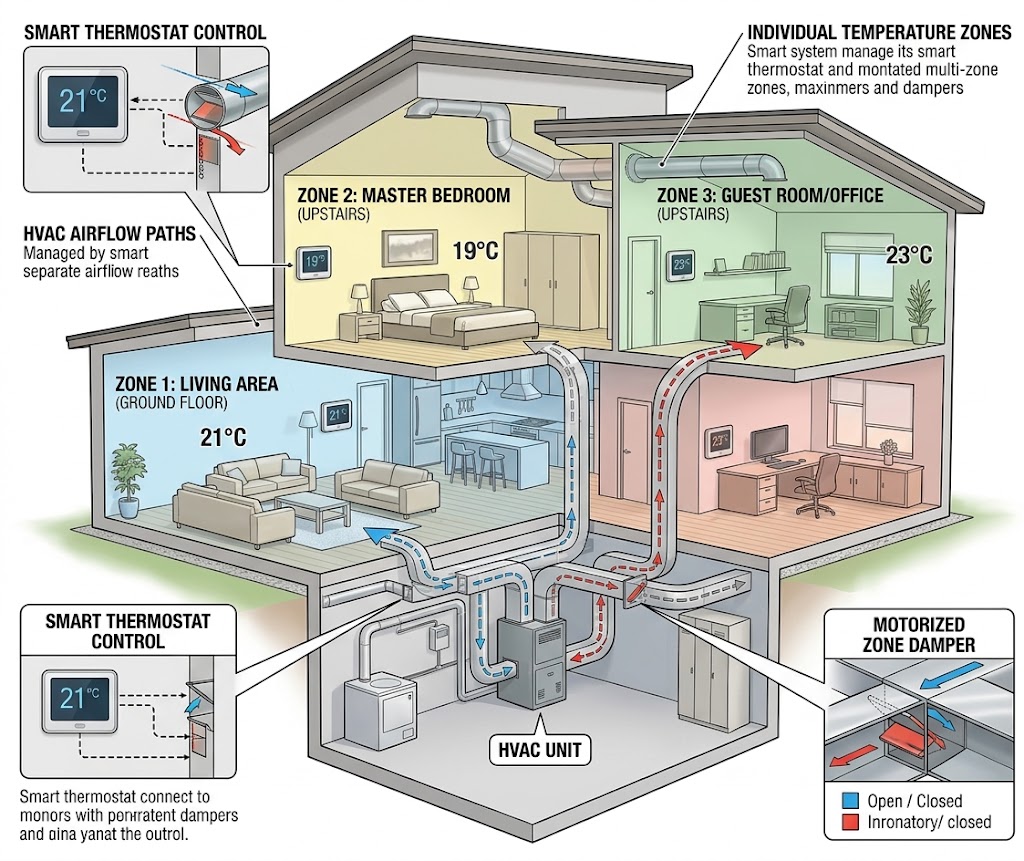
How Smart Thermostats Handle Multi-Zone HVAC Systems Efficiently
Multi-zone HVAC works best when thermostats, zone controls, sensors, and equipment capacity cooperate instead of fighting each other.
5 Essential Home Assistant Automations for Energy Saving
These five Home Assistant automations target the biggest sources of avoidable household energy use: HVAC runtime, unnecessary lighting, standby loads, expensive tariff windows, and solar heat gain.
How to Set Up NFC Tags Around the House for One-Touch Lighting
Use inexpensive NFC tags as intentional one-touch lighting controls for bedside scenes, entryways, desks, and whole-home off routines without adding wall switches.