
How to Use Home Assistant SkyConnect to Run Matter and Thread Simultaneously
SkyConnect can power a Home Assistant Thread network for Matter-over-Thread devices, but Matter and Thread are different layers—not two radio modes. Here is the correct 2026 setup.
Quick answer
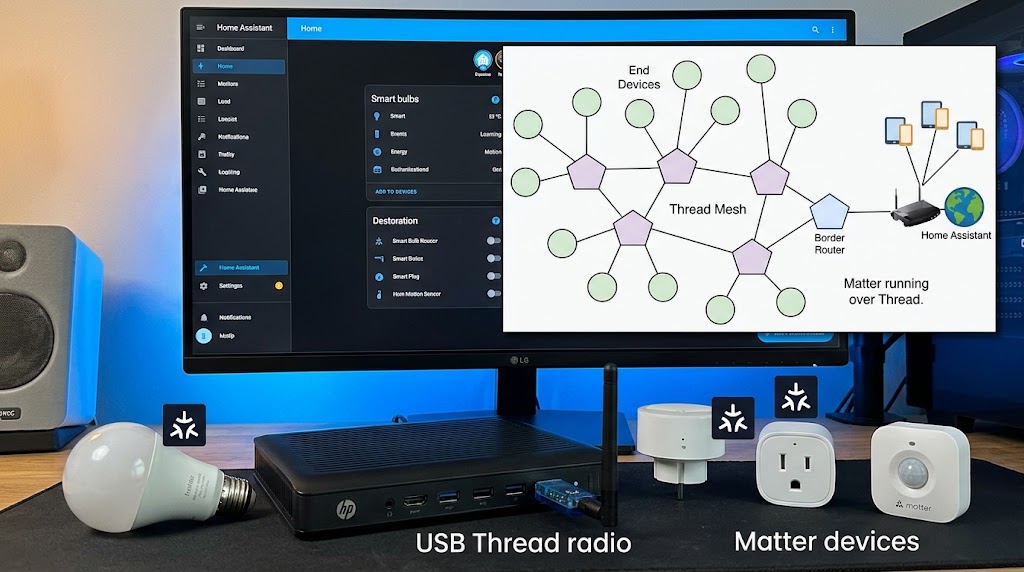
Home Assistant SkyConnect—now called Home Assistant Connect ZBT-1—can be used as a dedicated Thread radio while Home Assistant simultaneously runs the Matter controller. The correct architecture is Home Assistant OS + Matter Server + Matter integration for the Matter application layer, and SkyConnect/ZBT-1 flashed with dedicated OpenThread firmware plus the OpenThread Border Router app for the Thread network layer. This lets Home Assistant control Matter-over-Thread devices, and it can also control Matter-over-Wi-Fi devices at the same time. Do not confuse this with running Zigbee and Thread simultaneously on one SkyConnect: Home Assistant says the single-radio multiprotocol firmware remains experimental and is not recommended.
Table of contents
- First: SkyConnect Is Now Called Connect ZBT-1
- Hardware basics
- Matter, Thread, and SkyConnect: The Layer Diagram
- Matter layer
- Thread layer
- SkyConnect / ZBT-1
- Matter Server
- What “Run Matter and Thread Simultaneously” Actually Means
- Matter Over Wi-Fi Can Run at the Same Time Too
- Device A
- Device B
- What You Need
- Required
- Recommended
- Why Home Assistant OS Is the Best Path
- Step 1: Check What SkyConnect Is Doing Right Now
- The key question
- Step 2: Do Not Enable Experimental Multiprotocol for a New Setup
- Recommended architecture
- Step 3: Use the USB Extension Cable
- Step 4: Configure ZBT-1 as a Dedicated Thread Radio
- Important
- Step 5: Install the OpenThread Border Router App
- What the Border Router actually does
- Step 6: Verify the Thread Integration
- Step 7: Decide Whether You Already Have a Thread Network
- Scenario A: No Thread network exists
- Scenario B: Apple or Google Thread network already exists
- One preferred Thread network is easier
- Step 8: Send Thread Credentials to the Phone
- Step 9: Install the Matter Integration
- OpenThread Border Router
- Matter Server
- Step 10: Update the Matter Server
- Step 11: Add the Matter-over-Thread Device
- What happens behind the scenes
- Step 12: Verify That the Device Is Actually Using Thread
- Thread-based Matter device
- Wi-Fi-based Matter device
- Step 13: Use the 2026 Matter Network Visualization
- Step 14: Add Thread Routers to Improve the Mesh
- Can You Still Use Zigbee?
- USB radio 1
- Thread Border Router
- Matter Server
- USB radio 1
- USB radio 2
- Matter Server
- Should You Buy a Second ZBT-1?
- Do You Need SkyConnect If You Already Have HomePod or Nest?
- Apple
- When Using ZBT-1 for Thread Makes Sense
- When I Would Keep ZBT-1 on Zigbee
- Common Mistake: “Enable Matter on SkyConnect”
- Matter integration problem
- Thread problem
- Common Mistake: Following Old Multiprotocol Tutorials
- Common Mistake: Converting the Only Zigbee Coordinator
- Common Mistake: Ignoring IPv6
- Common Mistake: Creating Multiple Unnecessary Thread Networks
- Common Mistake: Pairing Far From the Border Router
- Common Mistake: Plugging ZBT-1 Directly Into USB 3
- Troubleshooting Checklist
- ZBT-1 is not visible
- OTBR will not start
- Thread network does not appear
- Matter device pairing fails
- Device joins Thread but not Matter
- Recommended Architecture by User Type
- Beginner with existing Apple/Google Thread
- Beginner with no Zigbee and no Thread network
- Heavy Zigbee + Thread user
- Advanced mixed ecosystem
- Final Setup Checklist
- Conclusion
Key takeaways
- SkyConnect and Connect ZBT-1 are the same hardware; SkyConnect was renamed Connect ZBT-1.
- Matter and Thread are different layers, so running Matter over Thread is normal and does not require the experimental Zigbee+Thread multiprotocol firmware.
- For a Home Assistant-native Thread setup, use dedicated OpenThread firmware on ZBT-1, the OpenThread Border Router app, and the Matter Server/Matter integration separately.
- Home Assistant does not recommend using one ZBT-1 as Zigbee coordinator and Thread Border Router simultaneously; use dedicated firmware or separate radios.
- Home Assistant can control Matter-over-Wi-Fi and Matter-over-Thread devices in the same Matter fabric; SkyConnect is only needed for the Thread radio path.
- Home Assistant's current ZBT-1 documentation still recommends Zigbee as the default use case, so converting an established Zigbee stick to Thread should be a deliberate decision.
Editorial transparency
Who worked on this article and how it was handled.
- Written by
- Daniel Reed
- Creation method
- Editorial research
AI assistance: AI assisted with research organization and drafting. Sources, current Home Assistant behavior, firmware guidance, and the final article should be reviewed by a human editor before publication.
The title of this guide sounds simple, but it hides one of the most common Home Assistant networking misunderstandings.
Matter and Thread are not two competing radio protocols.
Matter is the smart-home application standard.
Thread is one of the IP networks Matter devices can use.
That means when a Home Assistant SkyConnect is configured as a Thread radio, Matter and Thread are supposed to operate at the same time:
Matter device → Thread mesh → SkyConnect/OpenThread Border Router → Home Assistant Matter Server
The Home Assistant server handles Matter.
SkyConnect handles the Thread radio network.
This is completely different from trying to make one SkyConnect radio run Zigbee and Thread simultaneously. Home Assistant experimented with that multiprotocol design, but its current documentation explicitly says the feature remains experimental and is no longer recommended.
So this guide will show the architecture that actually makes sense in 2026:
- dedicate SkyConnect / Connect ZBT-1 to Thread;
- run OpenThread Border Router on Home Assistant;
- run the Matter Server separately;
- commission Matter-over-Thread devices into Home Assistant;
- keep Zigbee on another coordinator if you still need it.
First: SkyConnect Is Now Called Connect ZBT-1
Home Assistant SkyConnect was renamed Home Assistant Connect ZBT-1 in 2024.
Home Assistant’s current product page says the name changed, but the:
- hardware;
- capabilities;
- firmware support;
- compatibility;
are the same.
So if you own an older SkyConnect-branded USB stick, current Connect ZBT-1 documentation generally applies to your hardware too.
Hardware basics
Connect ZBT-1 / SkyConnect uses a Silicon Labs EFR32MG21 radio.
The device supports:
- Zigbee 3.0;
- Thread through a firmware change.
It uses the 2.4 GHz band and connects to Home Assistant over USB.
The key phrase is through a firmware change.
Out of the box and in the recommended default configuration, ZBT-1 is generally used for Zigbee.
To use it as a Thread Border Router radio, it must run the appropriate OpenThread firmware instead.
Matter, Thread, and SkyConnect: The Layer Diagram
The easiest way to understand this system is to separate the layers.
Matter layer
Runs in:
- Home Assistant Matter integration;
- Open Home Foundation Matter Server.
It understands:
- device types;
- commands;
- attributes;
- commissioning;
- Matter fabrics;
- security;
- device control.
Thread layer
Runs through:
- Thread mesh;
- OpenThread Border Router;
- Thread-capable radio such as ZBT-1.
It handles:
- IPv6 connectivity;
- mesh routing;
- low-power wireless communication.
SkyConnect / ZBT-1
Provides:
- the 2.4 GHz Thread radio interface.
It does not replace the Matter Server.
Matter Server
Provides:
- the Matter controller logic.
It does not replace the Thread radio.
Together they form the full Matter-over-Thread path.
What “Run Matter and Thread Simultaneously” Actually Means
Suppose you pair a Matter-over-Thread smart plug.
The traffic path looks like this:
Smart plug
↓
Thread mesh
↓
SkyConnect / ZBT-1 OpenThread radio
↓
OpenThread Border Router
↓
Home Assistant local IP network
↓
Matter Server
↓
Home Assistant automation
Thread transports the IP packets.
Matter defines what those packets mean to the smart-home controller.
So both technologies are active simultaneously by design.
There is no “Matter radio mode” to enable on SkyConnect.
Matter Over Wi-Fi Can Run at the Same Time Too
One Home Assistant Matter controller can manage different Matter transports.
For example:
Device A
Matter smart plug over Wi-Fi:
Device → Wi-Fi → Matter Server
Device B
Matter door sensor over Thread:
Device → Thread → ZBT-1 → OTBR → Matter Server
Both devices can belong to your Home Assistant Matter fabric.
SkyConnect is involved only with Device B.
This is why buying SkyConnect is not required for every Matter setup.
Matter-over-Wi-Fi does not need a Thread Border Router at all.
What You Need
For the Home Assistant-native Thread setup described in this article:
Required
- Home Assistant OS
- current Home Assistant version
- Home Assistant SkyConnect / Connect ZBT-1
- USB extension cable
- OpenThread Border Router app
- Thread integration
- Matter integration
- Matter Server app
- Android phone or iPhone for commissioning
- Matter-over-Thread device
Recommended
- Ethernet-connected Home Assistant host
- current Companion App
- recent ZBT-1 firmware
- uncomplicated LAN with working IPv6 and mDNS
- recent backup before changing ZBT-1 firmware
Why Home Assistant OS Is the Best Path
Home Assistant’s current Matter documentation recommends running the official Matter Server app on Home Assistant OS.
It is the supported path.
Container users can operate their own Matter Server architecture, but that requires more manual host configuration and sits outside the normal supported Home Assistant OS workflow.
For a guide focused on SkyConnect and Thread, Home Assistant OS keeps the stack much simpler:
- hardware discovery;
- Apps;
- Matter Server;
- OpenThread Border Router;
- Thread integration;
- firmware handling.
Step 1: Check What SkyConnect Is Doing Right Now
Before changing firmware, inspect the current setup.
Go to:
Settings → Devices & services
Look for:
- ZHA;
- Zigbee2MQTT-related configuration;
- Thread;
- OpenThread Border Router;
- Matter.
If your SkyConnect is currently the coordinator for dozens of Zigbee devices, do not casually convert it to Thread.
Changing the radio role affects the Zigbee network that depends on it.
The key question
Ask:
Is this SkyConnect currently responsible for my Zigbee devices?
If yes, choose one of three approaches:
- keep it on Zigbee and use an existing Apple/Google/other Thread Border Router;
- migrate Zigbee to a second coordinator, then convert SkyConnect to Thread;
- buy a second dedicated Thread adapter.
For many existing Home Assistant users, option 1 or 3 is the cleanest.
Step 2: Do Not Enable Experimental Multiprotocol for a New Setup
This is where older tutorials can mislead you.
Home Assistant originally planned for SkyConnect to run Zigbee and Thread through one radio using multiprotocol firmware.
The project tested that approach extensively.
Its current ZBT-1 FAQ says multiprotocol:
- remains experimental;
- is not recommended;
- has technical limitations;
- can produce a worse user experience.
Home Assistant now focuses on dedicated firmware for each role.
Recommended architecture
Adapter 1
- dedicated Zigbee coordinator
Adapter 2
- dedicated Thread radio
Or:
Adapter 1
- Zigbee
Existing Apple/Google Border Router
- Thread
That is a cleaner architecture than forcing two radio stacks onto one EFR32MG21 adapter.
Step 3: Use the USB Extension Cable
Home Assistant ships the ZBT-1 with a USB extension cable for a reason.
Its official product page warns that USB 3.0 ports can generate enough 2.4 GHz interference to cause problems with both:
- Zigbee;
- Thread.
Symptoms can include:
- pairing failures;
- unreachable devices;
- intermittent dropouts;
- timeouts.
Place the ZBT-1 away from:
- USB 3 ports;
- SSD enclosures;
- mini PCs;
- metal server cases;
- Wi-Fi access points;
- dense cable bundles.
A few feet of physical separation can be more valuable than endless software troubleshooting.
Step 4: Configure ZBT-1 as a Dedicated Thread Radio
Home Assistant’s current Thread documentation says Connect ZBT-1 ships or normally operates with Zigbee rather than Thread.
To turn it into a Home Assistant Thread Border Router, follow the current Home Assistant hardware workflow for enabling Thread.
Conceptually, the change is:
Zigbee firmware
→
OpenThread RCP firmware
Once ZBT-1 is dedicated to OpenThread, it is no longer your normal Zigbee coordinator.
Important
Create a Home Assistant backup before changing the radio role.
If ZBT-1 currently hosts a Zigbee network, plan the Zigbee migration before flashing anything.
Step 5: Install the OpenThread Border Router App
Go to:
Settings → Apps
Install:
OpenThread Border Router
The app connects Home Assistant’s networking stack to the ZBT-1 OpenThread radio.
Home Assistant’s Thread documentation describes this OpenThread implementation as having the REST API Home Assistant needs to configure and control its own Border Router.
What the Border Router actually does
It routes IPv6 traffic between:
- Thread mesh;
- Ethernet/Wi-Fi local IP network.
It does not interpret Matter commands.
That remains the job of the Matter controller.
Step 6: Verify the Thread Integration
Go to:
Settings → Devices & services → Thread
If Thread is not present, add the integration.
Once the OTBR setup is working, Home Assistant should expose a Thread network.
For a brand-new Home Assistant Thread network, Home Assistant names it in a form similar to:
ha-thread-xxxx
You can inspect:
- Thread networks;
- preferred network;
- Border Routers;
- credentials.
Step 7: Decide Whether You Already Have a Thread Network
This step matters if your home already has:
- HomePod mini;
- Apple TV 4K;
- Nest Hub;
- Nest Wifi Pro;
- Google TV Streamer;
- another Thread Border Router.
Home Assistant may detect more than one Thread network.
Scenario A: No Thread network exists
Let Home Assistant create the new ha-thread network.
Set it as preferred.
Send the credentials to your phone.
Scenario B: Apple or Google Thread network already exists
Home Assistant supports importing credentials and joining a compatible existing Thread network.
The exact workflow depends on the phone ecosystem:
- Android for Google Thread credentials;
- iPhone for Apple Thread credentials.
This can avoid creating unnecessary parallel Thread meshes.
One preferred Thread network is easier
Multiple Thread networks can coexist, but they add complexity.
For a beginner setup, choose the network you actually want your devices to join.
Step 8: Send Thread Credentials to the Phone
Matter-over-Thread commissioning normally uses the mobile phone as part of the onboarding process.
The phone needs the Thread network credentials so it can tell the new device which Thread network to join.
In the Thread integration, use the appropriate option to:
- import credentials;
- set preferred network;
- send credentials to phone.
Keep the Home Assistant Companion App current.
Commissioning involves a chain of technologies:
- phone discovers the device;
- Bluetooth Low Energy starts setup;
- Thread credentials are transferred;
- device joins Thread;
- Matter commissioning completes.
If one layer fails, the process can look like a generic “Matter pairing failed.”
Step 9: Install the Matter Integration
Go to:
Settings → Devices & services → Add integration → Matter
On Home Assistant OS, the normal setup installs or uses the official Matter Server app.
The Matter Server is separate from the OpenThread Border Router.
You should now think of the architecture as two services:
OpenThread Border Router
Network transport for Thread.
Matter Server
Matter controller and fabric.
That separation is why Matter and Thread can run together cleanly.
Step 10: Update the Matter Server
Home Assistant launched its matter.js-based Matter Server as App 9.0 in June 2026.
The new server replaced the previous Python-based implementation and automatically migrated existing data.
Home Assistant reported improvements in:
- stability;
- startup time;
- device recovery;
- OTA behavior;
- security validation;
- network visualization.
The June release supported Matter 1.5.1 and stated Matter 1.6 support was coming next.
For this guide, the practical recommendation is simple:
Use the current supported Home Assistant Matter Server version rather than pinning an old tutorial’s server release.
Step 11: Add the Matter-over-Thread Device
Put the new device into pairing mode.
In the Home Assistant Companion App:
- open Settings → Devices & services;
- select Add device;
- scan the Matter QR code or enter the pairing code;
- keep the phone near the device and Thread Border Router;
- complete commissioning.
What happens behind the scenes
The phone may use BLE for initial commissioning.
The device receives Thread credentials.
It joins the Thread network.
Home Assistant commissions the device into its Matter fabric.
The Matter Server then controls it locally through the Thread Border Router.
Step 12: Verify That the Device Is Actually Using Thread
Do not assume every Matter product uses Thread.
Check the packaging for:
- Matter logo;
- Thread logo.
Home Assistant’s Matter documentation explicitly tells users to distinguish Wi-Fi-based Matter devices from Thread-based Matter devices.
Thread-based Matter device
Needs:
- Thread Border Router.
Wi-Fi-based Matter device
Needs:
- Wi-Fi network.
SkyConnect has no role in the Wi-Fi device’s transport.
Step 13: Use the 2026 Matter Network Visualization
One of Home Assistant’s most useful 2026 Matter upgrades is network visualization.
The matter.js-based Matter Server can display Matter network topology and connection quality.
For Thread devices, the visualization can show:
- Thread leader;
- routers;
- sleepy end devices;
- hops;
- Border Routers;
- connection quality.
This is useful because Thread devices choose their own mesh paths.
If a device is unreliable, you can inspect whether it has:
- weak links;
- too many hops;
- poor router coverage.
This is much more useful than blindly moving the USB stick around the room.
Step 14: Add Thread Routers to Improve the Mesh
A Thread Border Router connects the mesh to the IP LAN.
A Thread mesh router helps route traffic inside the Thread network.
Always-powered Thread devices can often become routers.
Battery devices usually behave as sleepy end devices.
A healthy Thread network therefore improves as you add strategically placed mains-powered Thread devices.
Examples may include:
- smart plugs;
- in-wall switches;
- powered Thread lighting accessories.
Do not buy random products solely as repeaters, but recognize that network topology affects reliability.
Can You Still Use Zigbee?
Absolutely.
Just do not expect the same single ZBT-1 radio to be the recommended coordinator for both networks at once.
A strong Home Assistant setup can look like this:
USB radio 1
Connect ZBT-1:
- Zigbee firmware
- ZHA / Zigbee2MQTT
Thread Border Router
Apple TV / HomePod / Nest Hub / another TBR
Matter Server
Home Assistant
Or:
USB radio 1
Dedicated Zigbee coordinator
USB radio 2
Connect ZBT-1:
- OpenThread firmware
- OTBR
Matter Server
Home Assistant
Both are clean architectures.
Should You Buy a Second ZBT-1?
If you already use SkyConnect for Zigbee and want Home Assistant itself to provide Thread, a second adapter is easier to reason about than multiprotocol firmware.
One stick:
- Zigbee.
One stick:
- Thread.
The radios should be separated physically using extension cables.
This also makes troubleshooting much easier.
If Thread fails, you know which radio owns Thread.
If Zigbee fails, you know which radio owns Zigbee.
Do You Need SkyConnect If You Already Have HomePod or Nest?
No.
Home Assistant can use third-party Thread Border Routers.
Its current documentation lists compatible Border Router examples from:
Apple
- HomePod mini
- HomePod (2nd generation)
- selected Apple TV 4K models
- Nest Hub (2nd gen)
- Nest Hub Max
- Nest Wifi
- Nest Wifi Pro
- Google TV Streamer
Other manufacturers also provide Thread Border Router functionality.
Home Assistant does not need to own the radio just to control Matter-over-Thread devices.
The third-party Border Router forwards encrypted Matter traffic. It does not need to become the Matter controller.
When Using ZBT-1 for Thread Makes Sense
Use SkyConnect/ZBT-1 as a dedicated Thread adapter when:
- you want Home Assistant-native OpenThread infrastructure;
- you do not have an existing suitable Border Router;
- you are comfortable with the current manual Thread setup;
- you have another Zigbee coordinator or do not use Zigbee;
- you want Home Assistant to manage the OpenThread Border Router directly.
When I Would Keep ZBT-1 on Zigbee
Home Assistant’s current ZBT-1 product page still recommends the Zigbee firmware as the best out-of-box experience.
I would leave the stick on Zigbee when:
- your Zigbee network is already stable;
- many existing devices depend on it;
- Apple/Google already provide a working Thread network;
- you do not yet own any Matter-over-Thread devices;
- you want the least disruptive setup.
There is no benefit in converting a stable Zigbee coordinator merely because Thread exists.
Common Mistake: “Enable Matter on SkyConnect”
There is no meaningful configuration that turns the SkyConnect radio into a generic “Matter radio.”
Matter-over-Wi-Fi does not use the stick.
Matter-over-Thread uses the stick only for Thread transport.
The actual Matter controller remains Home Assistant’s Matter Server.
That distinction is critical when troubleshooting.
Matter integration problem
Check:
- Matter Server;
- Matter integration;
- fabric;
- commissioning;
- certificates.
Thread problem
Check:
- OTBR;
- ZBT-1 firmware;
- Thread network;
- Border Router;
- Thread credentials;
- signal/mesh.
Troubleshooting the wrong layer wastes a lot of time.
Common Mistake: Following Old Multiprotocol Tutorials
Older SkyConnect documentation and videos may show:
- multiprotocol;
- Multi-PAN;
- Zigbee + Thread on one stick.
Home Assistant’s current position has changed.
The official ZBT-1 FAQ now says the feature is experimental and not recommended.
Use current documentation, not a 2023 setup video.
Common Mistake: Converting the Only Zigbee Coordinator
If you flash the only Zigbee coordinator to OpenThread, your existing Zigbee network does not magically move somewhere else.
Plan migration first.
Better choices:
- another Zigbee coordinator;
- use a third-party Thread Border Router;
- buy another radio.
Common Mistake: Ignoring IPv6
Thread is IPv6-based.
Home Assistant’s Matter and Thread documentation emphasizes local network requirements that can be disrupted by:
- broken IPv6;
- complex VLANs;
- multicast filtering;
- client isolation;
- router optimizations that interfere with local discovery.
If Matter commissioning fails repeatedly, do not only blame the ZBT-1.
The LAN architecture may be the problem.
Common Mistake: Creating Multiple Unnecessary Thread Networks
Apple, Google, and Home Assistant can each create Thread credentials.
Parallel networks can work.
They can also make commissioning confusing.
Before creating another Thread network:
- inspect Settings → Devices & services → Thread;
- see which networks already exist;
- choose one preferred network;
- import credentials where appropriate.
A single healthy Thread mesh is easier to manage than three accidental islands.
Common Mistake: Pairing Far From the Border Router
During commissioning:
- phone;
- new device;
- Border Router;
should be reasonably close.
Once the device joins the mesh and stable Thread routers exist, you can place it in its final location.
Do not start the first pairing test from the farthest corner of the house.
Common Mistake: Plugging ZBT-1 Directly Into USB 3
Use the extension cable.
This applies to Thread just as much as Zigbee because both use 2.4 GHz.
Interference can look like:
- software bugs;
- bad firmware;
- broken devices.
Sometimes the real fix is moving the radio away from the host.
Troubleshooting Checklist
ZBT-1 is not visible
Check:
- USB cable;
- extension cable;
- Home Assistant hardware page;
- logs;
- whether another App/integration has locked the serial device.
OTBR will not start
Check:
- correct radio selected;
- current firmware;
- serial device path;
- app logs;
- hardware flow control settings where applicable.
Thread network does not appear
Check:
- OpenThread Border Router App running;
- Thread integration;
- Home Assistant restart if required;
- ZBT-1 actually running OpenThread firmware.
Matter device pairing fails
Check:
- Matter logo;
- Thread logo;
- phone OS requirements;
- Companion App version;
- BLE availability;
- preferred Thread credentials on phone;
- proximity to Border Router;
- IPv6/mDNS LAN behavior.
Device joins Thread but not Matter
That points more strongly toward:
- commissioning;
- Matter Server;
- fabric;
- certificates;
rather than the basic Thread radio layer.
Recommended Architecture by User Type
Beginner with existing Apple/Google Thread
SkyConnect
- Zigbee
Apple/Google
- Thread Border Router
Home Assistant
- Matter controller
This is often the least disruptive setup.
Beginner with no Zigbee and no Thread network
ZBT-1
- dedicated Thread firmware
Home Assistant
- OTBR + Matter Server
A clean Home Assistant-native path.
Heavy Zigbee + Thread user
Coordinator 1
- dedicated Zigbee radio
Coordinator 2
- dedicated Thread radio / ZBT-1
Home Assistant
- Matter Server
Avoid multiprotocol.
Advanced mixed ecosystem
- multiple Border Routers on one shared Thread network;
- separate Zigbee coordinator;
- Home Assistant Matter controller;
- Apple/Google controllers through Matter Multi-Admin where useful.
This gives redundancy without asking one radio to do everything.
Final Setup Checklist
Before calling the system complete:
- I understand that Matter and Thread are different layers.
- SkyConnect / ZBT-1 has dedicated Thread firmware if it is my Thread radio.
- I am not relying on experimental Zigbee+Thread multiprotocol firmware.
- Existing Zigbee devices have another coordinator if needed.
- Home Assistant OS is current.
- OpenThread Border Router App is running.
- Thread integration sees the preferred network.
- Thread credentials are available on my commissioning phone.
- Matter integration is installed.
- Matter Server App is current.
- ZBT-1 uses its USB extension cable.
- IPv6 and mDNS work correctly on the LAN.
- Matter-over-Thread test device commissions successfully.
- Matter-over-Wi-Fi device can coexist in the same Home Assistant Matter setup.
- Thread network visualization shows healthy links.
- I have a Home Assistant backup before major radio changes.
Conclusion
Home Assistant SkyConnect can absolutely be part of a system that runs Matter and Thread simultaneously—because Matter and Thread are designed to work together.
The correct 2026 architecture is:
SkyConnect / Connect ZBT-1 with dedicated OpenThread firmware → OpenThread Border Router → Home Assistant local IP network → Matter Server → Home Assistant automations
That supports Matter-over-Thread devices while the same Home Assistant Matter controller can also manage Matter-over-Wi-Fi devices.
What you should not infer from this is that one SkyConnect should run Zigbee and Thread at the same time. Home Assistant’s current guidance is the opposite: multiprotocol remains experimental, and dedicated radio firmware provides the recommended experience.
If your SkyConnect is already a stable Zigbee coordinator, keep it there unless you have a clear reason to migrate. Use an existing Apple or Google Thread Border Router, or add a second dedicated radio.
If you are starting fresh and want Home Assistant itself to own the Thread network, dedicate the ZBT-1 to OpenThread and let the Matter Server do the Matter work.
That separation makes the system easier to understand, easier to troubleshoot, and far more reliable than trying to make one radio do everything.
Common questions
Questions this guide answers
Can SkyConnect run Matter and Thread at the same time?
Yes, but not as two competing radio protocols. Matter is the smart-home application protocol and Thread is the low-power IP network underneath many Matter devices. SkyConnect provides the Thread radio and Border Router path, while the Home Assistant Matter Server handles Matter. Both layers therefore operate together as part of one Matter-over-Thread setup.
Can one SkyConnect run Zigbee and Thread simultaneously?
Technically, experimental multiprotocol firmware exists, but Home Assistant no longer recommends it. The project says testing found technical limitations that create a worse user experience. Use dedicated Zigbee firmware or dedicated Thread firmware, or use separate radios when you need both networks.
Do I need SkyConnect for Matter devices?
No. Matter-over-Wi-Fi devices do not need a Thread radio. Matter-over-Thread devices need a Thread Border Router, but that Border Router can be provided by compatible Apple, Google, Amazon, Nanoleaf, Home Assistant, or other Thread infrastructure. SkyConnect is one Home Assistant-native way to provide that Thread radio.
Should I convert my existing Zigbee SkyConnect to Thread?
Only if you no longer need it as your Zigbee coordinator or you have another Zigbee coordinator ready. Home Assistant's current ZBT-1 product page still recommends Zigbee as the best out-of-box use case, while Home Assistant's own Thread experience remains a work in progress. For many existing users, leaving SkyConnect on Zigbee and using an existing Apple or Google Thread Border Router is the lower-risk path.
Evidence & further reading
Sources & references
Primary and authoritative references used to support or contextualize this article. Links open the original source.
- 1Home Assistant Connect ZBT-1
Home Assistant · Accessed Aug 10, 2026
Supports SkyConnect being renamed Connect ZBT-1 with identical hardware, Zigbee and Thread firmware capabilities, USB-extension guidance, the current Zigbee recommendation, and Home Assistant's warning that multiprotocol remains experimental and is not recommended.
- 2Thread
Home Assistant · Accessed Aug 10, 2026
Supports Home Assistant Thread architecture, Connect ZBT-1 as a possible Thread radio, OpenThread Border Router setup, preferred Thread networks, third-party Border Routers, and the current work-in-progress status of Home Assistant's Thread experience.
- 3Matter
Home Assistant · Accessed Aug 10, 2026
Supports the Home Assistant Matter Server architecture, Home Assistant OS as the supported Matter Server path, Matter-over-Wi-Fi and Matter-over-Thread device commissioning, and Thread Border Router prerequisites.
- 4The Matter upgrade you’ve been waiting for
Home Assistant · Accessed Aug 10, 2026
Supports the 2026 matter.js-based Matter Server update, Matter Server app 9.0 migration, Matter 1.5.1 support at the June release, Thread 1.4 OTBR update, and the new network visualization features.

About the author
Daniel Reed
Daniel writes about connected-home standards, small-space technology, device interoperability, and privacy-conscious urban living.
More from Daniel →Make your home smarter without buying every gadget.
One useful idea, one product worth knowing, and one energy-saving action—delivered weekly.
No spam. Unsubscribe anytime.
Semantic recommendations
Related reading
Selected from topic cluster, entities, tags, search intent, and editorial relationships.
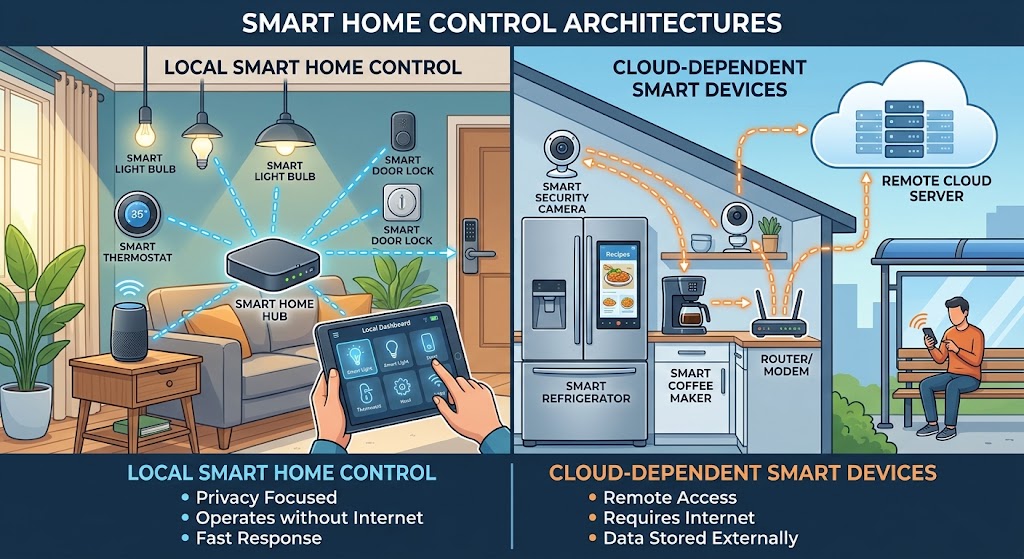
Local Control vs. Cloud Smart Home: Why You Should Avoid Cloud Dependency
Cloud features are useful, but your lights, locks, sensors, and core automations should not stop working when the internet or a vendor service fails. Here is how to build a local-first smart home in 2026.
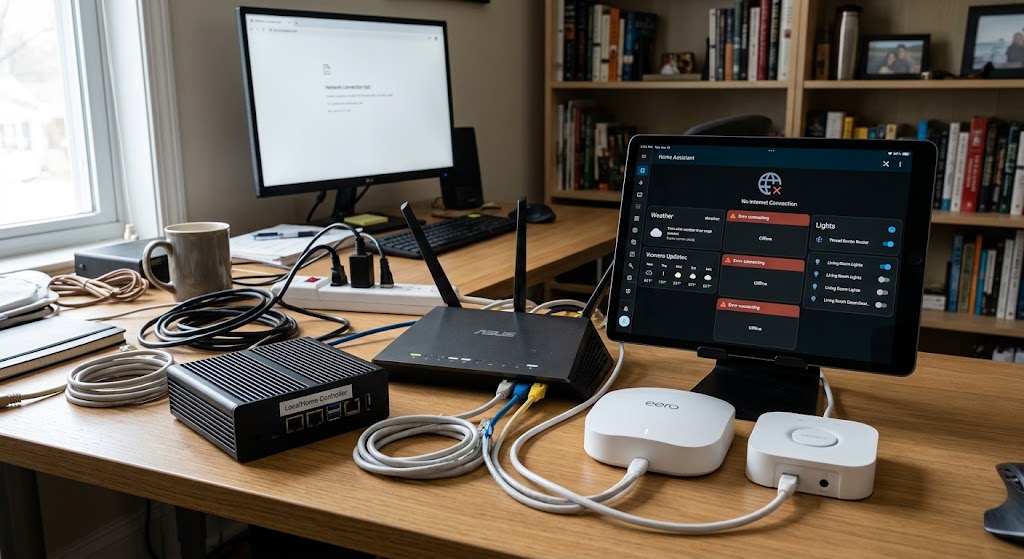
How to Set Up an Offline Smart Home Network That Works When Wi-Fi Drops
Build a local-first smart home that keeps critical lights, sensors, locks, and automations working during internet outages—and can keep core automations alive even when the Wi-Fi access point itself fails.
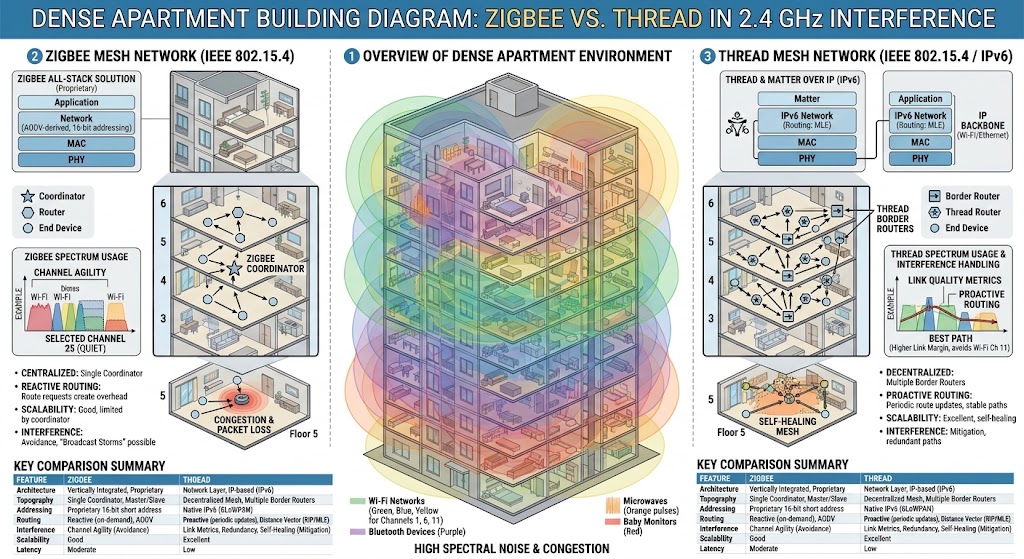
Zigbee vs Thread Mesh Performance in Dense Apartment Buildings
Zigbee and Thread share the same low-power 2.4 GHz radio foundation, so dense-apartment reliability depends more on RF congestion, mesh topology, and infrastructure than protocol branding.
Smart Home Network Setup: Isolating IoT Devices on a Guest Wi-Fi
A guest Wi-Fi can isolate smart-home devices from laptops and personal data, but strict isolation may break Matter, casting, HomeKit, and local automation.