
Best Smart Plugs for Tracking Electricity Usage in Shared Rentals
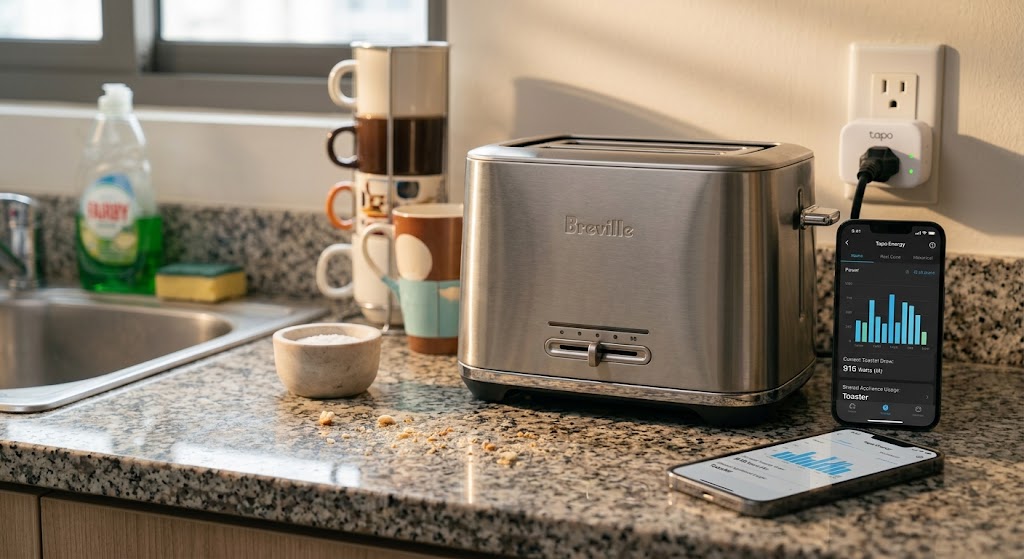
Smart plugs with energy monitoring can show how much electricity individual appliances use in a shared rental. These are the strongest 2026 picks for transparent roommate energy tracking.
Quick answer
The best smart plug for most shared rentals is the Tapo P110M because it combines real-time and historical energy monitoring, electricity-rate input, estimated energy costs, compact hardware, Matter support, and shared smart-home control. Emporia Smart Plug is better when detailed second-by-second energy data and long-term history matter most. Shelly Plug US Gen4 is the strongest advanced/local-control option, Eve Energy is the best privacy-focused Matter and Thread choice, and Tapo P316M is ideal for a shared entertainment center because it can monitor six outlets individually.
Table of contents
- Top Picks at a Glance
- What a Smart Plug Actually Measures
- Why kWh matters more than the live watt number
- 1. Tapo P110M — Best Overall for Most Shared Rentals
- Why the bill estimate feature matters
- Time-of-use rates
- Good for a mixed smart home
- Best devices to monitor
- 2. Emporia Smart Plug — Best for Serious Energy Tracking
- Why the detail is useful
- Pairing with Emporia Vue
- The load-rating caution
- 3. Shelly Plug US Gen4 — Best for Local Control and Advanced Users
- Why local-first control is useful in a rental
- Good use case
- The downside
- 4. Eve Energy — Best Privacy-First Smart Plug
- Energy tracking
- Local schedules
- Shared-home ecosystem
- Why it is not first overall
- 5. Tapo P316M — Best for Shared Entertainment Centers
- Why per-outlet data matters
- Surge protection
- Shared-load caveat
- Kasa KP125M — Best Alternative for Existing Kasa Homes
- Smart Plugs Are Not Utility Revenue Meters
- What this means in practice
- The Best Way to Split a Shared Electricity Bill
- 1. Fixed charges
- 2. Shared loads
- 3. Personal plug loads
- 4. Central unmonitored loads
- A Fair Calculation Example
- Why the App’s Cost Estimate May Not Match the Utility Bill
- Simple method
- Better method
- Time-of-use household
- Label Everything
- Physical labels help too
- Decide Who Owns the Smart-Home Account
- Better setup
- Export or Snapshot Monthly Usage
- Do Not Track Every Tiny Device
- Good Devices to Monitor
- Gaming PCs
- Desktop workstations
- Dehumidifiers
- Entertainment setups
- Fans
- 3D printers and hobby equipment
- Devices That Need Extra Caution
- Portable air conditioners
- Space heaters
- Refrigerators and freezers
- Medical equipment
- Smart Plug Safety Ratings: Read More Than “15A”
- Can Smart Plugs Actually Reduce Electricity Use?
- Schedule
- Auto-off
- Usage threshold automation
- Standby identification
- Behavioral feedback
- Best Pick by Shared-Rental Scenario
- Three roommates, different personal electronics
- Energy-nerd household
- Home Assistant apartment
- Privacy-conscious Apple/Android mix
- Shared gaming / TV area
- Shared-Rental Setup Checklist
- Conclusion
Key takeaways
- Tapo P110M is the best overall choice for most roommates because it combines detailed monitoring, cost estimates, schedules, Matter, and compact hardware.
- Emporia provides unusually granular energy data, including watts, voltage, cumulative kWh, and historical usage, but its U.S. continuous-load specification is more conservative than its short-duration peak rating.
- Shelly Plug US Gen4 is best for advanced users who want power measurement plus Wi-Fi, Zigbee, Bluetooth, Matter, and local automation flexibility.
- Eve Energy is the strongest privacy-first option because it uses Matter and Thread without an Eve cloud account or subscription and still provides energy-cost tracking through supported platforms.
- Consumer smart plugs are useful for roommate transparency but should not be assumed to be legally certified revenue submeters for landlord billing.
Editorial transparency
Who worked on this article and how it was handled.
- Written by
- Daniel Reed
- Creation method
- Editorial research
AI assistance: AI assisted with research organization and drafting. Sources, product specifications, current availability, and the final article should be reviewed by a human editor before publication.
Electricity bills become uncomfortable in shared rentals for a simple reason: the utility meter tells you what the apartment used, not what each roommate or appliance used.
One person may run a gaming PC every evening. Another works from home with two monitors. Someone has a portable dehumidifier. The refrigerator, Wi-Fi router, TV, and kitchen appliances are shared. Splitting the final utility bill equally is simple, but it can feel unfair when usage patterns are very different.
An energy-monitoring smart plug gives you a much narrower measurement point.
Put one between the wall outlet and an appliance and it can typically show:
- real-time watts;
- cumulative kilowatt-hours;
- historical usage;
- on/off schedules;
- and, on some platforms, estimated electricity cost.
That makes smart plugs useful for transparency.
It does not automatically make them official billing meters.
This guide compares the strongest current smart plugs for shared rentals and explains how to use the data without turning your apartment into an argument about every phone charger.
Top Picks at a Glance
| Model | Best for | Energy data | Shared-rental advantage | Main limitation |
|---|---|---|---|---|
| Tapo P110M | Best overall | Real-time + historical kWh + cost estimates | Compact, Matter, rate input, schedules | Cost estimate still does not represent every utility-bill charge |
| Emporia Smart Plug | Best detailed monitoring | Watts, voltage, cumulative kWh, second-level cloud reporting | Excellent for comparing actual appliance behavior | U.S. continuous-load rating is 10A |
| Shelly Plug US Gen4 | Best local / advanced automation | Power measurement + energy data | Matter, Wi-Fi, Zigbee, Bluetooth, strong automation options | More technical ecosystem |
| Eve Energy | Best privacy-first option | Consumption + projected cost | No Eve cloud, no registration, Thread + Matter | Best energy features depend on supported platform/app |
| Tapo P316M | Best common-area power strip | Per-outlet energy monitoring | Six individually measured AC outlets | Measures only devices connected to the strip |
Also worth considering: Kasa KP125M if you already use the Kasa ecosystem. It combines Matter, real-time and historical monitoring, rate-based bill estimates, compact hardware, and a 15A/1800W U.S. rating.
What a Smart Plug Actually Measures
The basic energy math is straightforward.
Power is the instantaneous electrical load, usually shown in watts.
Energy is power accumulated over time, usually shown in kilowatt-hours:
1 kWh = 1,000 watts used for one hour
A 500-watt device running for four hours uses approximately:
500 W × 4 h ÷ 1000 = 2 kWh
If electricity costs $0.20 per kWh:
2 kWh × $0.20 = $0.40
This is exactly the kind of calculation energy-monitoring smart plugs automate.
Why kWh matters more than the live watt number
Real-time watts are useful for identifying a power-hungry device.
Historical kWh is what helps with cost allocation.
A gaming PC may draw 500W during a demanding game but much less while browsing. A dehumidifier cycles on and off. A coffee maker draws substantial power for only a short period.
Monthly kWh captures those behavior differences better than one instantaneous reading.
1. Tapo P110M — Best Overall for Most Shared Rentals
Best for: roommates who want useful energy data without becoming energy engineers
Energy tracking: yes
Cost estimates: yes
Matter: yes
Schedules: yes
Compact form factor: yes
Tapo P110M is the most balanced option in this comparison.
The official U.S. product page supports:
- real-time energy information;
- historical usage;
- electricity-rate input;
- estimated energy bills;
- schedules;
- remote control;
- Matter integration.
That combination is unusually useful in a shared apartment.
Why the bill estimate feature matters
You can enter an electricity rate into Tapo and convert energy use into an approximate dollar amount.
This makes a roommate discussion easier.
Instead of saying:
“Your PC uses a lot of power.”
you can say:
“This plug recorded 42 kWh this month.”
That is a much better starting point.
Time-of-use rates
Tapo’s energy interface also supports flexible billing information, including time-based electricity rates in supported versions.
That can be valuable when a utility charges:
- a cheaper overnight rate;
- expensive peak-afternoon electricity.
A schedule can then shift compatible appliances to lower-cost hours.
Good for a mixed smart home
P110M supports Matter and major ecosystems including:
- Apple Home;
- Amazon Alexa;
- Google;
- Samsung SmartThings.
That is useful in a shared rental because roommates may not all use the same phone ecosystem.
Best devices to monitor
Good examples:
- gaming PC setup;
- desktop workstation;
- television;
- fan;
- humidifier;
- dehumidifier within rated limits;
- entertainment system.
Verdict: the best default choice when you want clear monitoring, estimated cost, compact hardware, and broad smart-home compatibility.
2. Emporia Smart Plug — Best for Serious Energy Tracking
Best for: roommates who genuinely want to analyze electricity use
Real-time watts: yes
Voltage: yes
Cumulative kWh: yes
Historical data: yes
Cloud reporting: every second while online
Subscription: none
Emporia approaches the smart plug as part of an energy-management platform rather than primarily as a remote-controlled outlet.
Its current documentation says the plug reports:
- real-time power;
- voltage;
- cumulative energy;
to the Emporia cloud every second while online.
Historical data can be viewed by:
- hour;
- day;
- month.
For shared-rental tracking, this is excellent.
Why the detail is useful
Imagine two roommates both have window fans.
One says:
“Mine only runs at night.”
Instead of guessing, Emporia can show the actual energy history.
This helps identify:
- long runtime;
- standby consumption;
- forgotten devices;
- differences between similar appliances.
Pairing with Emporia Vue
If the property owner already has an Emporia Vue circuit-level monitor, smart plugs can become part of a broader energy picture.
That is usually more relevant to homeowners than renters, but it shows why Emporia’s app is particularly energy-focused.
The load-rating caution
Emporia’s current U.S. shop specifications list:
- maximum power: 1,800W at 120V;
- maximum peak load: 15A for one hour per day;
- maximum continuous load: 10A.
That continuous figure matters.
Do not look only at “15A” and assume the plug is appropriate for any high-current appliance.
Emporia also warns against using its smart plugs with certain power-sensitive equipment.
Verdict: best when data quality and history are more important than ecosystem breadth.
3. Shelly Plug US Gen4 — Best for Local Control and Advanced Users
Best for: Home Assistant users, technically inclined roommates, local automations
Power measurement: yes
Maximum U.S. load: 15A / 1,800W
Matter: yes
Wi-Fi: yes
Zigbee: yes
Bluetooth: yes
Shelly is the smart plug I would choose for a shared rental where someone already runs a more advanced home-automation system.
The current Plug US Gen4 combines:
- energy measurement;
- Wi-Fi;
- Bluetooth;
- Zigbee;
- Matter;
- 15A / 1,800W rating;
- UL certification.
Shelly’s recent plug families also emphasize:
- local control;
- web interfaces;
- power and voltage information;
- automation rules;
- protection thresholds.
Why local-first control is useful in a rental
Cloud services can change.
Roommates can move.
Wi-Fi accounts get replaced.
A device that exposes more local control options is easier to integrate into:
- Home Assistant;
- local dashboards;
- custom household automation.
Good use case
A technical shared apartment could create a dashboard showing:
- Room A workstation today: 1.8 kWh
- Room B workstation today: 0.9 kWh
- shared TV setup: 0.6 kWh
- common coffee station: 0.2 kWh
That is much more transparent than trying to remember who used what.
The downside
Shelly offers more flexibility than many roommates actually need.
If nobody wants:
- local web interfaces;
- advanced automation;
- multiple radio protocols;
Tapo is easier.
Verdict: best for power users who value local integration and flexible automation.
4. Eve Energy — Best Privacy-First Smart Plug
Best for: roommates who want energy tracking without another vendor cloud account
Matter: yes
Thread: yes
Energy monitoring: yes
Projected energy cost: yes
Vendor cloud: no Eve cloud
Subscription: none
Eve Energy takes a different approach from Wi-Fi-first smart plugs.
It uses Matter and Thread and emphasizes privacy.
Eve explicitly states:
- no Eve cloud;
- no registration;
- no subscription.
That can matter in a shared home where nobody wants one roommate to become the administrator of yet another vendor cloud account.
Energy tracking
Through the Eve app and supported platforms, Eve Energy can track:
- power consumption;
- usage patterns;
- estimated cost.
You can enter your electricity rate for cost estimates.
Local schedules
Eve also supports schedules that can continue independently of the smartphone or internet connection when configured through a compatible hub.
That is useful for:
- lamps;
- fans;
- office accessories;
- predictable loads.
Shared-home ecosystem
Matter lets Eve Energy participate in multiple major smart-home platforms.
That reduces the problem of:
- one roommate using Apple;
- another using Android;
- someone else running Home Assistant.
Why it is not first overall
Eve’s privacy model is excellent, but Tapo and Emporia expose energy data in a more immediately energy-centric workflow for many users.
Verdict: the best choice when privacy, Thread, Matter, and reduced cloud dependence matter more than the absolute deepest monitoring interface.
5. Tapo P316M — Best for Shared Entertainment Centers
Best for: TVs, game consoles, speakers, streaming boxes, desks, shared electronics
Smart AC outlets: 6
Energy monitoring: per outlet
USB ports: 3
Matter: yes
Surge protection: yes
Individual outlet scheduling: yes
Sometimes six individual smart plugs are the wrong solution.
A shared living room may have:
- TV;
- game console;
- streaming box;
- soundbar;
- subwoofer;
- charger.
Tapo P316M puts six individually controlled smart AC outlets into one strip.
More importantly for this article, TP-Link says it can track each outlet’s energy use.
That makes it an excellent common-area tool.
Why per-outlet data matters
You can identify whether the shared entertainment system is using:
- 20 kWh/month for the TV;
- 9 kWh for the console;
- 3 kWh for audio;
- 2 kWh of standby devices.
Then you can decide whether the shared load is worth optimizing.
Surge protection
The strip also includes surge protection.
That is valuable when several expensive electronics live in one rental living-room setup.
Shared-load caveat
The P316M is still one physical strip.
Its total electrical rating applies to the whole assembly.
Do not assume each outlet can independently carry the strip’s full maximum load at the same time.
Verdict: the best solution for several shared devices in one location.
Kasa KP125M — Best Alternative for Existing Kasa Homes
Kasa KP125M deserves a mention because it closely overlaps Tapo P110M.
Current Kasa documentation supports:
- Matter;
- real-time energy monitoring;
- historical energy monitoring;
- electricity-rate input;
- bill estimates;
- compact design;
- 15A / 1,800W general-use U.S. rating.
If the household already uses Kasa:
- bulbs;
- switches;
- cameras;
- other plugs;
there is little reason to add a second app solely because Tapo ranks first here.
The best smart plug is often the one that fits the automation platform you already maintain.
Smart Plugs Are Not Utility Revenue Meters
This is the most important shared-rental caveat.
A consumer smart plug can produce useful electricity measurements.
That does not automatically make it equivalent to:
- the utility’s billing meter;
- a certified revenue submeter;
- a landlord-approved billing system.
NIST’s work on electricity metrology shows how strict accuracy requirements and standardized testing become when electrical measurements are used for fair utility billing.
Consumer smart-plug product pages generally market:
- monitoring;
- automation;
- cost estimation;
not regulated revenue metering.
What this means in practice
For roommates voluntarily sharing a bill, a smart plug can be excellent evidence.
For a landlord formally charging tenants by measured electricity consumption, use the metering method required by applicable lease terms, utility rules, and local law.
Do not assume a $20-$40 consumer plug creates a legally valid submetering system.
The Best Way to Split a Shared Electricity Bill
If everyone agrees to use smart-plug data, define the rules before the first month.
A workable system separates the bill into categories.
1. Fixed charges
Examples:
- monthly customer charge;
- meter fee;
- fixed utility service charge.
Split these evenly unless everyone agrees otherwise.
They usually exist even when nobody uses a monitored appliance.
2. Shared loads
Examples:
- refrigerator;
- Wi-Fi router;
- living-room TV;
- microwave;
- common lights.
Split them evenly or by an agreed household formula.
Do not waste time trying to assign refrigerator compressor cycles to individual roommates.
3. Personal plug loads
Examples:
- bedroom gaming PC;
- personal dehumidifier;
- dedicated workstation;
- mini fridge, if allowed;
- personal entertainment setup.
These are the loads smart plugs measure best.
4. Central unmonitored loads
Examples:
- central AC;
- electric water heater;
- built-in oven;
- electric range;
- hardwired lighting;
- laundry circuits.
A plug cannot see these.
If central HVAC dominates the bill, individual smart plugs will only explain a fraction of monthly usage.
A Fair Calculation Example
Suppose the utility bill is $180.
The bill shows:
- fixed charges: $20;
- variable energy-related charges: $160.
Three roommates agree that common and central loads should be shared equally.
Smart plugs recorded personal loads:
- Roommate A: 70 kWh
- Roommate B: 30 kWh
- Roommate C: 20 kWh
Total individually monitored:
70 + 30 + 20 = 120 kWh
Assume the household agrees on an effective energy rate of:
$0.20/kWh
Personal measured cost:
- A:
$14 - B:
$6 - C:
$4
Total allocated to individual loads:
$24
The remaining shared bill:
$180 - $24 = $156
Shared three ways:
$156 ÷ 3 = $52
Final contribution:
- A:
$52 + $14 = $66 - B:
$52 + $6 = $58 - C:
$52 + $4 = $56
Total:
$180
This is just one roommate agreement.
It is not the only fair method.
Why the App’s Cost Estimate May Not Match the Utility Bill
A smart plug may let you enter an electricity rate such as:
$0.18/kWh
But the utility bill can contain:
- customer charges;
- taxes;
- transmission charges;
- distribution charges;
- fuel adjustments;
- tiered prices;
- seasonal rates;
- time-of-use pricing.
Therefore:
smart plug estimated cost ≠ guaranteed utility billed cost
For fair roommate calculations, agree on the rate source.
Possible methods:
Simple method
Use the utility’s stated energy rate.
Better method
Use:
variable electricity charges ÷ billed kWh
This creates an approximate effective variable rate.
Time-of-use household
Use a plug/app that supports TOU cost estimation—or calculate peak and off-peak energy separately.
Tapo’s current energy-monitoring system supports time-based billing inputs in supported versions.
Label Everything
Naming is surprisingly important.
Bad device names:
- Plug 1
- Smart Plug
- Bedroom
- Outlet
Better names:
- Alex Gaming PC
- Maya Desk Setup
- Shared Living Room TV
- Shared Coffee Station
At the end of the month, nobody should need to remember which IP-connected outlet was behind which desk.
Physical labels help too
Put a small removable label on the plug:
A – Gaming PC
If roommates swap devices, update the app name immediately.
Bad data usually starts with bad labeling.
Decide Who Owns the Smart-Home Account
Shared rentals have a lifecycle problem.
One roommate may:
- move out;
- change the Wi-Fi password;
- delete the home;
- take the hub.
Avoid building billing visibility around one person’s private account without a transition plan.
Better setup
Use:
- a shared household email where appropriate;
- platform family sharing;
- Matter multi-admin;
- exported monthly records;
- clear device ownership.
Tapo’s Matter and family-sharing model is useful here because the smart plug does not need to live only inside one person’s voice-assistant ecosystem.
Export or Snapshot Monthly Usage
Do not rely on the app having the exact history you need forever.
At the billing date:
- record each measured plug’s kWh;
- save a screenshot or exported report if supported;
- save the utility bill;
- calculate the agreed allocation;
- store the monthly summary in the roommate group folder.
This turns an argument into an audit trail.
The ideal record is simple:
| Month | Device | kWh | Rate used | Assigned cost |
|---|---|---|---|---|
| July | Alex Gaming PC | 62.4 | $0.19 | $11.86 |
| July | Maya Workstation | 31.8 | $0.19 | $6.04 |
| July | Shared TV | 12.1 | shared | shared |
No detective work later.
Do Not Track Every Tiny Device
Smart plugs themselves consume electricity.
They also cost money and require Wi-Fi connections.
It makes no sense to put one on a phone charger that uses a few dollars per year just to prove one roommate owes $0.17 more this month.
Prioritize:
- devices with long runtime;
- devices above roughly 50-100W during normal operation;
- equipment suspected of being a major contributor;
- loads one roommate uses exclusively.
The purpose is transparency, not electrical surveillance.
Good Devices to Monitor
Gaming PCs
One of the best candidates because power changes dramatically by activity.
Desktop workstations
Especially dual-monitor home offices used eight or more hours per day.
Dehumidifiers
Long runtime makes their monthly energy significant.
Entertainment setups
TVs, consoles, and audio equipment can accumulate meaningful use.
Fans
Useful for understanding seasonal room-specific cooling habits.
3D printers and hobby equipment
Usage can be intermittent but power-intensive.
Devices That Need Extra Caution
Portable air conditioners
These contain compressors and motors.
Do not use a smart plug unless the AC manufacturer and smart-plug manufacturer both permit the arrangement and all load ratings are appropriate.
Space heaters
Heating loads can operate near circuit limits for long periods.
Use only explicitly supported devices and follow manufacturer restrictions.
Refrigerators and freezers
Motor startup current and the consequences of accidental remote shutoff make these poor casual experiments.
Emporia’s own product material warns against power-sensitive equipment.
Medical equipment
Do not place essential medical devices behind a smart relay that can be switched off remotely or fail due to network/firmware issues.
Smart Plug Safety Ratings: Read More Than “15A”
Three specifications can all be different:
- maximum current;
- continuous current;
- motor load;
- resistive load.
Emporia is a perfect example.
Its current U.S. specification lists:
- 15A maximum peak for a limited duration;
- 10A continuous.
Tapo and Kasa product pages also distinguish general/resistive load from motor ratings.
A device drawing 12A continuously is not the same as a lamp that briefly peaks.
When in doubt, do not use the smart plug as the intermediary.
Can Smart Plugs Actually Reduce Electricity Use?
They can do more than measure.
DOE specifically recommends power strips and smart plugs for renters because appliances and electronics can consume electricity while plugged in, even when they are not actively being used.
The useful savings functions are:
Schedule
Turn a workstation accessory strip off overnight.
Auto-off
Shut down a device after it has been idle.
Usage threshold automation
Advanced platforms can act based on measured power.
Standby identification
Discover which equipment keeps drawing power all night.
Behavioral feedback
Seeing 70 kWh beside one device changes behavior faster than a generic “save energy” reminder.
The monitoring value is often psychological as much as technical.
Best Pick by Shared-Rental Scenario
Three roommates, different personal electronics
Tapo P110M
Why:
- easy;
- compact;
- cost estimates;
- broad smart-home support.
Energy-nerd household
Emporia Smart Plug
Why:
- deeper measurements;
- rapid cloud reporting;
- good historical data.
Home Assistant apartment
Shelly Plug US Gen4
Why:
- local-friendly architecture;
- Matter;
- Zigbee;
- Wi-Fi;
- advanced automation.
Privacy-conscious Apple/Android mix
Eve Energy
Why:
- Matter;
- Thread;
- no Eve cloud;
- no subscription.
Shared gaming / TV area
Tapo P316M
Why:
- six monitored outlets;
- one physical strip;
- per-device data;
- surge protection.
Shared-Rental Setup Checklist
Before using smart-plug data for money:
- Everyone agrees to the tracking method.
- Everyone knows which devices are monitored.
- Fixed utility charges have an agreed allocation rule.
- Shared appliances have an agreed rule.
- Personal devices are clearly labeled.
- The electricity rate source is defined.
- Time-of-use pricing is handled correctly if applicable.
- Smart plug load ratings match every connected appliance.
- Nobody can remotely shut off another person’s essential equipment.
- Monthly readings are saved.
- The method is treated as a roommate agreement, not automatically as revenue-grade submetering.
- The setup can be handed over when someone moves out.
Conclusion
Smart plugs cannot explain an entire apartment electricity bill, but they can solve the part that causes many roommate arguments: nobody knows how much the personal appliances actually use.
For most shared rentals, Tapo P110M is the best overall choice because its energy monitoring is easy to understand, it can estimate cost from your electricity rate, and Matter makes it easier to share across different smart-home ecosystems.
Choose Emporia when detailed data is the priority. Choose Shelly Plug US Gen4 when local control and advanced automation matter. Choose Eve Energy when privacy and Thread/Matter are more important than cloud analytics. Use Tapo P316M when several shared devices need to be measured separately in one entertainment or office area.
Most importantly, agree on the billing method before collecting the data.
A smart plug can measure kilowatt-hours. It cannot decide what your roommates consider fair.
Common questions
Questions this guide answers
Can smart plugs accurately split an electricity bill between roommates?
They can provide useful appliance-level kWh data for an agreed roommate cost-sharing method, but consumer smart plugs should not automatically be treated as revenue-grade utility submeters. Utility bills also include fixed charges, taxes, tiered or time-of-use pricing, and unmonitored loads. Agree on the calculation method before using smart-plug data to exchange money.
Which smart plug has the best energy monitoring?
Emporia is the strongest option when data depth is the priority because its current documentation says the plug reports real-time watts, voltage, and cumulative kWh to the Emporia cloud every second while online, with historical views by hour, day, and month and no subscription fee.
Which smart plug is easiest for roommates to share?
Tapo P110M is one of the easiest because it supports detailed energy tracking, bill estimates, Matter, major smart-home platforms, and Tapo's family-sharing features. A shared-rental setup should still assign one person to maintain device names, electricity rates, and monthly records.
Can I use a smart plug with a heater or portable AC?
Only when the smart plug manufacturer explicitly allows that load and the appliance remains within the plug's voltage, continuous-current, wattage, and motor or resistive-load limits. Do not assume that a 15-amp headline rating makes every heater, refrigerator, or portable air conditioner safe to use with that plug.
Evidence & further reading
Sources & references
Primary and authoritative references used to support or contextualize this article. Links open the original source.
- 1Tapo P110M Mini Smart Wi-Fi Plug, Energy Monitoring
TP-Link Tapo · Accessed Aug 10, 2026
Supports energy monitoring, electricity-rate input, bill estimation, Matter support, schedules, compact design, and multi-platform smart-home control.
- 2How Your Emporia Smart Plug Works
Emporia Energy · Accessed Aug 10, 2026
Supports second-by-second cloud reporting while online, watts, voltage, cumulative kWh, historical energy views, schedules, remote control, high-load safety behavior, and no subscription.
- 3Emporia Energy Monitoring Smart Plug
Emporia Energy · Accessed Aug 10, 2026
Supports current U.S. electrical specifications including 1,800W maximum power, 15A short-duration peak, 10A continuous load, 2.4 GHz Wi-Fi, and current product availability.
- 4Shelly Plug US Gen4
Shelly USA · Accessed Aug 10, 2026
Supports current Gen4 power measurement, 15A/1800W rating, UL certification, and multiprotocol Wi-Fi, Bluetooth, Zigbee, and Matter connectivity.
- 5Shelly Plus Plug US Documentation
Shelly USA · Accessed Aug 10, 2026
Supports Shelly's local web interface, voltage/current/power/energy meters, protection functions, schedules, scripting, MQTT, and suitability for multi-dwelling units.
- 6Eve Energy
Eve Systems · Accessed Aug 10, 2026
Supports Matter and Thread, energy-consumption and projected-cost tracking, local schedules, multi-platform support, and Eve's no-cloud/no-registration/no-subscription privacy model.
- 7Tapo P316M Smart Wi-Fi Power Strip
TP-Link · Accessed Aug 10, 2026
Supports six individually controlled and individually energy-monitored outlets, three USB ports, Matter, surge protection, scheduling, bill-related energy insights, and current U.S. availability.
- 8Kasa Smart Wi-Fi Plug Slim with Energy Monitoring KP125M
Kasa Smart · Accessed Aug 10, 2026
Supports real-time and historical energy monitoring, Matter, electricity-rate bill estimates, compact size, and 15A/1800W U.S. load rating.
- 95 Tips for Energy-Saving Renters
U.S. Department of Energy · Accessed Aug 10, 2026
Supports smart plugs and power strips as renter-friendly tools for reducing unnecessary plug-load electricity use.
- 10Advanced Metering in Smart Distribution Grids
National Institute of Standards and Technology · Accessed Aug 10, 2026
Provides context for the much stricter accuracy and standards framework used for revenue-grade electricity metering compared with consumer monitoring devices.

About the author
Daniel Reed
Daniel writes about connected-home standards, small-space technology, device interoperability, and privacy-conscious urban living.
More from Daniel →Make your home smarter without buying every gadget.
One useful idea, one product worth knowing, and one energy-saving action—delivered weekly.
No spam. Unsubscribe anytime.
Semantic recommendations
Related reading
Selected from topic cluster, entities, tags, search intent, and editorial relationships.
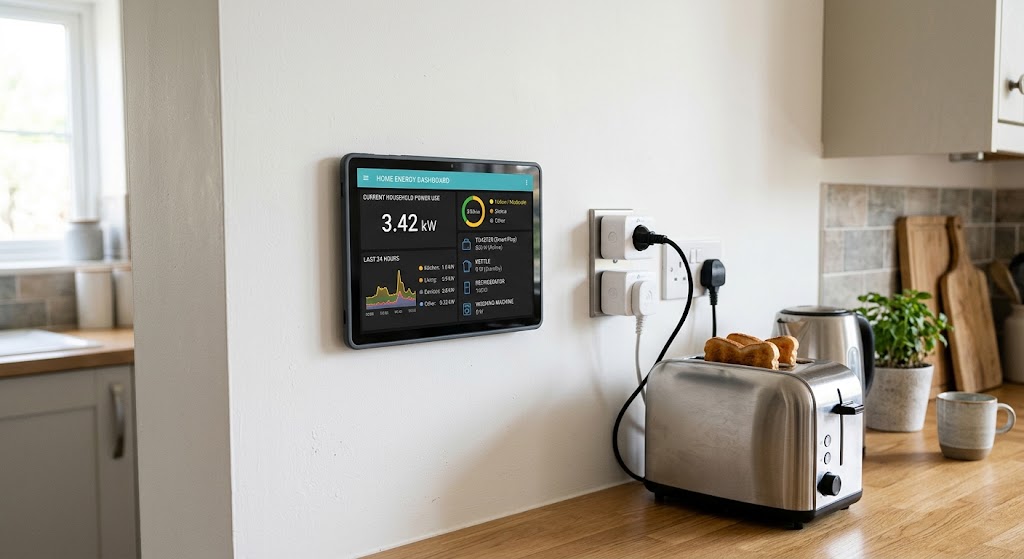
Home Assistant Dashboards for Tracking Household Wattage in Real-Time
Build a Home Assistant power dashboard that shows live household watts, appliance loads, short-term trends, and daily energy without confusing W with kWh.
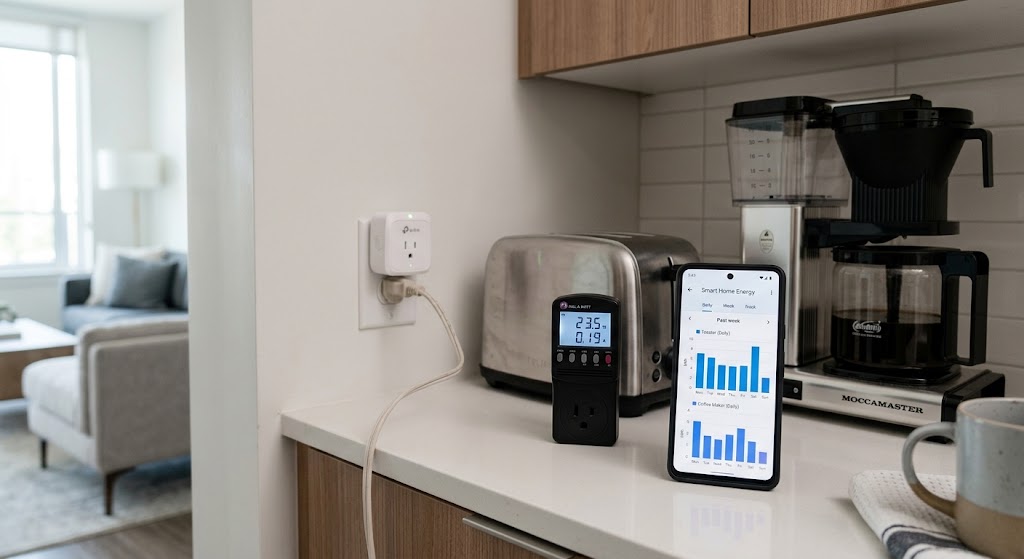
How to Track Appliance Energy Draw Before Fall Electricity Rate Hikes
Measure appliance electricity use before a tariff change so you can identify costly loads, estimate their real monthly cost, and cut waste with better data.
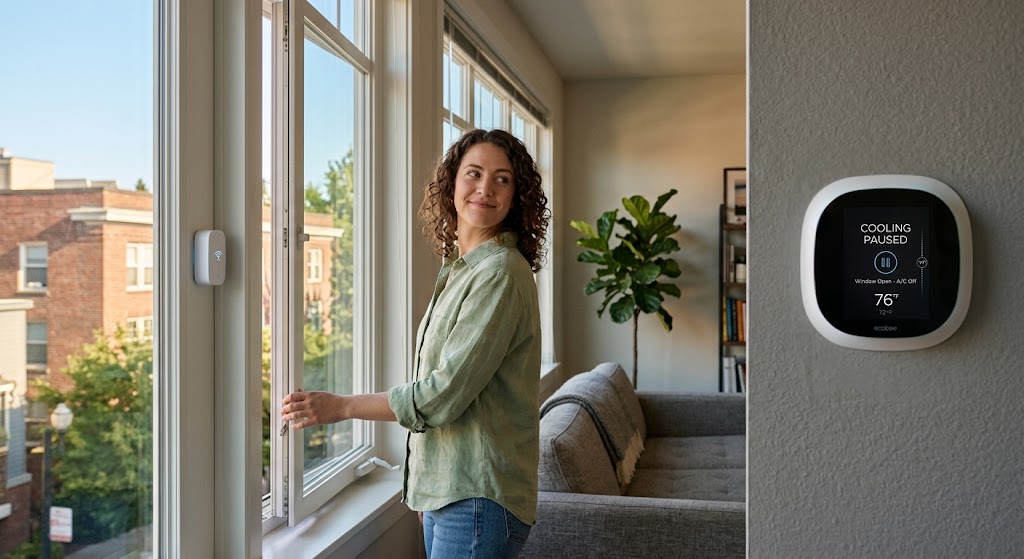
Smart Window Contact Sensors: Preventing Open Window AC Energy Waste
Use window contact sensors to pause cooling only after a window stays open, then restore the previous HVAC state safely after every monitored window is closed.
Eco-Friendly Smart Home Upgrades That Increase Rental Property Value
Prioritize rental upgrades that reduce operating costs, prevent damage, and improve tenant convenience without overbuilding a fragile smart-home stack.