
The Ultimate 2026 Smart Home Buying Guide: $500, $1,500, and $5,000 Budgets
Three practical 2026 smart-home builds for $500, $1,500, and $5,000, with current pricing, local-first architecture, Matter/Zigbee/Thread strategy, security, safety, and upgrade priorities.
Quick answer
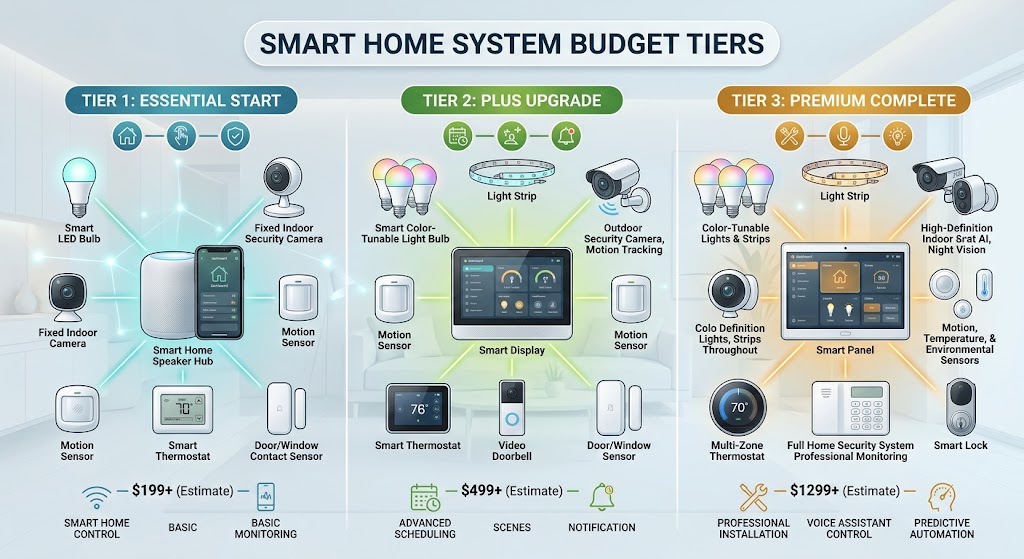
In 2026, the best way to spend a smart-home budget is to build the control and network foundation first, then add devices that solve real household problems. Around $500 can buy a local Home Assistant hub, Zigbee or Thread radio, smart power, leak detection, presence sensing, and basic climate control. Around $1,500 can add a four-camera local-storage security system, smart lock, and video doorbell. A $5,000 budget should prioritize whole-home water shutoff, interconnected smart smoke/CO alarms, additional local security, backup power, professional installation, and a second dedicated radio rather than simply buying more convenience gadgets.
Table of contents
- The 2026 Smart-Home Rule: Buy Architecture Before Gadgets
- Our recommended control philosophy
- Why Home Assistant Green Is the Foundation
- Why Connect ZBT-2 Replaces ZBT-1 in This Guide
- The $500 Build: The Foundation Home
- Goal
- $500 Shopping List
- What the $500 House Can Actually Do
- Automation 1: Occupancy lighting
- Automation 2: Standby energy control
- Automation 3: Leak notification
- Automation 4: HVAC occupancy
- Automation 5: Presence-aware routines
- Why the $500 Tier Is Better Than Buying a Camera First
- Important Thermostat Caveat
- The $1,500 Build: The Sweet Spot
- Additional purchases
- Why Local Security Is the Biggest $1,500 Upgrade
- Why four cameras?
- Why the Aqara U400 Fits the Premium Entry Layer
- Smart lock rule
- Why Add a Video Doorbell if You Already Have Cameras?
- What the $1,500 House Adds
- Arrival routine
- Night security
- Away mode
- Why $1,500 Is the Best Value Tier
- The $5,000 Build: Resilience Before Luxury
- Premium Upgrade 1: Automatic Main-Water Shutoff
- Moen Flo Shutoff
- Why it beats ten decorative automations
- Professional installation budget
- Premium Upgrade 2: Connected Smoke and CO Coverage
- Why this is worth premium budget
- Premium Upgrade 3: Expand Local Camera Coverage
- Premium Upgrade 4: Second Dedicated ZBT-2 for Thread
- ZBT-2 #1
- ZBT-2 #2
- Premium Upgrade 5: Garage Automation
- Premium Budget Math
- Use the Remaining $1,266 for Infrastructure
- Professional plumbing
- Electrical work
- UPS
- Ethernet
- Better Wi-Fi access-point placement
- Storage expansion
- Replacement margin
- What I Would Not Buy Yet
- Smart refrigerator
- Smart oven replacement
- Smart faucet everywhere
- Motorized blinds in every room
- Wall tablets everywhere
- Budget Comparison
- Should You Use Apple, Google, or Alexa Instead?
- Example
- Matter: Buy It, but Do Not Worship the Logo
- Thread vs. Zigbee in 2026
- Zigbee
- Thread
- Spend More on Sensors Than Screens
- The Five Automations Every Budget Should Build
- 1. Away mode
- 2. Night mode
- 3. Leak response
- 4. Occupancy lighting
- 5. Recovery notifications
- What About Subscriptions?
- Smart-Home Buying Order
- Phase 1 — Controller
- Phase 2 — Network
- Phase 3 — Sensors
- Phase 4 — Actuators
- Phase 5 — Entry
- Phase 6 — Security
- Phase 7 — Loss prevention
- Phase 8 — Luxury
- $500 Buyer Profile
- $1,500 Buyer Profile
- $5,000 Buyer Profile
- Final Buying Checklist
- Conclusion
Key takeaways
- Spend the first dollars on the hub, network, and local-control architecture rather than isolated gadgets.
- A $500 build can already cover local automation, power monitoring, basic climate control, leak detection, and presence sensing.
- Around $1,500 is the strongest value tier because it can add four-camera local security, a smart lock, and a video doorbell without mandatory cloud storage.
- At $5,000, prioritize water-loss prevention, life-safety, backup power, professional installation, and radio/network resilience instead of filling every room with novelty devices.
- Connect ZBT-2 should be dedicated to either Zigbee or Thread, not both simultaneously; a mature build can use two radios.
- Prices in this guide are current U.S. reference prices as of August 10, 2026 and exclude sales tax unless stated; promotions, stock, regional prices, and installation costs can change.
Editorial transparency
Who worked on this article and how it was handled.
- Written by
- Daniel Reed
- Creation method
- Editorial research
AI assistance: AI assisted with research organization, budget calculations, and drafting. Product prices, availability, compatibility, installation requirements, local codes, and the final article should be reviewed by a human editor before publication.
There are two bad ways to build a smart home.
The first is to buy whatever device is on sale this weekend and hope all of it works together later.
The second is to spend thousands of dollars trying to automate every possible object before you know which automations actually improve your life.
A good smart home is built in layers.
You start with a reliable controller and network. Then you automate the things you touch every day. After that, you add security, energy control, safety, and resilience. Expensive convenience features come last.
That is the philosophy behind the three budgets in this guide.
They are not three unrelated shopping lists.
They are three stages of the same expandable smart-home architecture:
- $500 — Foundation
- $1,500 — Whole-home sweet spot
- $5,000 — Resilient premium build
The prices below are U.S. reference prices checked on August 10, 2026. Sales, regional pricing, tax, shipping, electrician/plumber labor, and stock can change.
The 2026 Smart-Home Rule: Buy Architecture Before Gadgets
In 2026, interoperability is much better than it was five years ago.
Matter is mature enough to be a major buying criterion.
Thread has become an important low-power network for Matter devices.
Zigbee is still extremely relevant because of its enormous installed product ecosystem.
Home Assistant continues to make it possible to combine:
- Matter;
- Zigbee;
- Thread;
- Wi-Fi;
- Bluetooth;
- Z-Wave;
- local APIs;
- selected cloud services;
inside one control layer.
That means you no longer need to build an entire house around one light-bulb brand.
Our recommended control philosophy
For these budgets:
Primary automation controller
- Home Assistant Green
Low-power network
- Zigbee first through Connect ZBT-2
Matter
- Matter over Wi-Fi where appropriate
- Thread later with a second dedicated ZBT-2 or compatible existing Thread Border Router
Security video
- local storage where practical
Cloud
- optional enhancement rather than mandatory control path
This gives you room to change brands without replacing the control architecture.
Why Home Assistant Green Is the Foundation
Home Assistant currently lists Green at a recommended U.S. MSRP of $199.
That price increased from earlier years, but Green remains one of the simplest ways to get a dedicated local Home Assistant appliance.
It includes:
- 1.8 GHz quad-core ARM processor;
- 4GB RAM;
- 32GB eMMC;
- Gigabit Ethernet;
- two USB ports;
- Home Assistant preinstalled.
More important than the specification sheet is the architecture.
Your automations and device state live locally.
A cloud vendor does not have to process every light command.
That makes Green a better long-term investment than buying five disconnected Wi-Fi products first and deciding on a controller later.
Why Connect ZBT-2 Replaces ZBT-1 in This Guide
Home Assistant Connect ZBT-2 is the current-generation official Zigbee/Thread adapter.
Current MSRP:
$49
It replaces the older Connect ZBT-1 / SkyConnect generation.
ZBT-2 can be dedicated to:
- Zigbee;
- or Thread.
Home Assistant explicitly recommends not trying to run Zigbee and Thread simultaneously on one radio.
For the $500 build:
use the first ZBT-2 for Zigbee.
Why Zigbee first?
Because Zigbee still gives a beginner access to a huge range of:
- buttons;
- sensors;
- plugs;
- lights;
- switches;
- leak detectors.
If you later build a substantial Matter-over-Thread network, add a second ZBT-2 dedicated to Thread.
The $500 Build: The Foundation Home
Goal
For under $500, we want:
- local controller;
- low-power radio;
- smart power;
- power monitoring;
- climate automation;
- leak detection;
- presence sensing;
- one automated lighting circuit.
No camera system.
No expensive smart lock.
No motorized blinds.
The goal is to make the house respond intelligently.
$500 Shopping List
| Item | Current reference price |
|---|---|
| Home Assistant Green | $199.00 |
| Home Assistant Connect ZBT-2 | $49.00 |
| Meross MTS300MA Matter HVAC thermostat | $66.99 |
| Meross MSS315 Matter energy-monitoring plugs, 4-pack | $52.99 |
| Meross MS405HMA Matter water-leak sensor kit | $26.99 |
| Meross MS600 Matter presence sensor | $40.99 |
| Meross MSS815MA Matter in-wall switch | $18.99 |
| Estimated hardware total | $454.95 |
| Remaining budget | $45.05 |
That last $45 matters.
Do not force yourself to spend exactly $500.
Use the reserve for:
- an extra sensor;
- mounting hardware;
- a different thermostat accessory;
- a switch electrician;
- future expansion.
What the $500 House Can Actually Do
Automation 1: Occupancy lighting
Presence detected after sunset:
turn on living-room lighting.
No motion for 15 minutes:
turn it off.
Automation 2: Standby energy control
Use energy-monitoring plugs to identify:
- office equipment;
- entertainment equipment;
- heaters;
- appliances;
that consume power unnecessarily.
Then schedule or automate them.
Automation 3: Leak notification
Leak sensor detects water:
- push urgent Home Assistant notification;
- turn selected appliances off if appropriate;
- flash a light;
- trigger local alert.
At this tier, you still manually close the water main.
That changes in the $5,000 build.
Automation 4: HVAC occupancy
When the house becomes unoccupied:
switch thermostat to an energy-saving target.
When someone returns:
restore normal comfort range.
Automation 5: Presence-aware routines
A presence sensor is more powerful than a phone-only geofence for room-level automation.
Use it for:
- lights;
- fan;
- climate;
- office equipment;
- occupancy dashboard.
Why the $500 Tier Is Better Than Buying a Camera First
A camera gives you information.
A good automation foundation changes the way the whole house behaves.
With approximately $455, this build touches:
- comfort;
- energy;
- safety;
- lighting;
- automation;
- future expandability.
That is far more useful than spending the entire budget on two premium cameras and having no unified controller.
Important Thermostat Caveat
Never assume a thermostat is compatible because it physically fits the wall.
Before buying:
- identify HVAC voltage;
- check wiring;
- check C-wire requirements;
- check heat-pump compatibility;
- check multi-stage equipment.
If the Meross thermostat does not support your HVAC system, substitute another compatible thermostat.
For example, Google’s current Nest Thermostat remains available at a regular $129.99 and works with many 24V systems.
The budget will change.
Compatibility is more important than forcing the spreadsheet to equal $500.
The $1,500 Build: The Sweet Spot
This is the budget I would recommend to the largest number of homeowners.
Keep everything in the $500 build.
Then add:
- serious local security cameras;
- front-door video;
- smart entry control.
Additional purchases
| Upgrade | Current reference price |
|---|---|
| eufyCam S330 4-camera kit + 1TB hard drive | $549.99 |
| Aqara Smart Lock U400 | $269.99 |
| eufy Video Doorbell E340 | $149.99 |
| $500-tier foundation | $454.95 |
| Estimated total | $1,424.92 |
| Remaining budget | $75.08 |
That reserve can cover:
- mounts;
- charging accessories;
- extra smart switch;
- lock installation details;
- cable;
- weatherproofing;
- one additional sensor.
Why Local Security Is the Biggest $1,500 Upgrade
eufy’s current 4-camera S330 bundle with a 1TB hard drive is listed around $549.99 during current promotions.
The larger architectural benefit is local storage.
HomeBase 3 provides:
- centralized local video;
- expandable storage;
- no mandatory cloud-storage fee for the core local recording design.
That means the $1,500 system does not immediately create another annual bill.
Why four cameras?
Four is enough to cover common single-family entry zones:
- front;
- driveway;
- backyard;
- side entrance.
Do not aim cameras at neighbors’ private areas.
Follow local privacy law.
Why the Aqara U400 Fits the Premium Entry Layer
Aqara’s Smart Lock U400 is a 2026 product currently listed around $269.99.
Its headline feature is UWB-based approach detection, along with modern smart-lock access.
It is also Matter-certified.
A front-door lock is a better place to spend premium hardware money than a decorative smart lamp because it affects:
- daily access;
- temporary access;
- auto-lock;
- household automation.
Smart lock rule
Keep a fallback.
Do not install any smart lock unless you understand:
- physical key/emergency access;
- low-battery behavior;
- phone-loss behavior;
- mechanical compatibility.
Why Add a Video Doorbell if You Already Have Cameras?
Because a doorbell solves a different interaction.
A front camera records.
A smart doorbell handles:
- visitors;
- package interactions;
- delivery events;
- two-way communication.
The current eufy Video Doorbell E340 is listed around $149.99 during current promotions.
Keeping it within the same local-security ecosystem also simplifies storage.
What the $1,500 House Adds
Arrival routine
Front door unlocks for an authorized user:
- entry light turns on;
- thermostat returns from away mode;
- selected cameras change notification behavior;
- household dashboard marks arrival.
Night security
At bedtime:
- front lock status checked;
- open-door sensors checked;
- cameras armed for priority notifications;
- garage status checked if integrated;
- unnecessary plugs turned off.
Away mode
When the house is empty:
- HVAC setback;
- lights off;
- security notification sensitivity increased;
- leak notifications prioritized;
- lock status verified.
This is where the smart home begins to feel like one system rather than a collection of apps.
Why $1,500 Is the Best Value Tier
The $500 build gives you intelligence.
The extra $1,000 gives you:
- security coverage;
- entry control;
- local video;
- better awareness.
Beyond this point, every additional dollar produces smaller convenience gains unless you shift toward risk reduction and resilience.
That is exactly what the $5,000 tier does.
The $5,000 Build: Resilience Before Luxury
The wrong way to spend $5,000:
- 40 color bulbs;
- screens in every room;
- three robot vacuums;
- a smart refrigerator because it has an app.
The better way:
- automate expensive failure modes;
- strengthen life safety;
- reduce infrastructure single points of failure;
- add professional installation where DIY becomes risky.
Start with the $1,424.92 build.
Then add the following.
Premium Upgrade 1: Automatic Main-Water Shutoff
Moen Flo Shutoff
Current Moen web pricing is around $999.99-$1,039.99 depending on the current product page/variant.
For budgeting, use:
$1,040 hardware
This device monitors:
- water flow;
- water pressure;
- usage patterns.
It can automatically close the home’s main water supply when it detects an abnormal leak condition.
Why it beats ten decorative automations
A leaking light bulb is annoying.
A burst supply line can destroy:
- flooring;
- cabinetry;
- drywall;
- furniture.
Smart water shutoff is a high-value premium automation because it can act when nobody is home.
Professional installation budget
Do not assume the hardware price is the installed price.
The valve goes into the main plumbing line.
Reserve professional plumbing money.
Premium Upgrade 2: Connected Smoke and CO Coverage
The current First Alert SC5 smart combination smoke/CO alarm has a list price of:
$129.99 each
A four-unit example:
4 × $129.99 = $519.96
This is not a claim that four alarms are sufficient for your house.
You need the number and locations required by:
- local code;
- home layout;
- manufacturer instructions.
The purpose of the $520 line item is to reserve meaningful budget for interconnected smart life-safety devices.
Why this is worth premium budget
SC5 adds:
- smoke + CO detection;
- interconnected compatible alarm behavior;
- mobile alerts;
- voice/location information.
But smart features never outrank code-compliant coverage.
If your house needs eight alarms, budget for eight.
Premium Upgrade 3: Expand Local Camera Coverage
The $1,500 tier already includes four cameras.
A larger property may need:
- side gate;
- detached garage;
- rear service area;
- second driveway angle.
eufy’s current S330 add-on pricing frequently lands around the mid-$100 range during sales.
Reserve approximately:
$600
for up to four additional cameras or equivalent local-security expansion.
You do not need to use all of it immediately.
Install cameras only where coverage is actually missing.
Premium Upgrade 4: Second Dedicated ZBT-2 for Thread
The first ZBT-2 in the $500 build was dedicated to Zigbee.
For a premium build, add:
Second Connect ZBT-2: $49
Dedicate it to Thread if you are building a meaningful Matter-over-Thread network.
Architecture:
ZBT-2 #1
Zigbee
ZBT-2 #2
Thread
Do not use multiprotocol firmware to combine the two on one adapter.
Home Assistant’s current guidance is explicit: dedicate the hardware to one protocol.
Premium Upgrade 5: Garage Automation
Reserve approximately:
$100
for a compatible smart garage retrofit such as Tailwind iQ3 2.1 or another opener-specific solution.
Why this belongs in the premium tier:
- true door-state monitoring;
- forgotten-door alerts;
- timed close;
- geofence options on supported systems.
But compatibility and safety sensors matter more than app features.
Do not automate an old unsafe garage door.
Premium Budget Math
Starting point:
$1,424.92
Add:
| Premium upgrade | Budget |
|---|---|
| Moen Flo hardware | ~$1,040 |
| Four First Alert SC5 alarms | $519.96 |
| Additional local camera coverage | ~$600 |
| Second ZBT-2 for Thread | $49 |
| Smart garage controller | ~$100 |
| Subtotal hardware | ~$3,733.88 |
That intentionally leaves roughly:
$1,266
inside the $5,000 ceiling.
Do not rush to spend that money on more gadgets.
Use the Remaining $1,266 for Infrastructure
This is one of the most important recommendations in this entire guide.
Professional plumbing
For:
- automatic water shutoff.
Electrical work
For:
- smart switches;
- thermostat;
- hardwired alarms;
- safe outlet placement.
UPS
Put critical smart-home infrastructure on backup power:
- Home Assistant;
- router;
- network switch;
- storage hub.
Ethernet
Wire:
- Home Assistant;
- camera NVR/HomeBase where applicable;
- access points;
- stationary devices.
Better Wi-Fi access-point placement
Do not buy more smart devices if the network is unreliable.
Storage expansion
Add:
- larger surveillance drive;
- local backup;
- Home Assistant backup target.
Replacement margin
A premium smart home should have spare budget for:
- failed sensor;
- extra leak detector;
- installation complication;
- adapter;
- mount.
This is what makes a $5,000 house reliable, not merely expensive.
What I Would Not Buy Yet
Even with a $5,000 budget, these are optional.
Smart refrigerator
High cost, limited automation value.
Smart oven replacement
Do not replace a good appliance only for connectivity.
Smart faucet everywhere
Useful in selected contexts but poor budget priority.
Motorized blinds in every room
Excellent automation, but cost rises quickly.
Start with:
- bedroom;
- high solar-gain room;
- hard-to-reach window.
Wall tablets everywhere
One dashboard is useful.
Six dashboards often become maintenance projects.
Budget Comparison
| Capability | $500 | $1,500 | $5,000 |
|---|---|---|---|
| Local automation controller | ✓ | ✓ | ✓ |
| Zigbee network | ✓ | ✓ | ✓ |
| Matter devices | ✓ | ✓ | ✓ |
| Energy-monitoring plugs | ✓ | ✓ | ✓ |
| Basic climate automation | ✓ | ✓ | ✓ |
| Leak detection | ✓ | ✓ | ✓ |
| Presence sensing | ✓ | ✓ | ✓ |
| Smart lock | — | ✓ | ✓ |
| Video doorbell | — | ✓ | ✓ |
| Four-camera local security | — | ✓ | ✓ |
| Automatic main-water shutoff | — | — | ✓ |
| Smart smoke/CO upgrade budget | — | — | ✓ |
| Dedicated Thread radio | — | — | ✓ |
| Expanded camera coverage | — | — | ✓ |
| Professional install reserve | Small | Moderate | Large |
| UPS/network resilience | Optional | Recommended | Budgeted |
Should You Use Apple, Google, or Alexa Instead?
Yes—if that is what your household prefers.
Home Assistant does not require everyone to abandon:
- Apple Home;
- Google Home;
- Alexa;
- SmartThings.
You can expose compatible Home Assistant devices into those ecosystems where supported.
Think of Home Assistant as the backend/control layer.
Your family can still use the front-end interface they already understand.
Example
Home Assistant:
- runs automations;
- stores state;
- joins Zigbee;
- connects Matter;
- integrates energy/safety.
Apple Home:
- simple phone control.
Google Home:
- voice/dashboard.
The smart home does not have to be ideologically pure.
It has to work for the household.
Matter: Buy It, but Do Not Worship the Logo
Matter is one of the most important buying signals in 2026.
It improves your chance that a product can move between ecosystems.
But Matter is not always the best integration.
A manufacturer-specific local integration can expose more features.
Example categories where Matter is especially attractive:
- plugs;
- switches;
- lights;
- sensors;
- locks;
- thermostats;
- blinds.
For cameras and advanced appliances, verify actual ecosystem support.
The Matter specification can support a feature before your preferred smart-home platform implements it.
Thread vs. Zigbee in 2026
Zigbee
Choose it when:
- mature device selection matters;
- low-cost sensors matter;
- you already own Zigbee;
- you want proven mesh behavior.
Thread
Choose it when:
- buying Matter-over-Thread devices;
- native IP architecture matters;
- long-term Matter ecosystem matters.
You do not need to migrate a working Zigbee home to Thread.
Use both when they solve different problems.
Spend More on Sensors Than Screens
This is the hidden rule of good automation.
A dashboard tells you what is happening.
A sensor tells the automation engine what is happening.
High-value sensors include:
- presence;
- door/window;
- leak;
- temperature;
- humidity;
- power consumption;
- light level.
A $40 sensor that makes the room behave correctly can deliver more value than a $250 touchscreen you still have to walk over and tap.
The Five Automations Every Budget Should Build
1. Away mode
When nobody is home:
- reduce HVAC load;
- turn off unnecessary power;
- arm higher-priority security notifications.
2. Night mode
At bedtime:
- verify locks;
- verify important doors;
- reduce lighting;
- check garage;
- enable sleep temperature.
3. Leak response
At $500/$1,500:
- notify immediately.
At $5,000:
- notify;
- automatically shut main water where configured.
4. Occupancy lighting
Use actual room presence where practical.
Do not rely only on schedules.
5. Recovery notifications
Notify when:
- critical device goes offline;
- smoke/CO alarm reports issue;
- leak sensor battery is low;
- camera storage has a problem;
- water shutoff loses connectivity.
A premium home should tell you when its safety systems are unhealthy.
What About Subscriptions?
A $5,000 smart home can accidentally become a $1,000-per-year smart home.
Before buying any product, list:
- monthly fee;
- annual fee;
- which features disappear if canceled.
Prioritize local-first products for:
- cameras;
- automations;
- sensors;
- power control.
Cloud subscriptions can be worth paying for:
- professional monitoring;
- off-site camera backup;
- advanced AI;
- remote services.
Just make the cost deliberate.
Smart-Home Buying Order
If starting from zero, use this sequence.
Phase 1 — Controller
Home Assistant Green.
Phase 2 — Network
Ethernet, Wi-Fi placement, ZBT-2.
Phase 3 — Sensors
Presence, leak, door, temperature.
Phase 4 — Actuators
Plugs, switches, thermostat.
Phase 5 — Entry
Lock, garage, doorbell.
Phase 6 — Security
Local cameras.
Phase 7 — Loss prevention
Water shutoff, advanced safety.
Phase 8 — Luxury
Blinds, shades, voice satellites, dashboards, decorative scenes.
This order prevents you from having a beautiful smart home that cannot detect whether anyone is actually in the room.
$500 Buyer Profile
Choose the $500 tier if:
- this is your first real smart home;
- you rent or expect to move;
- you want useful automations rather than surveillance;
- you want to learn Home Assistant;
- you already have good conventional safety/security systems.
$1,500 Buyer Profile
Choose the $1,500 tier if:
- you own the home;
- you want cameras;
- local storage matters;
- smart entry matters;
- you want a system that feels complete.
This is the best value tier for most homeowners.
$5,000 Buyer Profile
Choose the $5,000 tier if:
- you have a larger property;
- water damage is a serious financial risk;
- you travel frequently;
- you want local security coverage;
- you need better smoke/CO connectivity;
- you want backup power/network resilience;
- you are willing to pay professionals for plumbing/electrical work.
The premium tier is not about showing guests how many apps you have.
It is about making the house more resilient when something goes wrong.
Final Buying Checklist
Before buying any smart-home product:
- Does it solve a problem I actually have?
- Does it work locally?
- Does it require a subscription?
- Is Matter support real and certified, or merely promised?
- Is it Wi-Fi, Zigbee, Thread, Z-Wave, Bluetooth, or Ethernet?
- Does my controller support that transport?
- If it is Thread, do I have a Border Router?
- If it is Zigbee, do I have a coordinator?
- Does it still work when internet is down?
- Does it have a manual fallback?
- Is installation safe and code-compliant?
- Can the vendor remove important features later?
- Will the device still be useful if I change ecosystems?
- Have I reserved budget for networking and installation?
- Am I automating the home—or just collecting gadgets?
Conclusion
You do not need $5,000 to build a genuinely useful smart home.
The $500 tier is enough to establish the most important layer: a local controller, a modern low-power radio, smart power, leak awareness, occupancy sensing, climate control, and real automations.
The $1,500 tier is the best overall value because it adds the parts homeowners notice most: local cameras, front-door video, and smart entry control.
The $5,000 tier should not become a gadget shopping spree.
Use the extra money to automate high-cost risks:
- water leaks;
- fire/CO awareness;
- security coverage;
- power/network failure.
Then reserve a meaningful portion for:
- plumbing;
- electrical work;
- Ethernet;
- UPS;
- storage;
- mounting;
- future expansion.
That is the real difference between an expensive smart home and a well-designed one.
A good 2026 smart home should be local when possible, interoperable by design, resilient when the internet fails, and expandable without replacing everything you already bought.
Common questions
Questions this guide answers
How much should I spend on a smart home in 2026?
For most homeowners, $500 is enough to build a strong automation foundation, while about $1,500 is the sweet spot for adding meaningful security and entry control. A $5,000 budget makes sense when you want whole-home resilience, professional installation, water-loss prevention, local video storage, life-safety upgrades, and room to expand without recurring cloud fees.
Should I build around Matter, Zigbee, or Thread?
Do not choose only one. Matter is the interoperable application standard, while Thread and Wi-Fi are network transports; Zigbee remains one of the largest mature low-power device ecosystems. A practical Home Assistant build can dedicate one Connect ZBT-2 to Zigbee today and add a second dedicated ZBT-2 for Thread later if Matter-over-Thread becomes important.
Is Home Assistant Green still a good smart-home hub in 2026?
Yes. Home Assistant currently lists Green at a $199 U.S. MSRP and positions it as the easiest plug-and-play way to run Home Assistant. It includes Ethernet, local storage, and two USB ports, and can be expanded with Connect ZBT-2 for Zigbee or Thread.
What smart-home upgrades give the most real-world value?
The highest-value upgrades usually reduce recurring effort, energy waste, or home risk: automated lighting/power, occupancy sensing, HVAC scheduling, water leak detection, automatic main-water shutoff, reliable locks, local security cameras, and properly installed smoke/CO alarms. Decorative lighting and novelty automations should come after those foundations.
Evidence & further reading
Sources & references
Primary and authoritative references used to support or contextualize this article. Links open the original source.
- 1Home Assistant Green
Home Assistant · Accessed Aug 10, 2026
Supports current $199 U.S. MSRP, plug-and-play positioning, Ethernet, local operation, storage, USB expansion, and compatibility with Connect ZBT-2.
- 2Home Assistant Connect ZBT-2
Home Assistant · Accessed Aug 10, 2026
Supports current $49 U.S. MSRP, Zigbee or Thread operation, Matter-over-Thread support, and the recommendation to dedicate the radio to one protocol rather than multiprotocol.
- 3Nest Thermostat
Google Store · Accessed Aug 10, 2026
Supports current $129.99 regular U.S. pricing, HVAC compatibility guidance, energy-saving scheduling, Google Home control, and ENERGY STAR certification.
- 4Meross Matter Products
Meross · Accessed Aug 10, 2026
Supports current 2026 pricing used in the starter build for Matter thermostat, water leak sensor kit, presence sensor, in-wall switch, and other Matter-compatible devices.
- 5Meross Matter Smart Plug with Energy Monitor MSS315
Meross · Accessed Aug 10, 2026
Supports current $52.99 U.S. 4-pack pricing, Matter interoperability, energy monitoring, local architecture, and IPv6/Matter-hub requirements.
- 6All Products
eufy · Accessed Aug 10, 2026
Supports current pricing for eufyCam S330 4-camera kit with 1TB hard drive, HomeBase 3, smart locks, and local-storage security products.
- 7eufy 2026 Product Sale Collection
eufy · Accessed Aug 10, 2026
Supports current Video Doorbell E340 pricing and representative current security bundle pricing.
- 8Aqara Smart Lock U400
Aqara · Accessed Aug 10, 2026
Supports current $269.99 U.S. Smart Lock U400 pricing and the 2026 premium smart-lock lineup.
- 9Aqara Introduces UWB-Powered Smart Lock U400 at CES 2026
Aqara · Accessed Aug 10, 2026
Supports U400's 2026 launch, Matter certification, Aliro-ready positioning, and UWB proximity features.
- 10Moen Flo Shutoff
Moen · Accessed Aug 10, 2026
Supports current approximately $999.99-$1,039.99 U.S. web pricing, main-line installation, automatic shutoff, pressure/flow monitoring, app control, and AC/Wi-Fi requirements.
- 11SC5 Battery Smart Smoke and Carbon Monoxide Alarm
First Alert · Accessed Aug 10, 2026
Supports current $129.99 list price, interconnected smoke/CO alerts, mobile notifications, voice location warnings, and Nest Protect replacement compatibility.

About the author
Daniel Reed
Daniel writes about connected-home standards, small-space technology, device interoperability, and privacy-conscious urban living.
More from Daniel →Make your home smarter without buying every gadget.
One useful idea, one product worth knowing, and one energy-saving action—delivered weekly.
No spam. Unsubscribe anytime.
Semantic recommendations
Related reading
Selected from topic cluster, entities, tags, search intent, and editorial relationships.
The Best Renter-Friendly Smart Locks That Keep Your Landlord’s Key Working
The best renter smart locks retrofit the inside of your existing lock so the exterior cylinder and landlord’s physical key can keep working. Here are the strongest US and EU options.

The Best Renter-Friendly Smart Locks That Keep Your Landlord’s Key Working
The best renter smart locks retrofit the inside of your existing lock so the exterior cylinder and landlord’s physical key can keep working. Here are the strongest US and EU options.
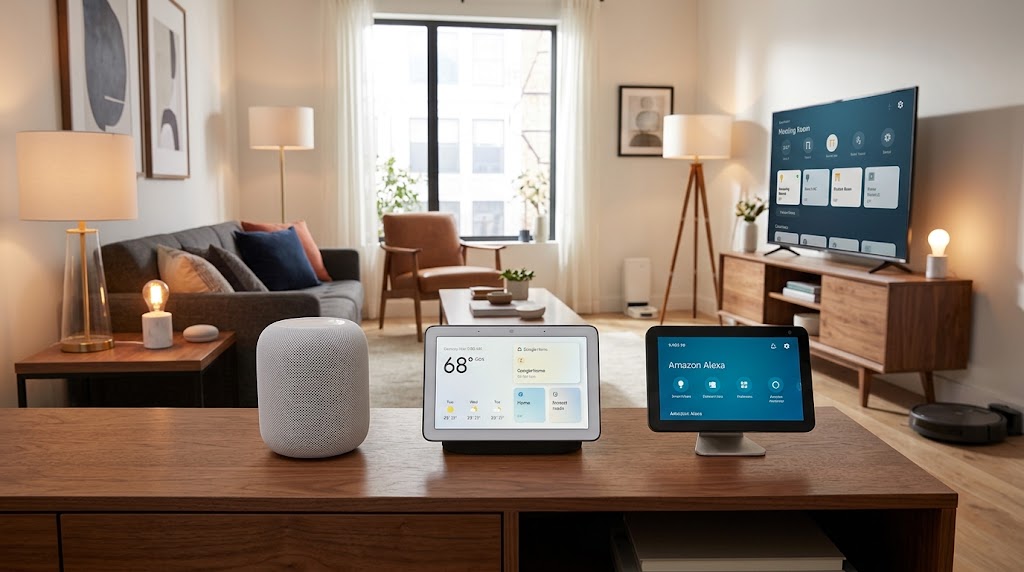
Apple HomeKit vs. Google Home vs. Amazon Alexa: 2026 Ecosystem Review
Apple Home is the privacy and Apple-integration winner, Google Home has the strongest AI-first smart-home experience with Gemini, and Amazon Alexa remains the broadest hub and device-integration ecosystem. Here is the 2026 breakdown.
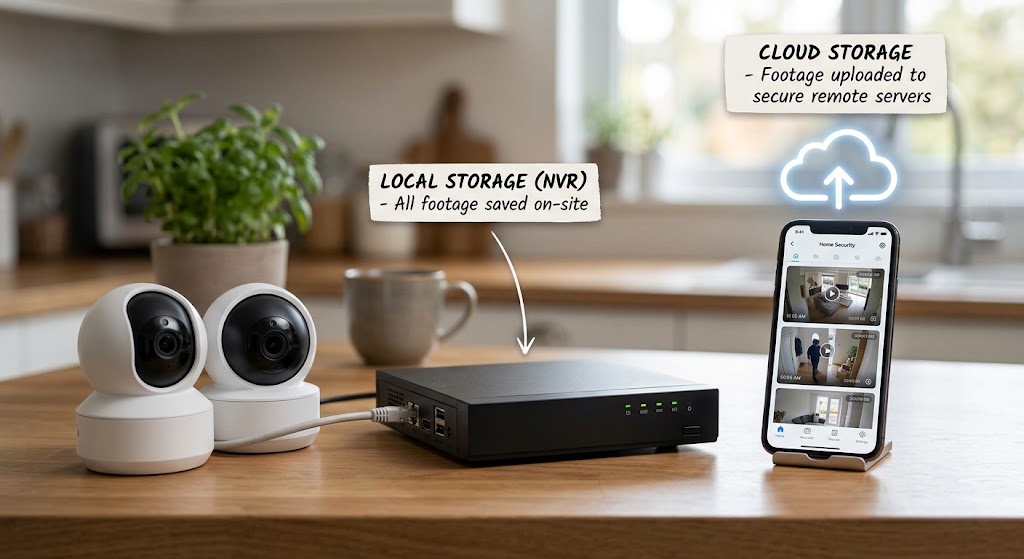
Local Storage Security Cameras vs. Cloud Subscriptions: Cost Breakdown
Local security cameras cost more upfront but can eliminate years of cloud fees. Here is the real 2026 cost breakdown for local NVR, HomeBase, microSD, Ring, Arlo, and eufy cloud plans.