
Local Storage Security Cameras vs. Cloud Subscriptions: Cost Breakdown
Local security cameras cost more upfront but can eliminate years of cloud fees. Here is the real 2026 cost breakdown for local NVR, HomeBase, microSD, Ring, Arlo, and eufy cloud plans.
Quick answer
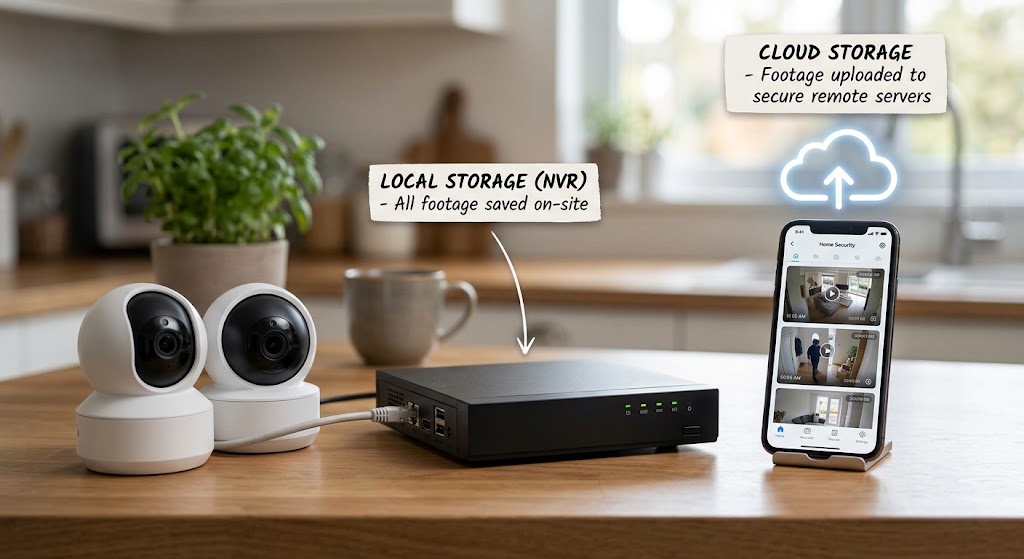
Local-storage cameras usually have the lower long-term cost when you expect to keep a multi-camera system for several years. You pay for storage hardware such as microSD cards, a HomeBase, or an NVR up front, but recording can continue with no mandatory monthly fee. Cloud-first systems can be cheaper and simpler to start, but recurring storage plans compound over time: current U.S. annual-equivalent pricing includes Ring Multi at $99.99 per year, eufy Cloud Plus at $139.99 per year for unlimited devices, and Arlo Secure Plus Unlimited at $17.99 per month when billed annually, or $215.88 per year.
Table of contents
- Local Storage vs. Cloud: The Short Answer
- What Counts as Local Storage?
- 1. microSD inside each camera
- 2. Local hub
- 3. NVR
- 4. NAS / FTP / advanced local server
- Current 2026 Cloud Subscription Prices
- Ring
- Arlo
- eufy optional cloud
- 1-Year, 3-Year, and 5-Year Subscription Cost
- Why this table matters
- A Better Way to Think About Camera Pricing
- Representative Local System: eufy E330 4-Camera Kit
- Five-year hardware/storage baseline
- Representative Local Architecture: Reolink NVR
- The real cost
- Representative Cloud System: Ring
- Year 1
- Year 3
- Year 5
- Representative Cloud System: Arlo
- Year 1
- Year 3
- Year 5
- Break-Even: When Does Local Storage Win?
- Local option
- Cloud option
- At $215.88 per year
- But Local Storage Is Not Free Forever
- microSD cards
- Hard drives
- UPS
- Expansion
- How Much Local Storage Do You Need?
- Motion-triggered microSD
- Multi-camera hub
- NVR
- Privacy: Local Storage Wins One Important Battle
- Cloud Storage Wins the Off-Site Backup Battle
- The Best Architecture May Be Hybrid
- Primary recording
- Critical event backup
- Internet Outage: Local Storage Has a Clear Advantage
- Important distinction
- Cloud Subscriptions Often Include AI
- Ask the right question
- Cloud Prices Can Change
- What Happens If You Stop Paying?
- Local-first camera
- Cloud-first camera
- Best Choice for One Camera
- Ring Solo
- Arlo Plus Single
- Best Choice for Four or More Cameras
- Best Choice for Renters
- Best Choice for Large Homes
- Best Choice for Privacy-Focused Homeowners
- Best Choice for Maximum Evidence Resilience
- Five-Year Cost Framework
- Local
- Cloud
- Hybrid
- Common Mistakes
- Mistake 1: Comparing hardware price only
- Mistake 2: Assuming local means no internet
- Mistake 3: Assuming cloud means cameras stop completely without a subscription
- Mistake 4: Ignoring recorder theft
- Mistake 5: Using normal cheap microSD cards for constant recording
- Mistake 6: Buying too little NVR storage
- Mistake 7: Paying for AI you never use
- Mistake 8: Believing “no monthly fee” means no maintenance
- Buying Checklist
- Conclusion
Key takeaways
- For multi-camera systems kept for three to five years, local storage often wins on total cost because the recurring storage fee can fall to zero.
- Ring Multi currently costs $99.99 per year, eufy Cloud Plus $139.99 per year, and Arlo Secure Plus Unlimited $215.88 per year when billed annually.
- Local storage is not automatically more secure: physically protect the recorder and export irreplaceable evidence because burglary, fire, or hardware failure can destroy the only copy.
- Cloud subscriptions buy more than disk space; depending on the platform they can unlock richer AI detection, long video history, emergency response, warranties, or other services.
- The strongest privacy-and-resilience design is often hybrid: local recording as the primary archive plus selective off-site backup for critical events.
Editorial transparency
Who worked on this article and how it was handled.
- Written by
- Daniel Reed
- Creation method
- Editorial research
AI assistance: AI assisted with research organization, cost calculations, and drafting. Current prices, subscription terms, device compatibility, and the final article should be reviewed by a human editor before publication.
Security cameras create two very different bills.
The first is obvious: cameras, mounts, hubs, NVRs, hard drives, microSD cards, and installation.
The second arrives quietly every month.
A $9.99 or $17.99 subscription does not look dramatic when you install the first camera. Over five years, however, the storage plan can cost hundreds—or more than a thousand dollars—before you replace a single piece of hardware.
That does not make cloud subscriptions a bad deal.
Cloud storage solves problems local storage cannot solve by itself. Footage is off-site if a burglar steals the camera. Remote playback is simple. AI features may be richer. Some plans include emergency-response services, extended warranties, or multi-camera management.
But if the question is purely long-term storage cost, local recording has a structural advantage:
You buy the storage once instead of renting it indefinitely.
This guide breaks down the 2026 economics of local storage, cloud subscriptions, and the hybrid setup that often gives homeowners the best balance of cost, privacy, and resilience.
Local Storage vs. Cloud: The Short Answer
| Category | Local storage | Cloud subscription |
|---|---|---|
| Upfront cost | Higher if hub/NVR/HDD required | Often lower |
| Recurring storage cost | Usually $0 after hardware | Monthly or annual |
| Internet required for recording | Often no | Usually yes for cloud upload |
| Off-site copy | No, unless you add backup | Yes |
| Storage capacity | You control it | Limited by plan |
| 24/7 recording | Strong with NVR/wired cameras | Often plan/device dependent |
| Privacy control | Footage stays on owned storage | Provider stores copy |
| Hardware theft risk | Recorder can be stolen | Cloud copy survives |
| Remote viewing | Often available but internet needed remotely | Built into service |
| AI features | Increasingly on-device/local | Often subscription-enhanced |
The most important distinction is that cloud plans sell services, not just gigabytes.
So the cheapest solution is not automatically the best solution.
What Counts as Local Storage?
There are four common versions.
1. microSD inside each camera
Best for:
- one or two cameras;
- renters;
- low-cost setups;
- motion-event recording.
Advantages:
- inexpensive;
- no central recorder;
- no subscription.
Weakness:
- if the camera is stolen, the footage stored inside it may leave with the camera.
2. Local hub
Examples include:
- eufy HomeBase;
- Reolink Home Hub.
The cameras send recordings to a central indoor device.
Advantages:
- easier multi-camera management;
- recorder can be hidden;
- storage expansion;
- one archive.
3. NVR
A Network Video Recorder is the traditional serious-home-security architecture.
Best with:
- multiple wired cameras;
- PoE;
- continuous recording;
- larger hard drives.
Advantages:
- scalable;
- 24/7 recording;
- local operation;
- predictable storage.
4. NAS / FTP / advanced local server
Some cameras support:
- NAS;
- FTP;
- RTSP/ONVIF ecosystems.
These give advanced users more control, but compatibility varies widely.
For most homeowners, microSD, HomeBase/Home Hub, or NVR is simpler.
Current 2026 Cloud Subscription Prices
Subscription pricing changes frequently, so these numbers should be treated as a snapshot as of August 10, 2026.
Ring
Current U.S. pricing:
Ring Solo
- $4.99/month
- $49.99/year
- one doorbell or camera
Ring Multi
- $9.99/month
- $99.99/year
- all eligible devices at one location
Ring Pro
- $19.99/month
- $199.99/year
Ring Multi is the cleanest comparison for a normal multi-camera home because it provides video recording and smart-alert features across the location.
Arlo
Current U.S. annual-equivalent pricing shown by Arlo:
Arlo Secure Plus — single camera
- $7.99/month billed annually
- annual equivalent: $95.88
Arlo Secure Plus — unlimited cameras
- $17.99/month billed annually
- annual equivalent: $215.88
Arlo Secure Premium — unlimited cameras
- $24.99/month billed annually
- annual equivalent: $299.88
Arlo’s subscription also unlocks or enhances features such as cloud history and advanced detection.
eufy optional cloud
eufy does not require cloud storage for supported local-storage cameras.
Its current optional U.S. cloud pricing includes:
Basic
- starting at $3.99/month
- $39.99/year per device
Plus
- $13.99/month
- $139.99/year for unlimited devices
This is a useful example of a hybrid brand: local storage can be the default while cloud backup remains optional.
1-Year, 3-Year, and 5-Year Subscription Cost
Assume:
- annual billing where available;
- no future price increases;
- no tax;
- no promotions.
| Plan | 1 year | 3 years | 5 years |
|---|---|---|---|
| Ring Solo | $49.99 | $149.97 | $249.95 |
| Ring Multi | $99.99 | $299.97 | $499.95 |
| eufy Cloud Plus | $139.99 | $419.97 | $699.95 |
| Arlo Secure Plus Single | $95.88 | $287.64 | $479.40 |
| Arlo Secure Plus Unlimited | $215.88 | $647.64 | $1,079.40 |
That is storage/service cost only.
Camera hardware is extra.
Why this table matters
A homeowner choosing Arlo Plus Unlimited today is committing more than $1,000 over five years if:
- current pricing stays unchanged;
- the plan is kept continuously.
That may still be worth it for the features.
But it should be treated as part of the purchase price.
A Better Way to Think About Camera Pricing
Do not ask:
How much does this camera cost?
Ask:
What is the five-year cost of owning this camera system with the features I expect to use?
The formula is:
Hardware + storage hardware + subscription + replacement media + installation
For cloud-heavy cameras:
Camera hardware + 5 years of service
For local cameras:
Camera hardware + hub/NVR + HDD/microSD
The local number is front-loaded.
The cloud number keeps growing.
Representative Local System: eufy E330 4-Camera Kit
eufy’s current U.S. E330 Professional comparison page lists the 4-camera kit at $599.99.
The system includes local HomeBase storage and is positioned for 24/7 recording with a 1TB hard drive in the current kit comparison.
Monthly fee:
$0 required for local recording
Five-year storage subscription:
$0
Five-year hardware/storage baseline
$599.99
That number can change with sales and bundle changes, but it illustrates how quickly the economics diverge from recurring cloud fees.
A local system may cost more on day one while remaining almost flat afterward.
Representative Local Architecture: Reolink NVR
Reolink takes an even more traditional approach.
Its current NVR systems:
- record locally;
- include or support hard drives;
- can operate without internet;
- do not require cloud storage subscriptions;
- support multiple PoE and Wi-Fi cameras depending on recorder model.
For a larger property, this can be the more scalable model.
The real cost
You pay for:
- cameras;
- NVR;
- hard drive capacity;
- Ethernet cabling for PoE;
- installation if needed.
Once installed, there is no mandatory cloud-storage bill.
For a 6–12 camera system, recurring-fee avoidance becomes much more significant than it is with one camera.
Representative Cloud System: Ring
A current Ring Outdoor Cam starts around $79.99 for the battery model on Ring’s store.
A four-camera hardware baseline at the single-camera list price would be approximately:
4 × $79.99 = $319.96
Add Ring Multi:
Year 1
$319.96 + $99.99 = $419.95
Year 3
$319.96 + $299.97 = $619.93
Year 5
$319.96 + $499.95 = $819.91
This is not an apples-to-apples comparison with the 4K wired eufy E330 system.
The cameras have different:
- resolution;
- power architecture;
- recording model;
- features.
The point is the cost curve.
Ring starts lower and climbs every year.
A local-storage system starts higher and can flatten.
Representative Cloud System: Arlo
Arlo’s Pro 5S 2K currently carries a regular listed price of $179.99, with promotions frequently reducing actual checkout price.
Using the regular price for four cameras:
4 × $179.99 = $719.96
Add Arlo Secure Plus Unlimited at the current annual-equivalent rate:
Year 1
$719.96 + $215.88 = $935.84
Year 3
$719.96 + $647.64 = $1,367.60
Year 5
$719.96 + $1,079.40 = $1,799.36
Again, this is an illustrative ownership model, not a claim that Arlo is “overpriced.”
The subscription includes functionality local systems may not replicate identically.
The key is that the recurring cost becomes a major part of ownership.
Break-Even: When Does Local Storage Win?
Suppose two otherwise acceptable systems differ like this:
Local option
- $250 extra upfront for hub/NVR/storage
- $0 annual storage
Cloud option
- $0 extra local storage
- $100/year subscription
Break-even:
$250 ÷ $100 = 2.5 years
After 2.5 years, the local storage investment has effectively paid for itself relative to the subscription.
At $215.88 per year
If the local system costs $400 more upfront:
$400 ÷ $215.88 ≈ 1.85 years
This is why the subscription question becomes more important as:
- camera count grows;
- ownership period gets longer;
- cloud plan gets more expensive.
But Local Storage Is Not Free Forever
“Zero monthly fee” does not mean zero maintenance cost.
Local storage media wears out.
microSD cards
Continuous camera writing is demanding.
Use:
- high-endurance cards;
- proper capacity;
- health checks where supported.
Expect to replace cards eventually.
Hard drives
Surveillance HDDs are mechanical devices.
They can fail.
A homeowner using an NVR should plan for eventual drive replacement.
UPS
A local NVR becomes more reliable with backup power.
That is another optional upfront cost.
Expansion
Higher-resolution cameras create larger files.
Adding:
- more cameras;
- longer retention;
- 24/7 recording;
may require more drive capacity.
So the realistic local-storage cost curve is:
high initial cost → occasional maintenance
rather than:
high initial cost → literally zero forever.
How Much Local Storage Do You Need?
It depends on:
- camera count;
- resolution;
- codec;
- frame rate;
- motion-only vs. 24/7;
- retention target.
Motion-triggered microSD
A single camera with a 128GB or 256GB card can hold substantial event history because it is not recording continuously.
Reolink notes that a 128GB card can store several days of continuous footage and much longer under motion-only recording, depending on settings.
Multi-camera hub
eufy HomeBase 3 has:
- 16GB built in;
- expansion up to 16TB.
The company says 16GB can provide roughly months of event recording under its stated use assumptions.
NVR
For continuous multi-camera surveillance, think in terabytes.
This is the architecture for homeowners who want:
- 24/7 footage;
- many cameras;
- weeks of retention.
Privacy: Local Storage Wins One Important Battle
With local storage, the primary recording remains inside your home.
That means:
- you control the drive;
- you decide when footage is deleted;
- there is no required cloud archive for local recording.
eufy and Reolink both explicitly position local storage around:
- privacy;
- ownership;
- no mandatory recurring storage cost.
This does not mean local cameras never communicate with cloud servers.
A camera may still use online services for:
- push notifications;
- app account;
- remote access;
- firmware;
- optional AI/cloud features.
If maximum privacy matters, research the network behavior, not only the storage location.
Cloud Storage Wins the Off-Site Backup Battle
Imagine the worst-case event:
A burglar enters the home and steals:
- camera;
- HomeBase;
- NVR.
If the only recording is local, the evidence may disappear too.
Cloud storage avoids that failure mode because footage uploaded before the recorder was stolen remains off-site.
The same principle applies to:
- house fire;
- flood;
- catastrophic drive failure.
This is the strongest argument for hybrid security.
The Best Architecture May Be Hybrid
For many homeowners, the best setup is:
Primary recording
Local.
Critical event backup
Cloud or external off-site storage.
This gives you:
- no requirement to pay cloud fees for every hour of footage;
- 24/7 local recording;
- privacy;
- internet-outage resilience;
- off-site evidence for important events.
Some ecosystems make this easier than others.
The key question is:
Can I choose what goes to the cloud, or does the subscription control the entire recording experience?
Internet Outage: Local Storage Has a Clear Advantage
Reolink states that local NVR recording can continue without internet.
eufy likewise says supported local-storage cameras continue storing footage locally during a Wi-Fi/internet outage scenario, although remote access and notifications require connectivity.
That matters because security cameras often need to work during:
- ISP outages;
- storm disruptions;
- router maintenance;
- cloud-service failures.
Important distinction
A wired PoE camera → NVR system can continue recording even if Wi-Fi is completely unavailable.
A Wi-Fi camera → local hub still needs the local Wi-Fi path unless it has a separate proprietary radio connection.
Local storage does not automatically mean Wi-Fi-independent.
Cloud Subscriptions Often Include AI
This is where pure cost comparisons can become unfair.
Arlo Secure includes advanced detection features such as:
- person recognition;
- vehicle detection;
- package detection;
- animal detection;
- custom detection features.
Ring plans include:
- smart alerts;
- video history;
- extended live-view features;
- additional intelligent features at higher tiers.
A local-storage camera may include good on-device AI.
But not every local system matches every cloud platform’s feature set.
Ask the right question
Do not ask:
Which subscription is cheaper?
Ask:
Which paid features would I actually lose if I stopped subscribing?
If the answer is only:
- cloud history;
local storage is attractive.
If the answer includes:
- critical person detection;
- professional monitoring;
- emergency response;
the subscription is providing more value than disk space.
Cloud Prices Can Change
A five-year cost table assumes the price remains fixed.
There is no guarantee it will.
Subscription services can:
- increase pricing;
- change plan names;
- move features between tiers;
- change retention windows.
Local storage has a different risk:
- hardware failure;
- storage replacement;
- compatibility.
But once you own a compatible hard drive, its purchase price does not increase next year.
This makes local storage easier to budget long term.
What Happens If You Stop Paying?
This is one of the most important product questions.
Local-first camera
Often:
- camera continues recording locally;
- live view continues;
- local AI may continue;
- optional cloud backup disappears.
Cloud-first camera
Depending on brand:
- live view may remain;
- motion notification may remain;
- video history disappears;
- advanced AI disappears;
- rich notifications disappear;
- professional monitoring disappears.
Read the exact product’s free-tier behavior.
The true ownership value of a camera is what remains when the subscription is canceled.
Best Choice for One Camera
Cloud is more competitive with one camera.
Current five-year subscription examples:
Ring Solo
$249.95
Arlo Plus Single
$479.40
A quality microSD card may cost far less than either.
But a one-camera homeowner may value:
- simple remote playback;
- off-site evidence;
- no NVR.
So the convenience premium can be reasonable.
Best Choice for Four or More Cameras
Local storage becomes increasingly compelling.
A single NVR or HomeBase can serve multiple cameras.
The incremental storage cost per camera falls.
Cloud plans either:
- charge per device;
- or require a higher unlimited tier.
For a system expected to remain installed five years, always calculate the recurring plan before buying the fourth camera.
Best Choice for Renters
Renters usually need:
- minimal wiring;
- easy move-out;
- modest camera count.
A local Wi-Fi camera with:
- microSD;
- local hub;
- battery power;
can be ideal.
You avoid:
- permanent NVR wiring;
- multi-year service commitment.
Cloud can still make sense if:
- you travel often;
- camera theft risk is high;
- you want simple off-site storage.
Best Choice for Large Homes
If you need:
- six;
- eight;
- twelve;
- sixteen cameras;
an NVR architecture becomes very attractive.
PoE gives you:
- one Ethernet cable for power and data;
- stable recording;
- local 24/7 footage;
- centralized storage.
The installation cost is higher.
The five-year service cost can be much lower.
Best Choice for Privacy-Focused Homeowners
Prefer:
- local NVR/HomeBase;
- cameras with on-device detection;
- no required subscription;
- documented local access;
- optional remote/cloud services.
Reolink is particularly explicit about NVR systems being manageable without internet.
But remember:
privacy is a system architecture, not a marketing label.
Check:
- cloud account requirements;
- outbound network behavior;
- remote-access design;
- firmware update path.
Best Choice for Maximum Evidence Resilience
Use hybrid storage.
Keep:
- local continuous or event recordings;
plus:
- off-site backup for high-value events.
This protects against both:
internet outage and recorder theft/destruction.
Five-Year Cost Framework
Before buying, create this table for your exact system.
Local
Cameras
+
Hub/NVR
+
Storage media
+
Installation
+
Expected replacement storage
5-year local cost
Cloud
Cameras
+
5 × annual subscription
+
Installation/accessories
5-year cloud cost
Hybrid
Cameras
+
Local storage
+
Selective cloud/off-site plan
5-year hybrid cost
Use today’s actual checkout prices.
Do not compare:
- discounted local hardware; to
- full-price cloud hardware;
or the reverse.
Common Mistakes
Mistake 1: Comparing hardware price only
Subscription is part of the camera price.
Mistake 2: Assuming local means no internet
Remote viewing may still require internet.
Mistake 3: Assuming cloud means cameras stop completely without a subscription
Free-tier behavior varies.
Mistake 4: Ignoring recorder theft
Hide and secure the NVR/HomeBase.
Mistake 5: Using normal cheap microSD cards for constant recording
Use high-endurance media.
Mistake 6: Buying too little NVR storage
Calculate retention before buying the drive.
Mistake 7: Paying for AI you never use
Review subscription features after the trial ends.
Mistake 8: Believing “no monthly fee” means no maintenance
Hard drives and cards can eventually fail.
Buying Checklist
Before choosing a camera platform:
- Does recording work without a paid plan?
- Where is footage stored?
- Can recording continue if the internet goes down?
- Can recording continue if Wi-Fi goes down?
- Is 24/7 recording supported?
- What does five years of subscription cost?
- Which AI features disappear without subscription?
- How long is cloud retention?
- Can local storage be expanded?
- What happens when the disk/card is full?
- Can the recorder be physically secured?
- Can important events be exported?
- Is optional off-site backup available?
- Can the camera integrate with an NVR, NAS, or Home Assistant if needed?
- What still works if the company eventually discontinues the cloud service?
Conclusion
Cloud security cameras are inexpensive to start because the storage infrastructure belongs to someone else.
Local cameras make you buy that infrastructure yourself.
That is why the cost curves look so different.
Current 2026 subscription pricing illustrates the effect clearly:
- Ring Multi: $499.95 over five years
- eufy Cloud Plus: $699.95 over five years
- Arlo Secure Plus Unlimited: $1,079.40 over five years
Those numbers exclude the camera hardware and assume today’s pricing never changes.
A local-storage system may require hundreds of dollars more upfront for a HomeBase, NVR, hard drive, or endurance microSD cards, but the recurring storage bill can then fall to zero.
For homeowners planning a four-camera or larger system and keeping it for several years, local storage usually has the stronger cost structure.
For someone who wants:
- effortless off-site history;
- rich cloud AI;
- emergency services;
- no recorder to maintain;
a subscription can still be worth the premium.
And for the strongest security architecture, the answer does not have to be either/or.
Use local storage for the primary archive and selective off-site backup for the footage you cannot afford to lose.
That combination gives you the strongest mix of long-term cost control, privacy, outage resilience, and evidence protection.
Common questions
Questions this guide answers
Is local storage cheaper than cloud security cameras?
Usually over a multi-year ownership period. Local storage requires an upfront purchase for microSD cards, a hub, hard drive, or NVR, but many systems can then record without a monthly fee. Cloud storage spreads the cost into monthly or annual payments, which can exceed the price of local storage after several years.
How much can cloud camera subscriptions cost over five years?
Using current 2026 U.S. annual pricing and assuming no future price changes, Ring Multi totals about $499.95 over five years, eufy Cloud Plus totals about $699.95, and Arlo Secure Plus Unlimited totals about $1,079.40. Those figures are subscription costs only and exclude cameras, taxes, promotions, storage add-ons, and future price increases.
Do local security cameras still work when the internet goes down?
Many do. Reolink says its NVR and local-storage cameras can continue recording without internet, and eufy says supported cameras can continue saving footage to local storage. Remote viewing, push notifications, cloud backup, and some smart features may be unavailable until internet connectivity returns.
Is cloud storage safer than local storage?
It solves a different risk. Cloud footage remains off-site if a burglar steals the camera, NVR, or hub or if the home is damaged by fire. Local storage gives you more control and can keep recording during an internet outage, but the recorder itself should be secured and important footage should be exported or backed up if losing the on-site copy would be unacceptable.
Evidence & further reading
Sources & references
Primary and authoritative references used to support or contextualize this article. Links open the original source.
- 1Ring Protect Plans
Ring · Accessed Aug 10, 2026
Supports current U.S. Ring Solo, Multi, and Pro subscription pricing, video history, smart alerts, and plan coverage.
- 2Arlo Secure
Arlo · Accessed Aug 10, 2026
Supports current U.S. Arlo Secure Plus single-camera and unlimited-camera annual-equivalent pricing, video history, and subscription-dependent detection features.
- 3Local Storage Security Camera
eufy · Accessed Aug 10, 2026
Supports local recording without a mandatory subscription, current optional eufy Cloud Basic and Plus pricing, and offline local recording behavior on supported cameras.
- 4eufyCam 3
eufy · Accessed Aug 10, 2026
Supports HomeBase 3's built-in local storage, expansion up to 16TB, no-monthly-fee positioning, and current local-security model.
- 5eufyCam E330 (Professional)
eufy · Accessed Aug 10, 2026
Supports a current representative 4-camera local system priced at $599.99 with 1TB storage and no monthly fee.
- 6Local Storage Security Camera: Reolink No-Monthly Fee Solution
Reolink · Accessed Aug 10, 2026
Supports microSD, Home Hub, and NVR local-storage options, recording without internet, and no mandatory monthly storage fees.
- 7Reolink NVR Systems with Local Storage
Reolink · Accessed Aug 10, 2026
Supports offline local NVR management, 24/7 local recording, expandable hard-drive storage, and no cloud-storage subscription requirement.
- 8Reolink Home Hub vs. NVR
Reolink · Accessed Aug 10, 2026
Supports Home Hub centralized local storage, offline operation, and no monthly subscription requirement.
- 9Outdoor Cam
Ring · Accessed Aug 10, 2026
Supports current representative Ring Outdoor Cam pricing and the distinction between camera hardware cost and Ring Protect subscription cost.
- 10Pro 5S 2K
Arlo · Accessed Aug 10, 2026
Supports current representative Arlo camera pricing and the fact that a paid Secure plan is required to retain premium features after the included trial.

About the author
Daniel Reed
Daniel writes about connected-home standards, small-space technology, device interoperability, and privacy-conscious urban living.
More from Daniel →Make your home smarter without buying every gadget.
One useful idea, one product worth knowing, and one energy-saving action—delivered weekly.
No spam. Unsubscribe anytime.
Semantic recommendations
Related reading
Selected from topic cluster, entities, tags, search intent, and editorial relationships.
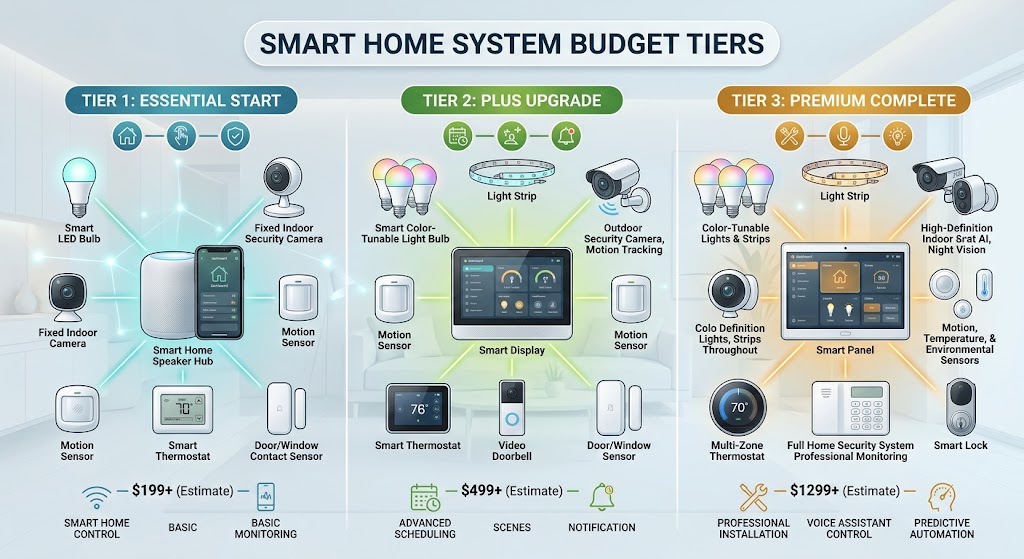
The Ultimate 2026 Smart Home Buying Guide: $500, $1,500, and $5,000 Budgets
Three practical 2026 smart-home builds for $500, $1,500, and $5,000, with current pricing, local-first architecture, Matter/Zigbee/Thread strategy, security, safety, and upgrade priorities.
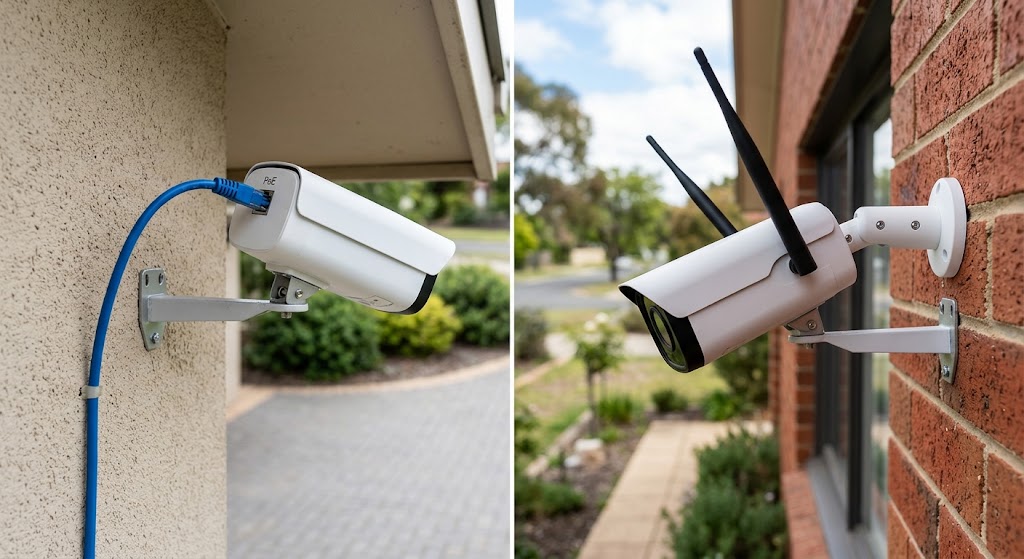
PoE Cameras vs. Wi-Fi Security Cameras: Installation & Reliability Comparison
PoE cameras usually deliver the most predictable always-on connection, while Wi-Fi cameras are faster and less invasive to install. Here is how the two approaches compare.
The Best Renter-Friendly Smart Locks That Keep Your Landlord’s Key Working
The best renter smart locks retrofit the inside of your existing lock so the exterior cylinder and landlord’s physical key can keep working. Here are the strongest US and EU options.

The Best Renter-Friendly Smart Locks That Keep Your Landlord’s Key Working
The best renter smart locks retrofit the inside of your existing lock so the exterior cylinder and landlord’s physical key can keep working. Here are the strongest US and EU options.