
PoE Cameras vs. Wi-Fi Security Cameras: Installation & Reliability Comparison
PoE cameras usually deliver the most predictable always-on connection, while Wi-Fi cameras are faster and less invasive to install. Here is how the two approaches compare.
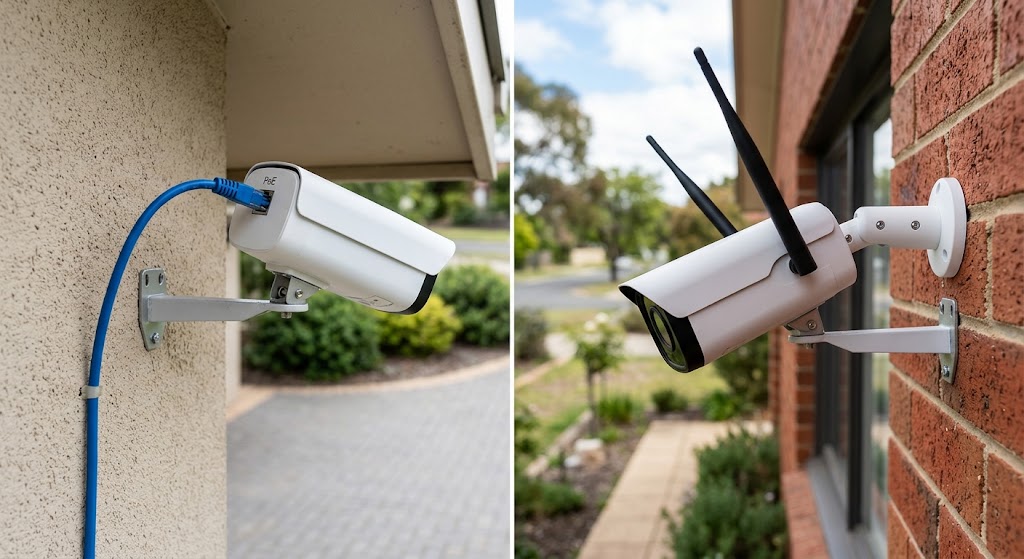
Quick answer
PoE cameras are generally the more reliable choice for fixed, always-on surveillance because one Ethernet cable carries both network data and power, avoiding Wi-Fi signal loss, radio interference, and shared wireless airtime. Wi-Fi cameras are easier to place and usually cheaper to install when running Ethernet is difficult, but their reliability depends more heavily on signal quality, router or access-point coverage, available upload bandwidth, and—on cloud-centric models—the internet connection.
Table of contents
- PoE vs. Wi-Fi Cameras at a Glance
- What PoE Actually Means
- One cable does two jobs
- Wi-Fi Does Not Always Mean Wire-Free
- Installation: Wi-Fi Wins on Speed, PoE Wins on Infrastructure Simplicity Later
- Installing a Wi-Fi camera
- Installing a PoE camera
- Ethernet distance matters
- Reliability: Why PoE Usually Wins for Critical Cameras
- PoE is not failure-proof
- Wi-Fi Reliability Depends on More Than Signal Bars
- 2.4 GHz vs. 5 GHz is not a simple quality ranking
- Outages: Power Failure and Internet Failure Are Different Problems
- PoE During a Power Outage
- Wi-Fi During a Power Outage
- What Happens When the Internet Goes Down?
- Continuous Recording: PoE Has the Cleaner Architecture
- Video Quality Is Not Automatically Better on PoE
- Maintenance: Cable Once vs. Maintain Batteries and RF
- PoE maintenance
- Wi-Fi maintenance
- Cybersecurity: PoE Is Not Automatically Safer
- Practical camera-network security
- Privacy and Local Recording
- Cost: Wi-Fi Is Usually Cheaper to Start, PoE Can Scale Better
- The economics can change at larger camera counts
- Renters and Apartments: Wi-Fi Usually Makes More Sense
- Homeowners: PoE Is Usually Worth Considering Before the Walls Close
- When to Choose PoE
- When to Choose Wi-Fi
- The Hybrid Design Is Often Better Than Choosing One Side
- A Reliability Checklist Before You Buy
- For a PoE system
- For a Wi-Fi system
- Conclusion
Key takeaways
- PoE is usually the stronger architecture for permanent 24/7 surveillance because each camera gets wired data and power over one Ethernet cable.
- Wi-Fi reduces cabling work, but wireless video still depends on RF coverage, shared airtime, router availability, and model-specific local or cloud recording behavior.
- A centralized UPS can keep a PoE switch, recorder, router, and several cameras alive during a short power outage; Wi-Fi systems need backup power planned for the router/access points and each powered camera unless the cameras have batteries.
- Neither connection method is automatically cybersecure: firmware support, credentials, network access controls, encryption, and lifecycle management matter for both.
- For many homes, a hybrid design is practical: PoE for critical exterior cameras and Wi-Fi for temporary, indoor, or hard-to-wire locations.
Editorial transparency
Who worked on this article and how it was handled.
- Written by
- Daniel Reed
- Creation method
- Editorial research
AI assistance: AI assisted with research organization and drafting. Sources, factual claims, and the final article should be reviewed by a human editor before publication.
Security cameras are unforgiving network devices. A smart bulb can miss a packet and nobody notices; a camera that drops offline at the wrong moment can leave a permanent gap in the evidence you expected it to capture. That makes connection architecture more important for surveillance than it is for many other smart-home devices.
The usual trade-off is straightforward. PoE cameras require more installation work but provide wired data and power through one Ethernet cable. Wi-Fi cameras reduce data cabling but depend on radio coverage and still need either a power source or a battery. The word “wireless” can therefore make Wi-Fi cameras sound more cable-free than many of them really are.
This comparison focuses on the parts that matter after the unboxing video is over: installation, network reliability, power outages, bandwidth, local recording, maintenance, cybersecurity, and which design makes sense for different homes.
PoE vs. Wi-Fi Cameras at a Glance
| Factor | PoE security camera | Wi-Fi security camera |
|---|---|---|
| Data connection | Dedicated Ethernet cable | Shared wireless network |
| Camera power | Delivered over Ethernet from PoE switch/injector | AC/USB power or battery, depending on model |
| Cabling difficulty | Higher | Lower for data; power cable may still be needed |
| RF interference | Not relevant to camera-to-switch link | Can affect connection |
| Continuous 24/7 recording | Excellent fit | Model/network dependent |
| Central UPS backup | Straightforward with PoE switch/NVR/router | Router/AP plus each powered camera must be considered |
| Best fit | Permanent multi-camera systems | Rentals, indoor cameras, temporary or hard-to-wire locations |
| Main failure domain | Cable, switch, injector, recorder, upstream network | Signal, interference, AP/router, camera power/battery, upstream network |
The table is deliberately architectural rather than brand-specific. A premium Wi-Fi camera on an excellent wireless network can outperform a badly terminated PoE installation. The question is which design gives you the more predictable foundation for your house.
What PoE Actually Means
Power over Ethernet allows compatible network equipment to send DC power over the same copper Ethernet cable used for data.
Cisco’s current PoE documentation describes three major IEEE generations you will commonly encounter:
- IEEE 802.3af / PoE — up to 15.4 W from the source;
- IEEE 802.3at / PoE+ — up to 30 W;
- IEEE 802.3bt / PoE++ — higher-power Type 3 and Type 4 implementations, up to 60 W or 90 W from the source in Cisco’s classification table.
Most ordinary home security cameras do not need anything close to the highest PoE power levels. What matters is compatibility between the camera’s required PoE class and the switch, injector, or recorder powering it.
One cable does two jobs
Axis describes its PoE network cameras as using a single network cable for both power and connectivity. That is the practical reason PoE is so attractive for cameras mounted under eaves, high on walls, or far from convenient electrical outlets.
Instead of solving two infrastructure problems—network plus mains power—you solve one cable route back to a central network location.
For a permanent installation, that can be cleaner than mounting an outdoor AC adapter or adding a power outlet near every camera.
Wi-Fi Does Not Always Mean Wire-Free
A Wi-Fi camera sends its network traffic wirelessly, but that says nothing about how it gets electricity.
There are three common designs:
- Wi-Fi + plug-in power — wireless data, continuous power cable.
- Wi-Fi + rechargeable battery — no continuous power cable, but periodic charging.
- Wi-Fi + solar accessory — battery camera supplemented by a small panel, where supported.
This distinction changes the installation decision.
If there is already an outlet near the camera, a plug-in Wi-Fi model can be very easy to deploy. If the location has no outlet, a battery camera avoids wiring but adds a maintenance schedule that a PoE camera does not have.
For a camera expected to record continuously, battery designs are also not equivalent to mains-powered cameras. Many battery products optimize around motion-triggered events rather than uninterrupted video because continuous recording consumes much more energy.
Installation: Wi-Fi Wins on Speed, PoE Wins on Infrastructure Simplicity Later
Installing a Wi-Fi camera
A basic Wi-Fi installation may require only:
- mount or place the camera;
- provide power or charge the battery;
- connect it to the home Wi-Fi network;
- configure the app, notifications, and recording plan.
That is hard to beat for an apartment, rental, nursery, pet camera, or one-off indoor location.
The difficult part can come later if the chosen mounting point has marginal signal. Google’s own Nest troubleshooting guidance lists distance from the router and wireless interference among the reasons a camera may fail to find or maintain a Wi-Fi connection.
A location that looks perfect for surveillance is not necessarily a good radio location.
Installing a PoE camera
A typical PoE installation requires:
- selecting the camera locations;
- routing Ethernet cable back to a PoE switch, injector, or PoE-capable recorder;
- terminating and testing the cabling;
- weather-sealing outdoor penetrations;
- connecting the camera to the recorder or management platform.
That is more labor up front.
Running cable through insulated walls, finished ceilings, masonry, fire-rated assemblies, or exterior penetrations can turn a simple camera project into a real low-voltage installation job. Local code and lease restrictions can also apply.
But once the cable is installed, the camera has a dedicated physical path for both data and power.
Ethernet distance matters
Cisco notes the standard Ethernet maximum link length context of 100 meters for copper Ethernet. Real residential runs are usually much shorter, but the number is useful because it shows why PoE can reach roofs, garages, gates, and detached areas of a large house without requiring a nearby mains outlet—provided the entire link design is appropriate.
Very long outdoor runs, runs between buildings, and exposed cabling bring additional issues such as surge protection, lightning risk, grounding, and code requirements. Those are good reasons to involve a qualified low-voltage installer rather than improvising an exterior cable route.
Reliability: Why PoE Usually Wins for Critical Cameras
PoE removes the radio link between camera and network.
That means the camera’s connection is not directly affected by:
- neighboring Wi-Fi networks;
- weak signal through brick or concrete;
- access-point placement;
- crowded wireless channels;
- temporary interference near the camera.
A correctly installed Ethernet link is much more deterministic.
This matters when the camera is:
- covering the front door;
- monitoring a driveway;
- recording a gate;
- capturing license plates;
- expected to record 24/7;
- part of a multi-camera local NVR system.
PoE is not failure-proof
The cable can be damaged.
A connector can corrode.
The PoE switch can fail.
The recorder can fail.
A single central PoE switch can also become a shared failure point for many cameras at once.
That is the important nuance: PoE does not remove failure. It moves more of the failure risk from an unpredictable radio environment into infrastructure you can inspect, cable-test, monitor, and back up centrally.
Wi-Fi Reliability Depends on More Than Signal Bars
A camera can show a decent Wi-Fi signal and still experience problems because video is a sustained upstream workload.
Google’s current Nest specifications recommend at least 2 Mbps of upload bandwidth per camera for optimal 1080p video on several models. The company also notes that video bandwidth increases when there is more motion in the scene.
That does not mean every Wi-Fi camera needs exactly 2 Mbps. Compression, resolution, frame rate, cloud design, and codec vary by model.
It demonstrates why camera count matters.
Four cloud cameras can create a very different network load from one door camera, especially when:
- several cameras stream simultaneously;
- the internet upload speed is limited;
- other family members are uploading files or video conferencing;
- the wireless access point is already serving many clients.
2.4 GHz vs. 5 GHz is not a simple quality ranking
Some cameras support both bands; others are restricted to 2.4 GHz in specific regions or models.
2.4 GHz generally reaches farther and penetrates building materials better, while 5 GHz can offer more spectrum and higher throughput over shorter practical ranges. The right choice depends on camera location and the access-point design.
Do not buy a camera solely because the box says “5 GHz.” A strong, clean 2.4 GHz link is better than a weak 5 GHz link at an exterior wall.
Outages: Power Failure and Internet Failure Are Different Problems
This is where home-camera comparisons often become too vague.
There are at least three separate failure events:
- the internet connection fails;
- the local network equipment loses power;
- the camera itself loses power.
Your system can behave differently in each case.
PoE During a Power Outage
PoE has one major architectural advantage: many cameras can be backed up from one location.
Put the following on an appropriately sized UPS:
- PoE switch;
- NVR or local recording server;
- router;
- firewall;
- relevant network controller.
The cameras receive their power from the PoE switch, so you do not need a separate UPS beside every camera.
That can make short-duration backup much easier to design and maintain.
The limitation is equally clear: if the PoE switch loses power and the cameras have no independent source, they go down together.
Wi-Fi During a Power Outage
Battery Wi-Fi cameras have an obvious advantage during a local mains outage: the camera itself may remain powered.
But remote access still depends on the rest of the system.
If the router and wireless access points lose power, a powered camera may have nowhere to send its video.
A plug-in Wi-Fi camera also loses power unless its local outlet or adapter is backed up.
For a resilient Wi-Fi system, plan backup for:
- modem/ONT where relevant;
- router;
- Wi-Fi access points or mesh nodes;
- camera power adapters, unless the cameras have batteries;
- local recorder or hub, if the system uses one.
That can be more distributed than backing up one PoE cabinet.
What Happens When the Internet Goes Down?
Do not assume either PoE or Wi-Fi tells you the answer.
Recording architecture determines what happens next.
A PoE camera connected to a local NVR can often continue sending video across the local LAN even if the internet connection is down. Remote viewing may fail, but the local recording path can remain available.
A Wi-Fi camera can also support local recording if it has onboard storage, a local hub, or another offline-capable design.
Google documents this model-specific behavior clearly: several Nest cameras can temporarily save video locally when Wi-Fi or internet connectivity is interrupted, then upload it after reconnection. Cloud access itself still requires connectivity.
The buying question is therefore not simply:
Is it PoE or Wi-Fi?
It is:
Where is video recorded when the internet is unavailable, and for how long?
Continuous Recording: PoE Has the Cleaner Architecture
For 24/7 surveillance, PoE is usually easier to engineer.
A camera can send a continuous stream over Ethernet to:
- an NVR;
- a NAS or VMS where supported;
- onboard edge storage;
- or a combination of local and remote storage.
Axis notes that modern network cameras can use edge storage such as high-endurance SD cards, while a single PoE connection supplies the camera’s basic network and power requirements.
Wi-Fi can also carry continuous video, but continuous multi-camera traffic consumes shared wireless airtime. The more cameras you add, the more important access-point capacity, channel planning, signal quality, and wired backhaul become.
A well-designed Wi-Fi network can handle substantial video traffic. It simply requires more radio planning than a dedicated Ethernet port per camera.
Video Quality Is Not Automatically Better on PoE
Connection method does not determine sensor quality.
A Wi-Fi camera can have:
- better optics;
- higher resolution;
- stronger HDR;
- better low-light performance;
- superior analytics
than a cheaper PoE camera.
PoE’s advantage is that it gives high-bitrate video a stable transport path.
If two otherwise identical cameras stream the same codec and bitrate successfully, the image does not become sharper simply because one uses Ethernet.
The difference appears when the network is stressed. A weak wireless connection may force retransmissions, buffering, lower adaptive quality, or gaps depending on the system design.
Maintenance: Cable Once vs. Maintain Batteries and RF
PoE maintenance
Typical maintenance includes:
- inspecting exposed cable and weather seals;
- checking connectors;
- updating firmware;
- monitoring switch ports;
- verifying NVR storage;
- cleaning lenses.
The system is physically more involved, but the routine is predictable.
Wi-Fi maintenance
Wi-Fi adds possible tasks such as:
- recharging or replacing batteries;
- troubleshooting signal changes;
- reconnecting devices after router changes;
- maintaining mesh/access-point placement;
- ensuring cloud subscriptions or account access remain valid where required.
The easiest installation can therefore have more ongoing touch points.
A mains-powered Wi-Fi camera avoids battery maintenance, but then it is no longer cable-free.
Cybersecurity: PoE Is Not Automatically Safer
A common misconception is that a wired camera is secure because it is not on Wi-Fi.
Both PoE and Wi-Fi cameras are networked computing devices.
They can have:
- user accounts;
- firmware;
- APIs;
- mobile apps;
- cloud connections;
- local network services;
- remote-access features.
NIST’s current IoT guidance emphasizes understanding a device’s expected network behavior so appropriate firewall rules or access controls can be applied. That is a more useful security model than assuming “wired equals safe.”
Practical camera-network security
For either architecture:
- use unique credentials;
- enable multifactor authentication where supported;
- install security updates;
- buy from vendors with a documented support lifecycle;
- restrict unnecessary inbound access;
- avoid exposing camera management interfaces directly to the internet;
- separate IoT/security devices from sensitive client devices when your network design supports it;
- disable services you do not use;
- understand which cloud endpoints the system requires.
A PoE deployment does make one network-design choice easier: the camera ports are physically connected to a managed switch, making VLAN and port-level policies straightforward in more advanced networks.
But the policy still has to be configured correctly.
Privacy and Local Recording
PoE systems are often associated with local NVRs, while consumer Wi-Fi cameras are often associated with cloud subscriptions.
That is a market pattern, not a law of networking.
You can buy:
- PoE cameras that use cloud management;
- Wi-Fi cameras with microSD recording;
- Wi-Fi systems with a local hub;
- hybrid systems with local and cloud copies.
If privacy or subscription independence matters, ask these questions before purchase:
- Can the camera record locally without internet access?
- Can you view local footage without a paid subscription?
- Is end-to-end encryption available for relevant paths?
- Does the camera require a vendor cloud account for basic operation?
- How long are firmware and security updates promised?
- Can the system export standard video files?
Connection type alone does not answer any of them.
Cost: Wi-Fi Is Usually Cheaper to Start, PoE Can Scale Better
For one or two cameras, Wi-Fi often has the lowest deployment friction.
You may already own:
- the router;
- the Wi-Fi network;
- a nearby power outlet.
Add the camera, and the system is running.
PoE can require:
- Ethernet cable;
- PoE switch or injector;
- cable tools or professional labor;
- an NVR;
- storage drives;
- wall or attic access.
That raises the initial project cost.
The economics can change at larger camera counts
Once you want five, eight, or twelve fixed cameras, centralized PoE infrastructure becomes easier to justify.
You can manage:
- power;
- network ports;
- recording;
- UPS backup;
- troubleshooting
from one central location.
The most expensive part can be the first cable route and network cabinet. Additional cameras may then become easier to integrate into the same architecture.
Renters and Apartments: Wi-Fi Usually Makes More Sense
If you do not own the walls, PoE’s strongest feature can become its biggest obstacle.
Running Ethernet cleanly may require:
- drilling;
- cable raceways;
- ceiling access;
- exterior penetrations;
- landlord approval.
For renters, Wi-Fi cameras are often the practical answer—especially freestanding indoor cameras or battery-powered units using removable mounts.
That does not mean every apartment needs Wi-Fi cameras. If the building already has structured Ethernet or the landlord approves cabling, PoE remains possible.
But in a typical rental, reversibility matters more than perfect network architecture.
Homeowners: PoE Is Usually Worth Considering Before the Walls Close
New construction and major renovation are different.
If walls or ceilings are already open, running Ethernet to strategic camera positions is cheap compared with retrofitting it later.
Good prewire locations include:
- front door approach;
- driveway;
- garage;
- side gates;
- rear entrance;
- patio;
- major interior circulation areas where indoor surveillance is appropriate.
Even if you do not install every camera immediately, structured cabling preserves the option.
For a long-term home, that flexibility is valuable.
When to Choose PoE
Choose PoE when most of these are true:
- you own the property;
- camera positions are permanent;
- you want 24/7 recording;
- you expect several cameras;
- local NVR storage matters;
- exterior cameras are far from reliable Wi-Fi;
- you want centralized UPS backup;
- you are comfortable running Ethernet or hiring an installer;
- you want easier managed-switch segmentation and monitoring.
Best fit: serious fixed surveillance infrastructure.
When to Choose Wi-Fi
Choose Wi-Fi when most of these are true:
- you rent;
- you need one to three cameras;
- locations may change;
- running Ethernet is impractical;
- cameras are indoors or close to strong Wi-Fi coverage;
- battery operation is useful;
- cloud-first viewing is acceptable;
- installation speed matters more than centralized infrastructure.
Best fit: flexible, fast, low-disruption security.
The Hybrid Design Is Often Better Than Choosing One Side
Many homes do not need an all-PoE or all-Wi-Fi rule.
A practical hybrid system might use:
PoE for:
- driveway;
- front entrance;
- garage exterior;
- backyard perimeter;
- always-on 24/7 cameras.
Wi-Fi for:
- nursery;
- pet monitoring;
- temporary indoor coverage;
- detached rental-friendly locations;
- rooms where cable would be disproportionate work.
The camera’s importance should determine how much infrastructure you give it.
A Reliability Checklist Before You Buy
For a PoE system
- Camera supports the PoE standard available from the switch or recorder.
- Cable path is practical and within Ethernet design limits.
- Outdoor penetrations can be weather-sealed.
- Cable and connectors are suitable for the environment.
- Switch has enough PoE power budget for all cameras.
- NVR/storage capacity is sized for resolution, bitrate, and retention target.
- PoE switch, recorder, and router can be placed on a UPS if needed.
- Camera network can be isolated or access-controlled appropriately.
For a Wi-Fi system
- Strong signal has been tested at the exact mounting location.
- The camera supports the Wi-Fi band available in your region.
- Internet upload bandwidth is adequate for the number of cloud cameras.
- Router/access-point capacity is adequate.
- Camera power or battery-maintenance plan is realistic.
- You know what happens when Wi-Fi or internet service goes down.
- Local recording is available if that matters to you.
- Router, access points, and powered cameras have a backup-power plan if outage recording matters.
Conclusion
For a permanent home-surveillance system, PoE is usually the more reliable architecture. It gives each camera a wired data path, centralizes power, removes camera-side Wi-Fi interference from the equation, and makes continuous local recording and UPS backup easier to engineer.
Wi-Fi wins when installation flexibility matters more. A strong Wi-Fi camera can be extremely reliable in a well-designed network, and it is often the correct choice for renters, indoor cameras, temporary placements, or locations where opening walls for Ethernet would be disproportionate.
The best decision is therefore not “wired good, wireless bad.” Decide which cameras are critical. Give fixed, always-on cameras the most deterministic infrastructure you can justify, and use Wi-Fi where its lower installation cost and portability provide a real advantage.
Common questions
Questions this guide answers
Are PoE cameras more reliable than Wi-Fi cameras?
Usually, yes for permanent 24/7 installations. A PoE camera has a dedicated wired Ethernet path back to the switch or recorder and receives power through that cable, while a Wi-Fi camera depends on radio conditions and still needs either local power or a battery. Reliability can still be undermined by a failed PoE switch, damaged cable, poor connectors, or an unprotected power source.
Do Wi-Fi security cameras stop recording if the internet goes down?
It depends on the camera. Cloud-dependent functions require connectivity, but some models can buffer or record video locally during an outage and upload it after reconnection. Google, for example, documents offline local storage behavior for several Nest cameras, so outage behavior should be verified for the exact model before purchase.
Does PoE require a separate power outlet at every camera?
No. That is one of PoE's main advantages. A compatible PoE switch or injector sends DC power and Ethernet data over the same copper network cable to the camera, so a mains outlet is not normally required at the camera location.
Which is easier to install: PoE or Wi-Fi cameras?
Wi-Fi is normally easier when a strong wireless signal and convenient power source already exist, and battery Wi-Fi cameras can be easier still. PoE installation requires an Ethernet run from each camera to a PoE switch, injector, or compatible recorder, but the finished system usually has fewer dependencies at the camera location.
Evidence & further reading
Sources & references
Primary and authoritative references used to support or contextualize this article. Links open the original source.
- 1What Is Power over Ethernet (PoE)?
Cisco · Accessed Aug 10, 2026
Supports the definition of PoE, its use of one copper Ethernet cable for power and connectivity, IEEE PoE standards, and the standard Ethernet distance context.
- 2PoE Configuration Guide - PoE
Cisco · Accessed Aug 10, 2026
Supports current PoE, PoE+, and PoE++ classifications and power delivery from compatible switches to powered devices.
- 3Bullet cameras
Axis Communications · Accessed Aug 10, 2026
Supports the use of one network cable for both camera power and connectivity in PoE surveillance installations.
- 4Creating complete solutions at the edge
Axis Communications · Accessed Aug 10, 2026
Supports single-PoE-connection camera operation and local edge-storage possibilities in network surveillance systems.
- 5Technical specs for Google Nest cameras and doorbells
Google Home and Nest Help · Accessed Aug 10, 2026
Provides a current consumer Wi-Fi camera example with 2.4/5 GHz connectivity, upload-bandwidth recommendations, power requirements, and cloud-video behavior.
- 6Can't find Wi-Fi network during camera setup
Google Home and Nest Help · Accessed Aug 10, 2026
Supports the role of weak signal, distance from the router, and wireless interference in Wi-Fi camera connectivity problems.
- 7How Nest cameras store recorded video
Google Home and Nest Help · Accessed Aug 10, 2026
Supports the model-specific distinction between cloud connectivity and temporary local recording during Wi-Fi, internet, or power interruptions.
- 8Methodology for Characterizing Network Behavior of Internet of Things Devices
National Institute of Standards and Technology · Accessed Aug 10, 2026
Supports managing IoT devices by understanding expected network behavior and applying appropriate network access controls rather than assuming a connection type is inherently secure.

About the author
Daniel Reed
Daniel writes about connected-home standards, small-space technology, device interoperability, and privacy-conscious urban living.
More from Daniel →Make your home smarter without buying every gadget.
One useful idea, one product worth knowing, and one energy-saving action—delivered weekly.
No spam. Unsubscribe anytime.
Semantic recommendations
Related reading
Selected from topic cluster, entities, tags, search intent, and editorial relationships.
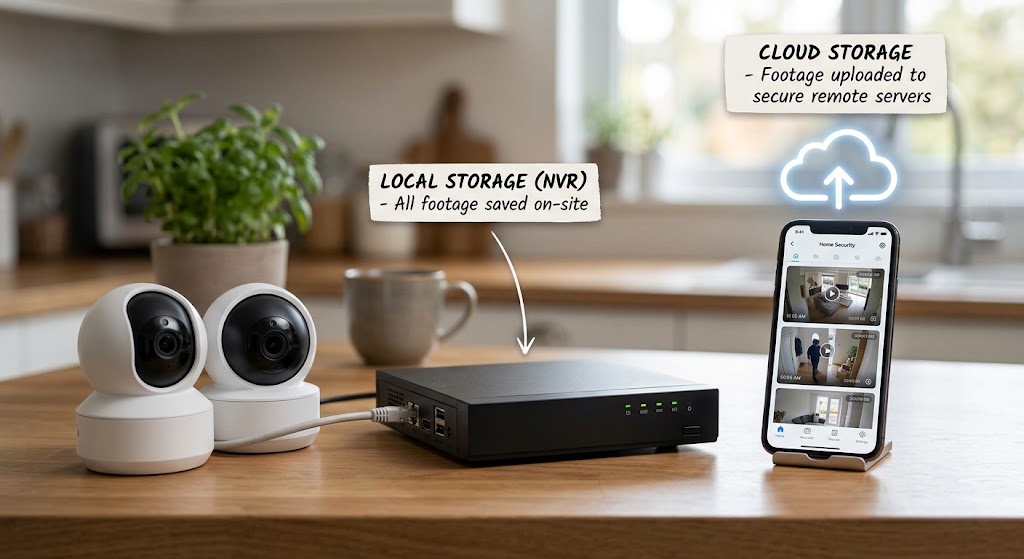
Local Storage Security Cameras vs. Cloud Subscriptions: Cost Breakdown
Local security cameras cost more upfront but can eliminate years of cloud fees. Here is the real 2026 cost breakdown for local NVR, HomeBase, microSD, Ring, Arlo, and eufy cloud plans.

Apple HomeKit vs. Google Home vs. Amazon Alexa: 2026 Ecosystem Review
Apple Home is the privacy and Apple-integration winner, Google Home has the strongest AI-first smart-home experience with Gemini, and Amazon Alexa remains the broadest hub and device-integration ecosystem. Here is the 2026 breakdown.
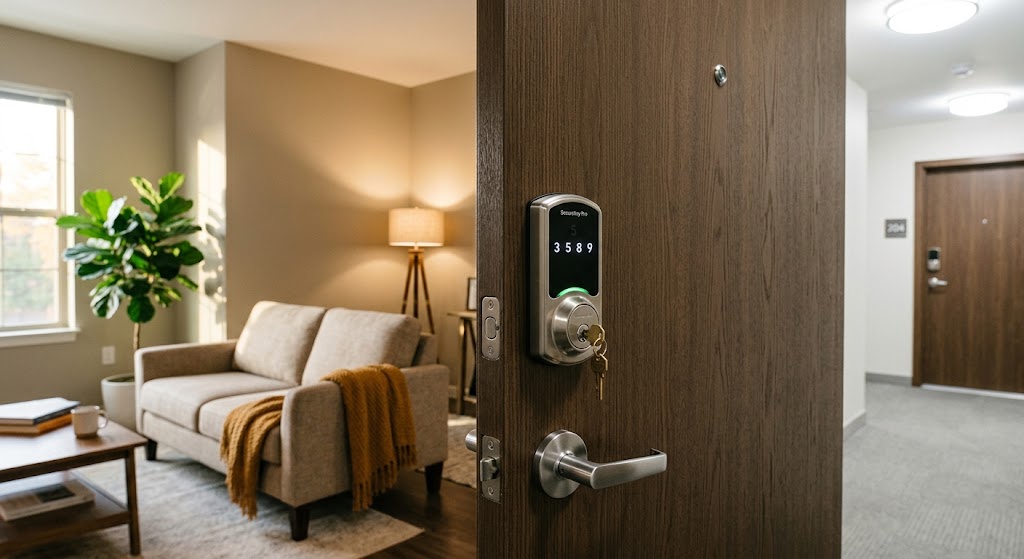
The Best Renter-Friendly Smart Locks That Keep Your Landlord’s Key Working
The best renter smart locks retrofit the inside of your existing lock so the exterior cylinder and landlord’s physical key can keep working. Here are the strongest US and EU options.
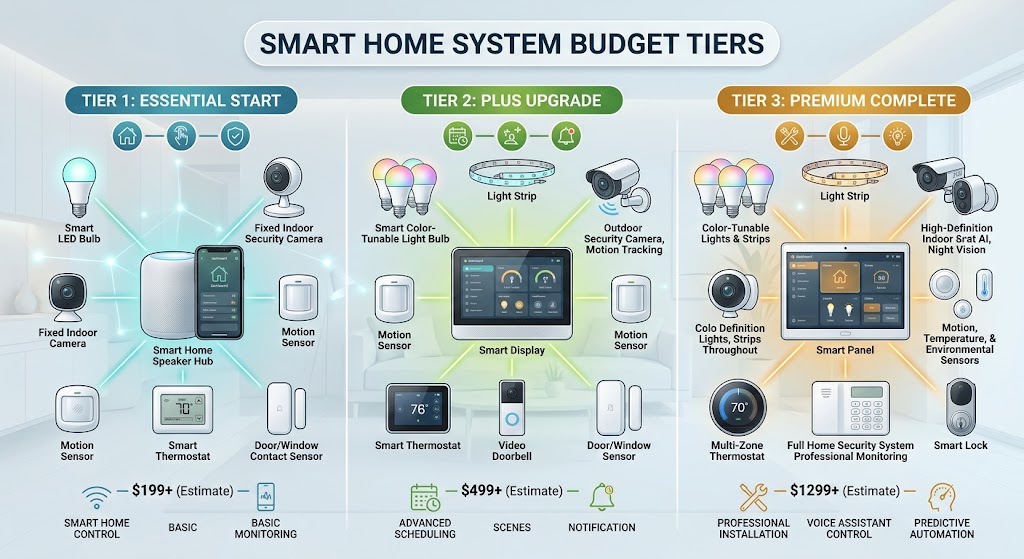
The Ultimate 2026 Smart Home Buying Guide: $500, $1,500, and $5,000 Budgets
Three practical 2026 smart-home builds for $500, $1,500, and $5,000, with current pricing, local-first architecture, Matter/Zigbee/Thread strategy, security, safety, and upgrade priorities.