
How to Optimize Your Smart AC for Late-Summer Heatwaves
Use smarter cooling schedules, sensible setpoints, humidity control, room sensors, and maintenance checks to stay comfortable during late-summer heatwaves without wasting energy.
Quick answer
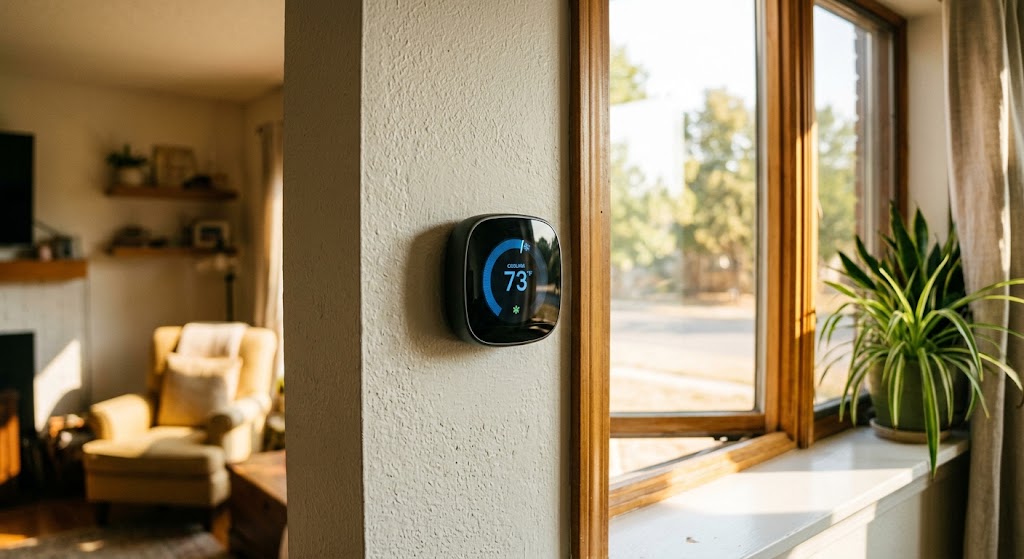
To optimize a smart AC during a late-summer heatwave, use the highest indoor temperature that remains comfortable and safe, automate higher setpoints when the home is unoccupied, keep the central HVAC fan on Auto for normal operation, use room or occupancy sensors carefully, and review humidity, filter, and runtime data. Pre-cooling can be useful before utility peak events or expensive time-of-use periods, but it is not a universal energy-saving tactic and should never come at the expense of heat safety.
Table of contents
- Start with the highest setpoint that is still comfortable and safe
- Build a heatwave schedule around when people actually need cooling
- Use pre-cooling as a peak-management tool, not a universal hack
- Keep the central HVAC fan on Auto for normal cooling
- Treat humidity as a separate comfort setting
- Make room sensors represent the rooms people actually use
- Let runtime history tell you when the problem is no longer “smart”
- Clean the filter and keep basic maintenance boring
- Reduce the cooling load before asking the AC to work harder
- A five-minute smart AC heatwave audit
- Heat safety comes before energy optimization
- Conclusion
Key takeaways
- During a heatwave, the best cooling setpoint is the highest temperature that still keeps the household comfortable and safe; aggressively lowering the setpoint does not make most central AC systems cool faster.
- Smart schedules, geofencing, and utility demand-response features can reduce unnecessary cooling or shift it away from peak periods, but settings should be conservative during extreme heat.
- Fan Auto, clean filters, realistic humidity control, and useful room-sensor placement can improve how effectively a smart cooling system uses its available capacity.
Editorial transparency
Who worked on this article and how it was handled.
- Written by
- Daniel Reed
- Creation method
- Editorial research
AI assistance: AI assisted with research organization and drafting. Sources, factual claims, and the final article should be reviewed by a human editor before publication.
Late-summer heatwaves are a stress test for both your air conditioner and the automation wrapped around it. A smart thermostat can schedule, sense occupancy, track runtime, and sometimes respond to utility peak events, but none of those features can overcome a badly chosen setpoint, a clogged filter, or a house absorbing solar heat all afternoon.
The central trade-off is not simply comfort versus savings. During dangerous heat, cooling is a health measure, especially for older adults, infants, people with chronic conditions, and anyone else who is more sensitive to heat. The goal is therefore to remove avoidable cooling waste while keeping the home safely habitable.
The most effective strategy is a layered one: choose a realistic setpoint, automate only the periods when less cooling is truly needed, manage fans and humidity deliberately, use sensors to represent occupied rooms, and treat unusual runtime as a maintenance signal rather than something software can always fix.
Start with the highest setpoint that is still comfortable and safe
The easiest way to increase cooling demand is to create a large temperature difference between indoors and outdoors. The U.S. Department of Energy and the European Commission both recommend using a higher cooling setpoint when comfort allows, because a smaller indoor-outdoor temperature difference reduces the amount of heat your AC has to remove.
That does not mean there is one universal “correct” heatwave temperature. A healthy adult working quietly at home may tolerate a different setting than an older person, a baby, someone with a heart or respiratory condition, or a household with pets that are sensitive to heat.
A better smart-thermostat setup is to define three bands:
| Mode | What it should do |
|---|---|
| Occupied comfort | Maintain the highest setting that still feels comfortable and safe |
| Sleep | Use a temperature that supports safe, comfortable sleep rather than an aggressive energy target |
| Away | Allow the temperature to rise modestly when the home is empty, while protecting pets, plants, electronics, humidity-sensitive spaces, and building conditions |
Do not “panic cool” by dropping the thermostat far below your desired temperature. DOE guidance notes that setting a conventional air conditioner colder than normal does not make the home cool faster; it can simply keep the system running longer and produce unnecessary overcooling.
Build a heatwave schedule around when people actually need cooling
A smart schedule is valuable because it prevents the AC from maintaining full comfort conditions when nobody benefits from them. ENERGY STAR identifies scheduling, learning behavior, geofencing, and occupancy detection as common ways smart thermostats reduce unnecessary heating and cooling.
During a heatwave, however, avoid extreme setbacks. If a home becomes very hot during the afternoon, the system may need hours to recover, and some homes can remain uncomfortable well into the evening. Large temperature swings can also be problematic for humidity control in muggy climates.
A practical late-summer schedule might look like this:
- Morning: Maintain normal comfort while the outdoor temperature is still moderate.
- Unoccupied daytime period: Raise the cooling setpoint modestly rather than switching cooling off completely during severe heat.
- Before occupants return: Let smart recovery begin early enough to reach the comfort target without a frantic manual override.
- Evening and overnight: Reassess the setpoint as outdoor temperatures fall; a ceiling or portable fan may let you remain comfortable at a higher AC setting.
If your smart thermostat uses geofencing, verify that it is detecting the correct phones and household members. A geofence that thinks someone is always home defeats the purpose; one that marks the house empty while a child, older adult, guest, or pet remains inside can be unsafe.
Use pre-cooling as a peak-management tool, not a universal hack
Pre-cooling means lowering the indoor temperature before a period of high electricity demand or high electricity prices, then allowing the thermostat to rise during the expensive or grid-constrained period.
This strategy can be useful when your utility offers:
- time-of-use electricity rates;
- critical-peak pricing;
- demand-response events;
- smart-thermostat incentive programs.
Google Nest’s Rush Hour Rewards documentation provides a clear example: participating thermostats may pre-cool before a utility “rush hour,” then reduce cooling during the high-demand event. The purpose is to shift load away from the peak period while preserving comfort.
But pre-cooling is not guaranteed to reduce total kilowatt-hours. In a poorly insulated home, much of the extra cooling can leak back out before the peak ends. In a well-insulated home with thermal mass and expensive afternoon electricity, the economics can be much more favorable.
Use your thermostat’s energy history and your utility rate schedule to judge whether the strategy makes sense in your home.
Keep the central HVAC fan on Auto for normal cooling
For a typical central air-conditioning system, Fan Auto is the sensible default. DOE guidance recommends having the central fan shut off with the compressor rather than using the central blower for continuous circulation.
That matters for two reasons:
- the blower consumes electricity when it runs;
- after the compressor stops, continuous airflow can re-evaporate moisture from a wet indoor coil in some systems, which may work against dehumidification.
Fan On is not inherently wrong. It can be useful when continuous filtration, ventilation, or air mixing is an intentional part of the home’s indoor-air-quality strategy. But it should be a deliberate choice, not a forgotten switch.
For comfort, a ceiling or portable fan is often a better companion to AC. Both DOE and European Commission guidance note that local fans can make occupants feel cooler, which may allow a higher thermostat setting without sacrificing comfort. Remember that room fans cool people through air movement; they do not lower an empty room’s actual temperature, so turn them off when nobody is there.
Treat humidity as a separate comfort setting
Late-summer heat is often humid heat. Two rooms at the same temperature can feel very different if one has much more moisture in the air, because high humidity makes it harder for perspiration to evaporate from the skin.
Some smart thermostats offer humidity features that can run the air conditioner or a dedicated dehumidification mode to bring moisture down. Google’s Cool to Dry feature is one example: on compatible systems, the thermostat can use the AC or heat pump to reduce excessive humidity.
The trade-off is runtime. If a thermostat is allowed to overcool the home to chase a low humidity target, comfort may improve but energy use can rise. Start with manufacturer-recommended settings and judge the result using both indoor humidity and runtime data.
If your home remains clammy even while the AC runs for long periods, do not assume the answer is a more aggressive thermostat setting. Oversized equipment, airflow problems, refrigerant issues, duct leakage, and building-envelope moisture can all require professional diagnosis.
Make room sensors represent the rooms people actually use
A single thermostat is only measuring one point in the house. ENERGY STAR notes that compatible temperature and occupancy sensors can help manage rooms that differ because of sun exposure, insulation, or other conditions.
During late-summer heatwaves, those differences become more pronounced. A west-facing bedroom may be several degrees warmer than a shaded hallway where the thermostat is mounted. If your smart thermostat supports remote sensors, use them to represent the rooms that matter at the time they are occupied.
Good sensor practice includes:
- prioritizing occupied bedrooms overnight rather than an empty hallway;
- avoiding direct sunlight, lamps, televisions, ovens, and other local heat sources;
- keeping sensors away from supply vents and drafts that can distort readings;
- checking whether the app is averaging sensors or prioritizing one specific room.
The European Commission specifically warns against placing heat-producing devices such as lamps or televisions near a thermostat because the extra heat can make the air conditioner run longer than necessary.
Let runtime history tell you when the problem is no longer “smart”
Smart thermostats are useful diagnostic tools because they can show how long the cooling system runs, when the indoor temperature changes, and whether the schedule is actually reducing operation.
During a severe heatwave, long runtimes are not automatically a fault. An appropriately sized air conditioner may run for extended periods near its design conditions. The more important warning signs are changes from the home’s normal behavior, such as:
- runtime suddenly increasing compared with similar weather;
- indoor temperature rising even while the AC runs continuously;
- weak airflow from several registers;
- unusual cycling or repeated shutdowns;
- unexpected water around the indoor unit;
- the thermostat reporting temperatures that obviously do not match the room.
A smart controller can compensate for behavior. It cannot repair restricted airflow, low refrigerant charge, a failing compressor, or damaged ductwork.
Clean the filter and keep basic maintenance boring
One of the most useful heatwave optimizations is also one of the least glamorous: make sure the system can move air.
DOE guidance says routinely cleaning or replacing air filters can reduce air-conditioner energy consumption by 5% to 15%, because a clogged filter restricts airflow and degrades performance. Follow the equipment manufacturer’s filter type and replacement schedule rather than automatically choosing the densest filter you can buy; excessive pressure drop can create its own airflow problems.
ENERGY STAR also recommends regular professional cooling-system maintenance. A typical service visit may include thermostat checks, electrical inspection, condensate drainage, and other system-specific checks that should not be treated as DIY electrical or refrigerant work.
For homeowners, safe routine tasks generally include:
- checking or replacing the accessible air filter according to manufacturer instructions;
- keeping outdoor condenser airflow free of obvious leaves and debris without opening electrical panels;
- checking that supply and return grilles are not blocked by furniture;
- reviewing thermostat batteries or power warnings where applicable.
Do not open mains-voltage panels, handle refrigerant, bypass compressor protection, or change installer-level equipment settings unless you are qualified and the manufacturer’s documentation explicitly supports the procedure.
Reduce the cooling load before asking the AC to work harder
Smart controls are more effective when the home is not absorbing avoidable heat. The European Commission recommends limiting direct solar gain with blinds or shutters and avoiding ventilation with hot outdoor air while the AC is actively cooling.
During the hottest part of the day:
- close blinds, shutters, or shades on sun-exposed windows;
- keep exterior doors and windows closed while cooling;
- delay oven use, clothes drying, and other major indoor heat sources where practical;
- use bathroom and kitchen exhaust appropriately when removing localized heat and moisture, while recognizing that exhaust fans also pull replacement outdoor air into the home.
These measures reduce the heat your AC must remove, which is often more effective than repeatedly lowering the thermostat.
A five-minute smart AC heatwave audit
Before the next very hot afternoon, work through this checklist:
- Confirm the thermostat is in Cool mode and not stuck in a temporary or permanent hold you no longer need.
- Set the occupied temperature as high as is comfortably and safely practical.
- Review the Away/Eco temperature and make sure it is appropriate for anyone or anything remaining in the home.
- Verify the schedule or geofence is detecting occupancy correctly.
- Set the central HVAC fan to Auto unless continuous airflow is intentional.
- Review humidity settings and disable overly aggressive dehumidification if it is causing unnecessary overcooling.
- Confirm room sensors represent the spaces people actually occupy.
- Check the filter and thermostat runtime history.
- If you have time-of-use rates or a utility demand-response program, review whether scheduled pre-cooling can shift demand away from the expensive period.
- Block direct afternoon sun before changing the thermostat again.
Heat safety comes before energy optimization
Extreme heat can cause serious illness. CDC guidance advises using air conditioning or spending time in an air-conditioned location during dangerous heat, and it identifies older adults, infants and children, people with chronic conditions, and several other groups as being at higher risk.
Do not use a utility-saving schedule that makes the home unsafe. If someone is showing symptoms of heat-related illness, energy optimization is no longer the priority; follow local medical guidance and seek appropriate care.
Heatwaves can also coincide with grid stress and power outages. If your household relies on electrically powered medical equipment or refrigerated medication, include backup power and cooling access in your heat plan rather than depending entirely on thermostat automation.
Conclusion
Optimizing a smart AC for a late-summer heatwave is mostly about using automation to avoid unnecessary cooling without crossing the line into unsafe or uncomfortable indoor conditions. Start with a sensible setpoint, let schedules and occupancy controls relax cooling only when appropriate, keep the central fan on Auto for normal operation, and use humidity and room sensors as targeted tools rather than reasons to run the system harder.
Then watch the data. If runtime keeps rising, rooms stop reaching setpoint, or airflow changes, treat that as a maintenance question instead of trying to solve it with another app setting. The best smart-cooling setup is the one that keeps the household safe, comfortable, and predictable while giving the equipment less avoidable work to do.
Common questions
Questions this guide answers
What temperature should I set my smart AC to during a heatwave?
There is no single temperature that is right for every household. Energy guidance generally recommends setting cooling as high as is comfortably and safely practical, while heat-health guidance emphasizes maintaining a safe indoor environment for older adults, infants, people with chronic conditions, and others who are more vulnerable to extreme heat.
Does setting the thermostat much colder cool the house faster?
Usually no. For conventional central air-conditioning systems, lowering the thermostat far below the desired temperature does not make the equipment cool the home faster; it mainly risks longer runtime and unnecessary overcooling.
Should the AC fan be set to Auto or On in summer?
Auto is generally the better default for central air conditioning because the blower stops when the compressor cycle ends. Continuous Fan On can be useful for specific filtration, ventilation, or comfort goals, but it uses additional electricity and may not improve cooling efficiency.
Should I pre-cool my home before the hottest part of the day?
Pre-cooling can make sense when your utility has peak-demand events or time-of-use rates and your home can hold the cooler temperature for a while. It should be used as a targeted load-shifting strategy rather than assumed to reduce total energy use in every home.
Can a smart thermostat help with humidity during a heatwave?
Some smart thermostats can use the air conditioner or a compatible dehumidification mode to manage high indoor humidity. Because this can increase cooling runtime, use humidity-control features deliberately and follow the thermostat and HVAC manufacturer's guidance.
Evidence & further reading
Sources & references
Primary and authoritative references used to support or contextualize this article. Links open the original source.
- 1Energy Saver 101: Everything You Need to Know About Home Cooling
U.S. Department of Energy · Accessed Aug 20, 2026
Supports guidance on high-but-comfortable cooling setpoints, fan use, air-filter maintenance, and avoiding unnecessarily low thermostat settings.
- 2Smart Thermostats
ENERGY STAR · Accessed Aug 20, 2026
Supports smart schedules, geofencing, occupancy sensing, remote control, and field-verified energy-saving functionality in certified smart thermostats.
- 3Maintenance Checklist
ENERGY STAR · Accessed Aug 20, 2026
Supports thermostat checks and regular professional HVAC maintenance for efficient cooling operation.
- 4Air Conditioners and Comfort Fans
European Commission · Accessed Aug 20, 2026
Supports higher comfortable setpoints, using comfort fans alongside AC, blocking solar heat gain, and avoiding heat-producing devices near temperature sensors.
- 5How Nest thermostats work with Rush Hour Rewards
Google Home and Nest Help · Accessed Aug 20, 2026
Provides a manufacturer example of pre-cooling and automated temperature adjustments before utility peak-demand events.
- 6Learn about Cool to Dry
Google Home and Nest Help · Accessed Aug 20, 2026
Provides a manufacturer example of smart-thermostat humidity control using compatible air-conditioning or heat-pump systems.
- 7About Heat and Your Health
Centers for Disease Control and Prevention · Accessed Aug 20, 2026
Supports heat-safety guidance and the importance of air conditioning or access to cool indoor locations during extreme heat.

About the author
Daniel Reed
Daniel writes about connected-home standards, small-space technology, device interoperability, and privacy-conscious urban living.
More from Daniel →Make your home smarter without buying every gadget.
One useful idea, one product worth knowing, and one energy-saving action—delivered weekly.
No spam. Unsubscribe anytime.
Semantic recommendations
Related reading
Selected from topic cluster, entities, tags, search intent, and editorial relationships.

5 Smart Thermostat Placement Mistakes That Can Waste Hundreds on HVAC Bills
Wrong thermostat placement can distort temperature readings, increase HVAC runtime, and quietly undermine both comfort and energy savings.
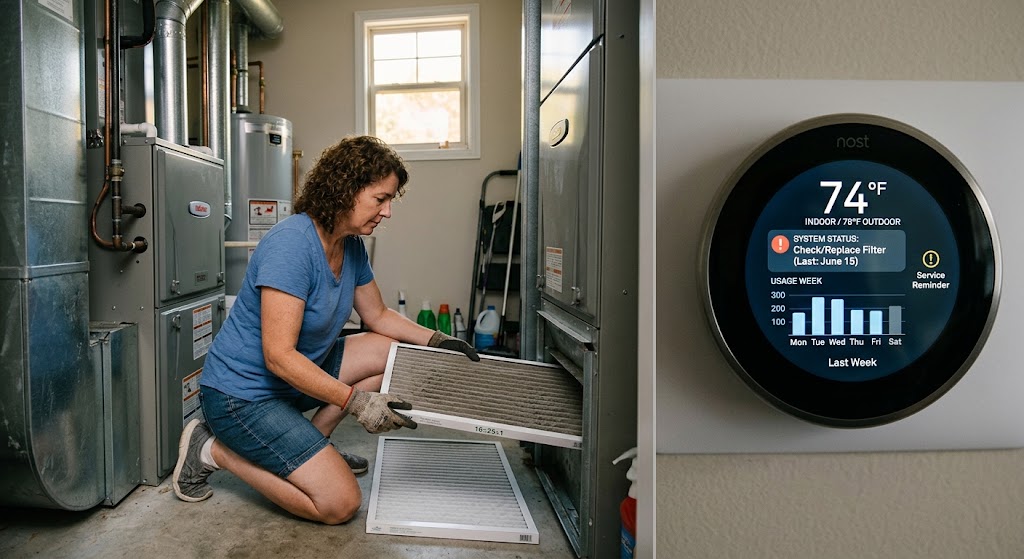
End-of-Summer HVAC Maintenance Checklist for Smart Thermostat Owners
Use your smart thermostat's runtime, filter reminders, temperature sensors, and system alerts to close out cooling season and prepare HVAC equipment for fall.
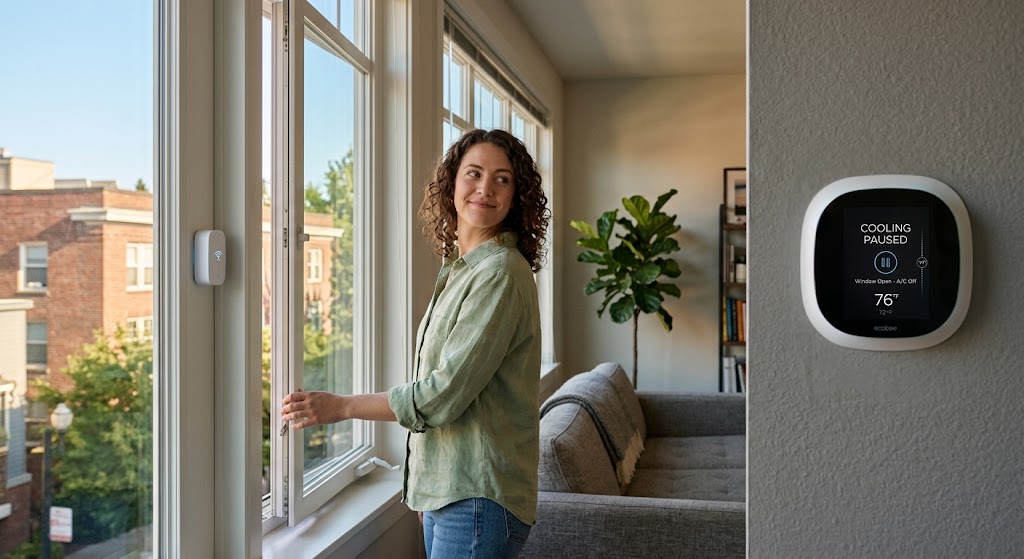
Smart Window Contact Sensors: Preventing Open Window AC Energy Waste
Use window contact sensors to pause cooling only after a window stays open, then restore the previous HVAC state safely after every monitored window is closed.

7 Hidden HVAC Settings That Instantly Drop Your Winter Heating Bill
Seven overlooked thermostat and HVAC settings can cut wasted heating runtime, reduce expensive backup heat, and improve winter efficiency without replacing your system.